

Apple has released the first developer beta for iOS 18.1, and it’s crucial for one key reason: Apple Intelligence. The suite of artificial intelligence features that Apple introduced at the WWDC a few weeks ago is finally making its way to iPhones. Well, at least a select few of those features.
Right now, Apple Intelligence is only available for the iPhone 15 Pro and iPhone 15 Pro Max. Also, make sure your device location is set to the United States and Siri’s language is set to English (U.S.) to get the best of Apple Intelligence. Right now, there’s a waitlist to enable Apple Intelligence on an iPhone, but as per a healthy few reports we’ve seen online, the waitlist clears in about 10 to 20 minutes. I managed to get the same done on iPadOS 18 in roughly five minutes.
NOTE: Some of the Apple Intelligence features seem to require additional assets to work after you install the iOS 18.1 Developer Beta update. Hence, you will see a message that says, “Support for processing Apple Intelligence modes on the device is downloading.”
Apple Intelligence features you can use now
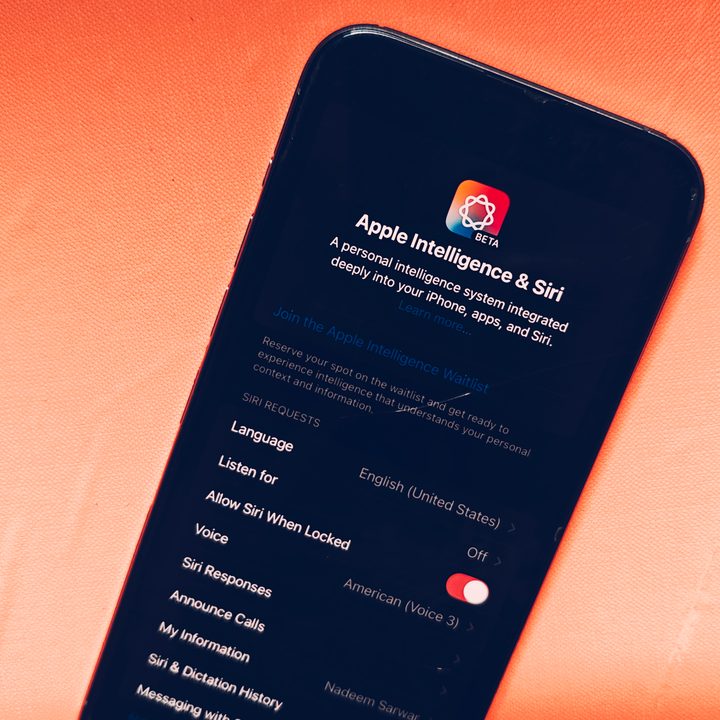
Once you’ve downloaded the iOS 18.1 Developer Beta update, cleared the waitlist, and your phone has finished installing Apple Intelligence models, you are ready to go.
On the dedicated Apple Intelligence & Siri page in the Settings app, simply enable the Apple Intelligence toggle at the top. So far, all of the following Apple Intelligence features are live and ready to use.
Writing Tools
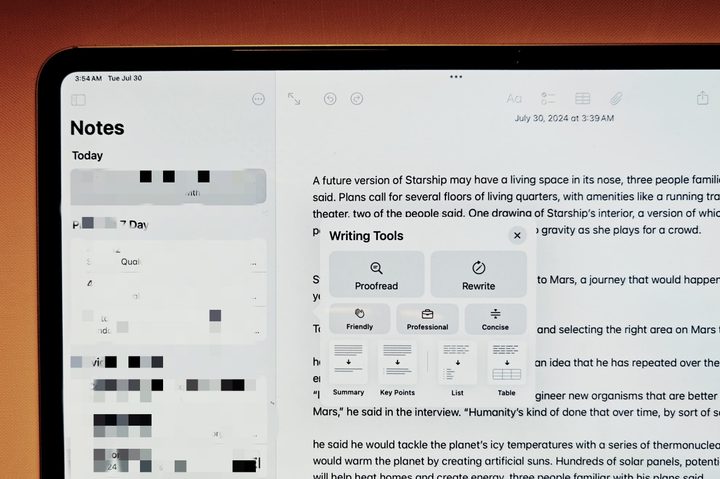
One of the most hotly anticipated features of the Apple Intelligence portfolio is the systemwide Writing Tools. For example, in the Notes app, when you select text or double tap to see the contextual menu, you see options like Proofread, Rewrite, and adjust the style with tones like Concise, Professional, or Friendly.
More importantly, you also get one-tap options like text summarization, extracting key points from a text, turning it into a list, or formatting it in the form of a table. The whole process is near instantaneous, and it definitely feels quicker than what you would get while using cloud-linked tools like ChatGPT or Copilot on mobile.
Mail summarization
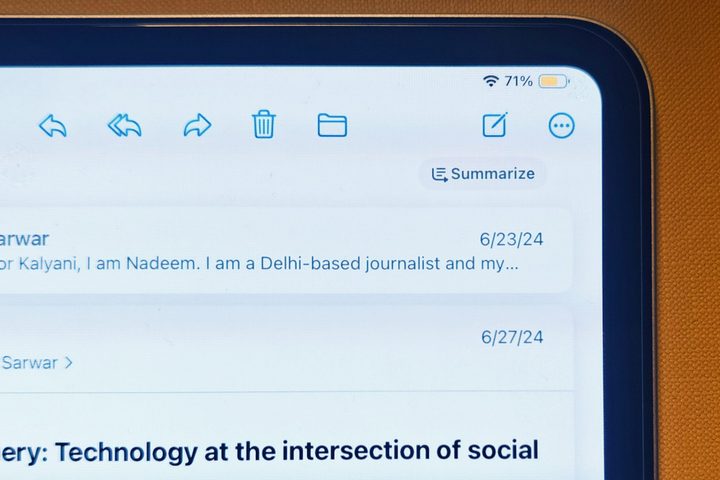
Mail is set to receive a lot of upgrades, but one of the most useful of them all is the Summarize feature. I loved this feature in the Shortwave app, and now, the pre-installed Mail app on your iPhone will summarize email contents with a single tap.
Another neat feature is the AI-boosted voice note feature, which can now transcribe and summarize the contents of your voice recordings. You can directly embed voice clips in Notes files without having to switch to another app and have their summary or transcription always at your disposal with a single tap.
A smarter Siri
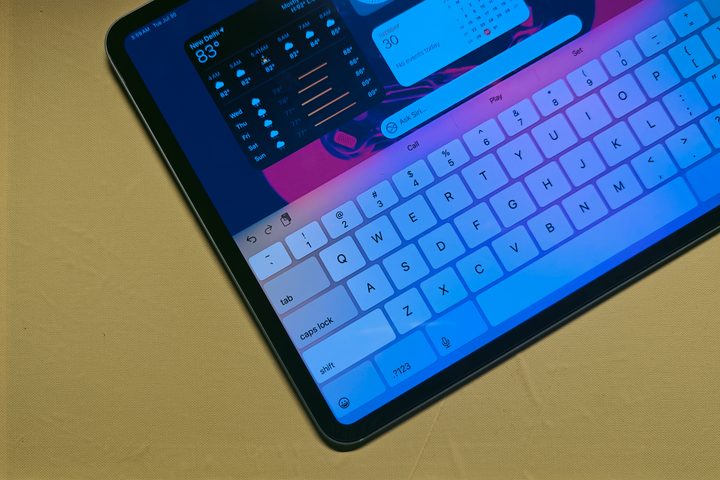
The first major attraction is Siri. When summoned, it now plays a glowing light animation around the entire display. The assistant can now directly tap into Apple’s reserves and will guide you through your device-related queries.
I also noticed that contextual understanding seems better, and it processes commands with an improved level of comprehension and alacrity. Also, we get a new way to invoke Siri. If you don’t like the long press on the power button to summon Siri or interact with voice commands, just double-tap on the navigation bar at the bottom, and a keyboard will slide up that lets you enter text commands for the virtual assistant.
An intelligent focus mode
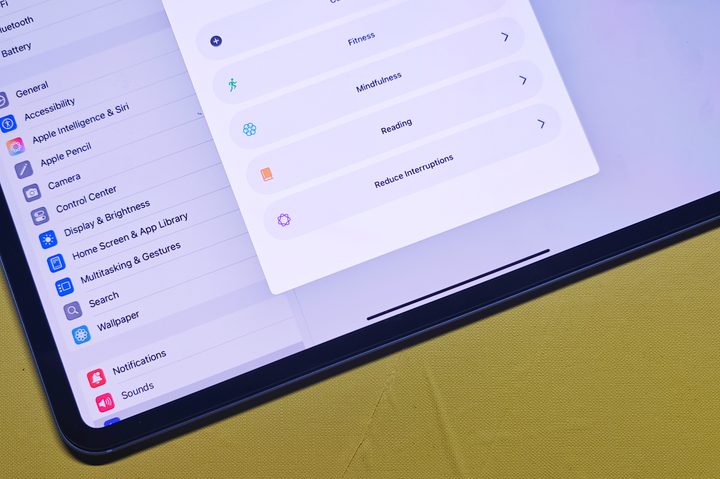
Apple offers multiple focus mode presets, such as gaming and work, and the ability to create a custom focus mode. With iOS 18.1, you get a new preset called Reduce Interruptions, which intelligently parses through the clutter of notifications using on-device intelligence.
It reads through a notification’s contents, and if they seem urgent, it will send an alert. It can be scheduled right from the control center and lets you customize the behavior, as well. For example, you can whitelist on a per-person basis to allow notifications from only a select few important people, and the same can be done for apps.
All of the missing Apple Intelligence features
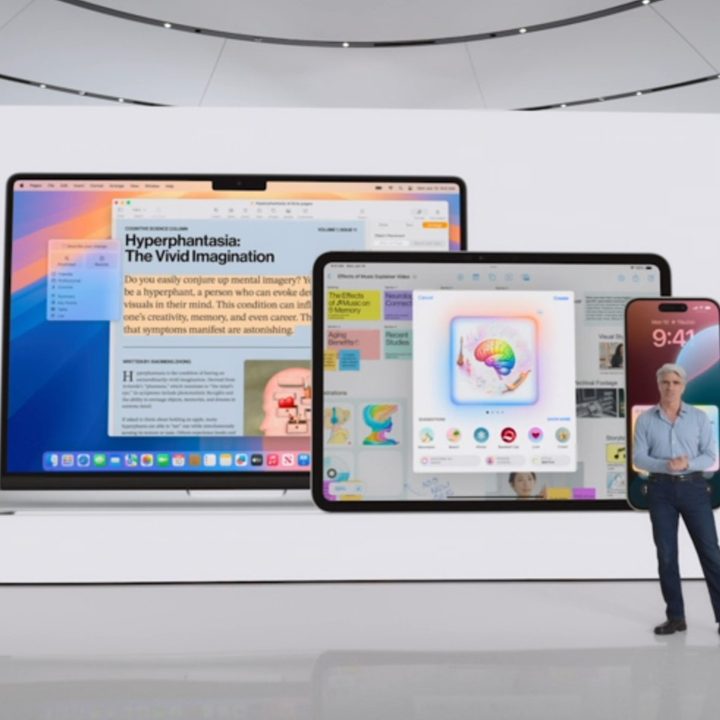
That said, a handful of Apple Intelligence facilities have yet to arrive in the iOS 18.1 beta. But that is not entirely unexpected. AI tools are notoriously error-prone, and it takes a lot of time to close the loopholes so that they don’t make the same dumb or disturbing mistakes.
Bloomberg also reported that some of the Apple Intelligence features will take their own sweet time to release and that we can expect a few of them to make an appearance next year. Below are some of the biggest Apple Intelligence tricks that are yet to be seen.
Siri awareness and app integration
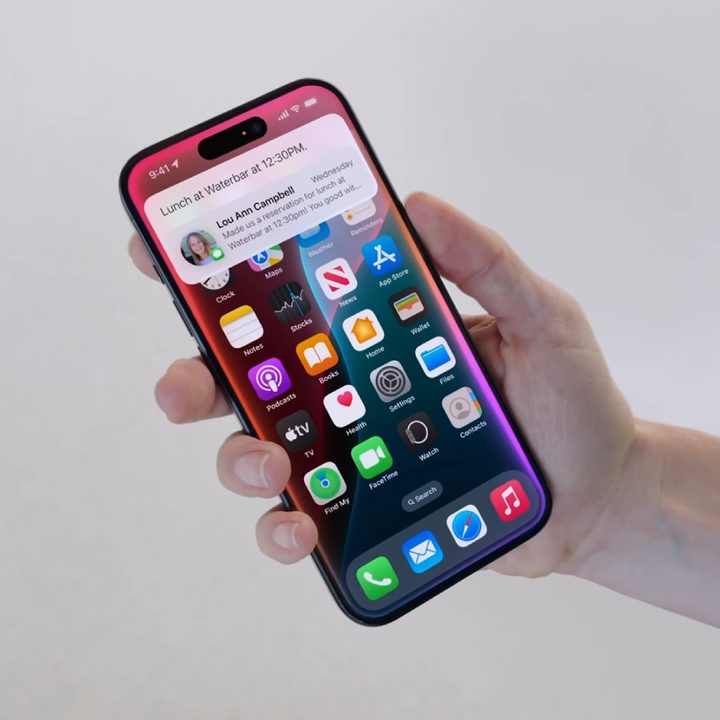
We recently detailed a research paper on how Apple wants Siri to always be aware of what’s on your screen so that it can answer your queries and assist users when needed. Apple finally made this official at WWDC, alongside a promising new ability to interact with other apps installed on your phone. Unfortunately, these Siri tricks have yet to appear with the Apple Intelligence package.
ChatGPT
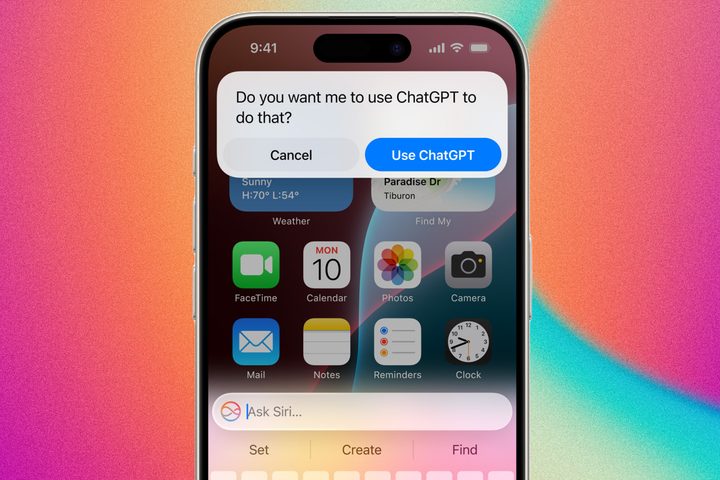
Apple says the new AI-boosted avatar of Siri will handle most of your chores, but in cases where it needs to dig deeper, it will show a prompt that lets you offload the task to ChatGPT. In case you missed it, ChatGPT is now multi-modal (capable of processing text, voice, and video inputs), and with the latest GPT-4o update, it’s conversation and comprehension abilities have made a new leap. However, it seems Apple needs more time to polish and release this two-tier AI assistant system on compatible hardware.
Priority notifications
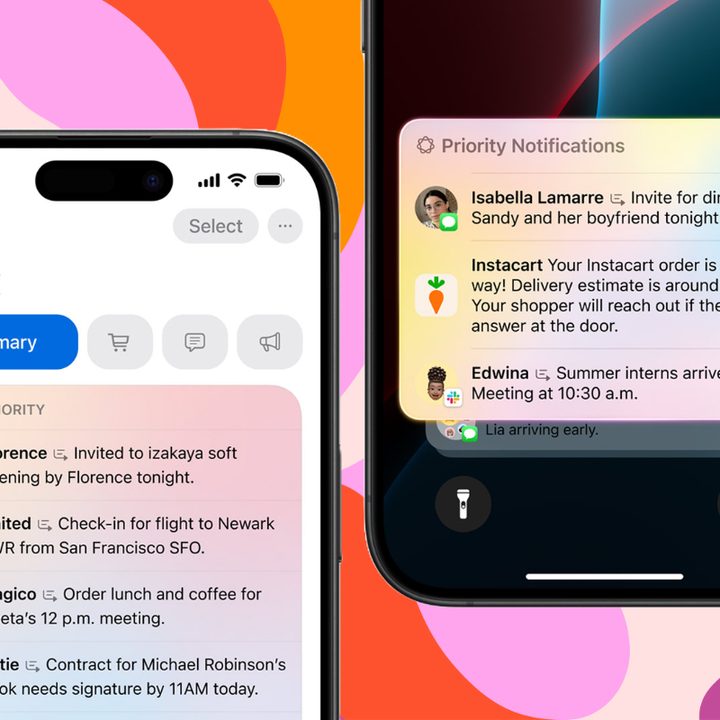
This is one of those features that I’ve been eagerly waiting for. As the name suggests, this one automatically sifts through the barrage of notifications and will only highlight those that seem important. Apple says it will accomplish the task by summarizing the notifications to allow a quick glance through all the clutter.
Mail upgrades
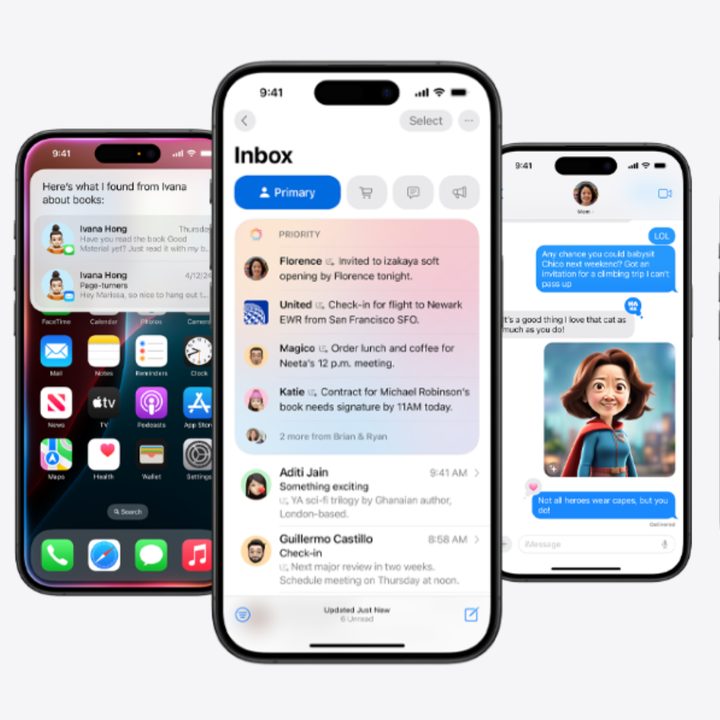
Apple showcased some convenient tricks like Priority Messages in the Mail app, conversation summaries, a new Primary section at the top, and an AI-charged Smart Reply for contextual quick replies. Some of these capabilities can be experienced in Gmail and third-party apps like Shortwave, but they are yet to arrive with the first developer beta of the iOS 18.1 update.
Image eraser
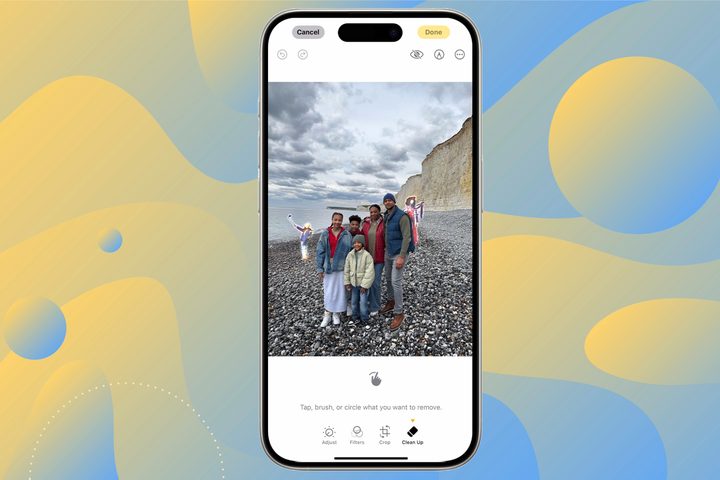
If you’ve been wowed by the AI trick that seamlessly removes certain items in an image on a Google Pixel or Samsung phone, well, Apple has something similar in its kitty for the Photos App. It allows you to pick and remove unwanted elements from a picture, but alas, this trick hasn’t arrived with the iOS 18.1 Developer Beta update.
Image Playground
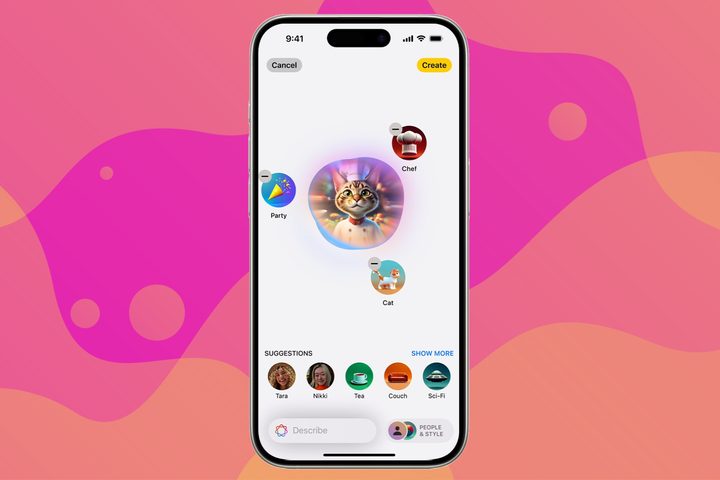
Image Playground is one of the most fun aspects of Apple Intelligence. It lets users tap into the power of AI and create custom images on the go, which can then be used in apps such as Notes, Messages, and more. But Apple is not keeping it limited. Instead, thanks to the Image Playground API, developers can also enable this facility in their app.
This is an on-device process, which means unless you are syncing or sharing data over the internet, you can create and insert AI-generated images wherever you want on your iPhone. On a related note, Apple also promised some cool upgrades like a natural language search for finding specific images and text-driven custom memories. But so far, we don’t see them working as advertised in the Photos app.
Genmoji
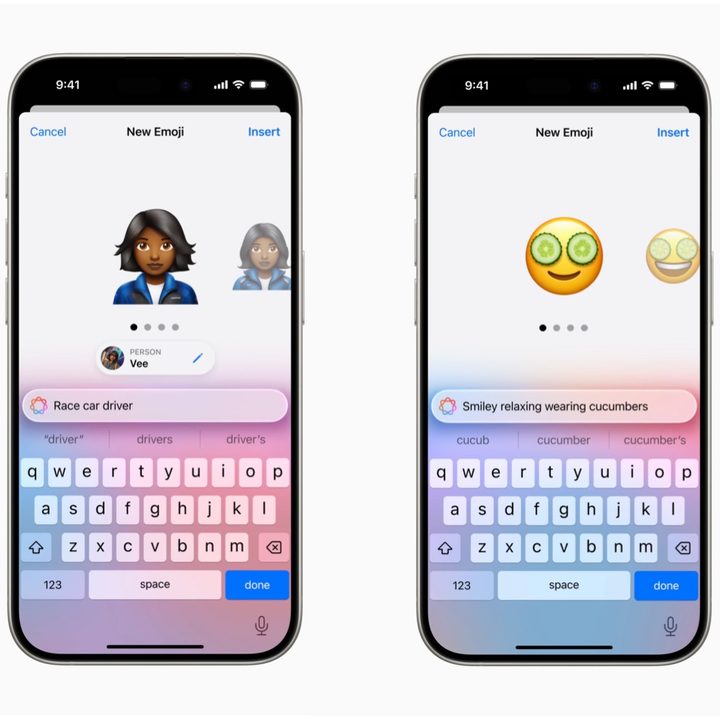
Think of Genmoji as the next evolution of emoji, but one with an endless canvas that is only limited by your creativity. Thanks to Genmojis, users can generate their own emoji with nothing but a text description. They can be used in line with text and can also be shared as stickers.



