 If you’re here reading this, chances are you already know the merits of the File Transfer Protocol. You’re probably well aware of just how handy it can be when you need to send a large file, but if you’re unsure what client to use, we’re here to help. Here at DT we use FTP like it’s going out of style, and through all of our combined years of use, we’ve all gravitated to the same batch of programs. Below, you’ll find our four favorite FTP clients that are functional, feature-rich, and completely free of charge.
 WinSCP (Windows)
 WinSCP
Even though it only works on Windows-based systems, WinSCP makes the list for its robust feature set and dead simple navigation. It’s got that familiar Windows UI to it, so long-time Windows users will feel right at home with the buttons and menu layout. Advanced users can also make use of WinSCP’s batch file scripting and command line interface for more control. The program supports SCP, SFTP, FTPS, and plain old FTP, and also comes with a few unique features like synchronized browsing and remote text editing. Check out the full list of features to learn more.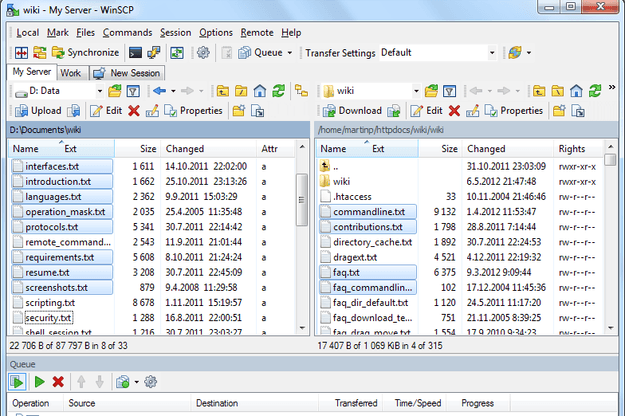
CyberDuck (Windows/Mac)
 CyberDuck
CyberDuck started life as a Mac app, but due to a massive number of requests from fans using Windows, the developers rolled out a Windows version with the 4.0 update. What makes it so great? Well for starters, CyberDuck has an excellent graphical user interface. The slick design makes navigation a snap, and little additions like drag and drop functionality, Growl notifications, and quick look previews make it feel more user-friendly than the competition. Along with support for FTP, SFTP, and FTPS protocols, CyberDuck also supports Amazon S3 and WebDAV. Check out the full list of features to learn more.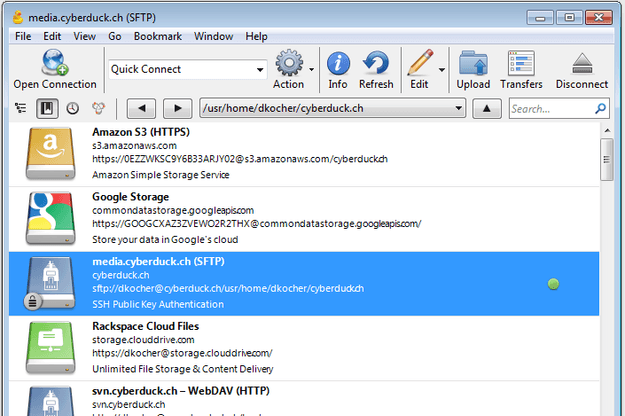
FileZilla (Windows/Mac/Linux)
 FileZilla
FileZilla makes this list for a number of different reasons. Not only is it completely free, open-source, and cross-platform, but it’s also got more features and advanced functionality than you get with most paid programs. The application interface isn’t as pretty as CyberDuck’s, in our opinion, but the design is about as simple and straightforward as it gets. New users should have no trouble jumping right in and using it without any guidance. Notable features and functions include: bookmarking, drag and drop, configurable transfer speed limits, proxy support, and pause/resume capabilities. Check out the full list of features to learn more.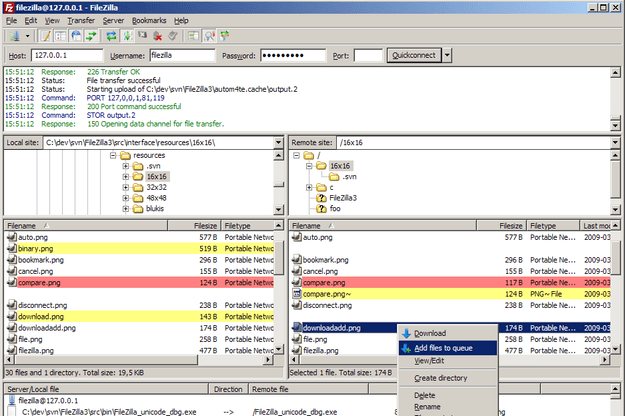
FireFTP (Browser-based)
 FireFTP
If you spend most of your time in a browser and you’d rather not download a whole new program just to sling a few files across the Web, we highly recommend you check out FireFTP. Technically it’s just a Firefox add-on, but it’s a lot more powerful than your average browser extension. FireFTP is an incredibly full-featured program that’s just as powerful as any desktop FTP client – the only difference is that it runs in a browser tab instead of a new program window. In addition to support for all the major FTP protocols (FTP, SFTP, FTPS, SCP), FireFTP also supports FXP for server-to-server transfers. Other notable functions include file synchronization, remote text editing, transfer pause/resume, and proxy support. Check out the full list of features to learn more.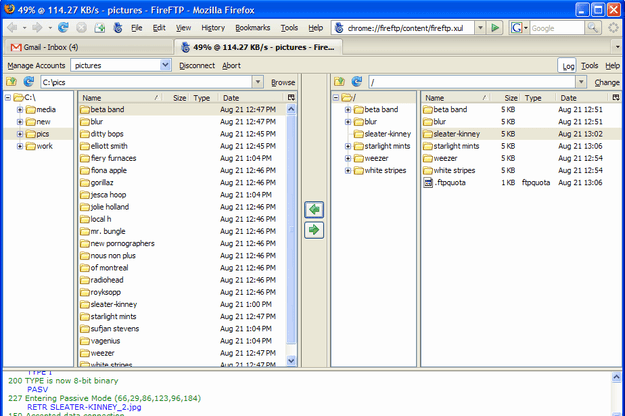
That’s it! Did you like our list of our favorite FTP clients? Do you have one you prefer over these four? If so, let us know in the comments below!