
Any.Do already acts as the go-to app for many people around the world, providing a handy and reliable task list. But the team behind the to-do list tool isn’t satisfied with that and are going on a Napoleon-style conquest to conquer your calendar. It’s biggest draw aside from a history of success is its futuristic look. Apple isn’t making iOS 7 officially available until later this year, but if you’re looking for a calendar app that captures the essence of what’s to come, Cal from Any.Do will do just fine.
 Any.Do’s background is in to-do lists, which we usually think of on a short term basis. A to-do is a list of things that you need to accomplish in the immediate future rather than a lofty, long term agenda. With this, it’s no surprise that Cal focuses on sending life your way one day at a time rather than overwhelming you with what is on your plate over an extended period. The main view that Cal provides is Today. You’ll be greeted with an image of the day, taken from Tumblrs and Web sources based on the category of your choosing. Whatever you find to be most pleasant, that is what Cal wants you to start your day with.
Of course, you’re not looking at your calendar for daily visual relief; you’re doing it to see what is going on in your life. Cal excels at giving you the scope of your day. The app provides you with a weekly view to give you context as to how far into the week you are, and below that you’ll see your agenda laid out clearly with events that you’ve added for the given date. The event, time that it’s taking place, and location are all displayed in order of occurrence. You’ll also see your to-dos if you have an Any.Do account synced up with Cal. This is ideal if you have tasks to knock out over the course of the day. You can see when you have openings to take care of whatever tasks you need to accomplish.
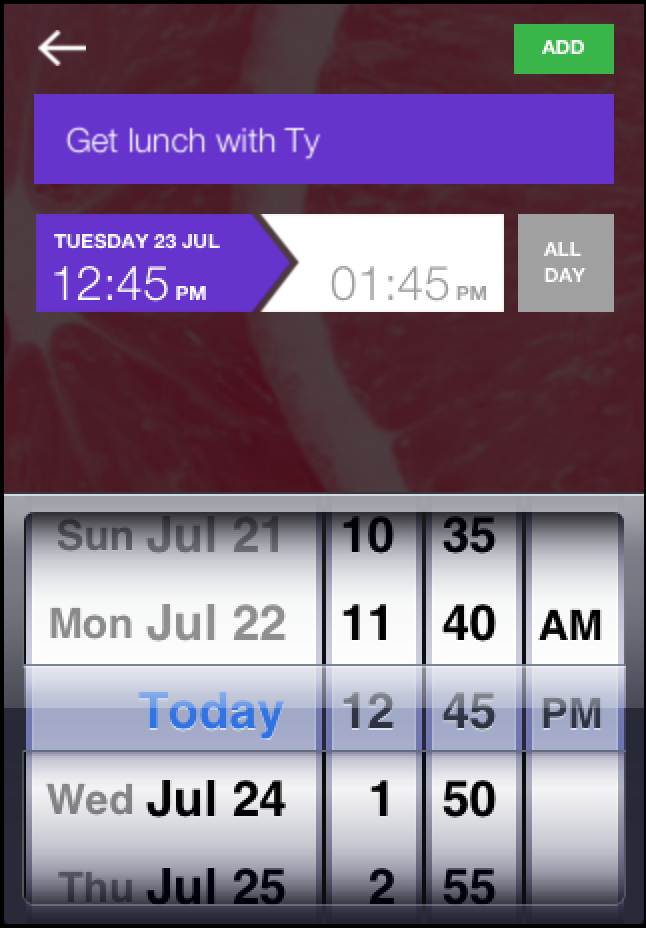 Making use of Cal as your daily planner is easy thanks to its ability to add people and places to created events. When you add something to your calendar, you’ll be able to peg people who are related to the happenings onto it. Cal then makes it possible to contact those people individually or as a group, sending out messages through whatever platform your contact information rests in. If you link up your social contacts to Cal, you’ll also get indications of friends’ birthdays on your daily agenda.
Cal relies on simplicity as its main appeal, and that works in its favor. It can be easy for a calendar app to try to do too much or to overwhelm by displaying things in too large of chunks. You can look at your month ahead in Cal, but the only indication that you have something going on is red font on a date rather than black. To see the full breadth of your business, you’ll have to look at the day on its own, which is a smart way to keep users from freaking themselves out with too much on their plate at one time. This likely comes from the experience of Any.Do, and adding integration with the to-do app adds an extra bit to Cal’s abilities that other apps may lack.
With an interface that fits in with the upcoming iOS 7 and the strength of masterfully helping you manage the day-to-day grind, Cal appears to be a great option for anyone looking for a calendar app – especially if they are already using Any.Do.
You can download Cal for iOS for free from the iTunes App Store.


