
Barnes and Noble was able to outlast its largest competitor, Borders, in the big box bookstore market but that doesn’t mean that it’s in the clear. The prominence of ebook reader options – both as stand alone devices and as apps on phones and tablets – has posed a significant threat to the brick and mortar store. Barnes and Noble did its best to be proactive in the fight against the paper-preserving platforms by releasing its own brand of e-readers and tablets: the Nook. Unfortunately it fell well short of expectations and the company is now discontinuing its own devices, something the owners of Nook tablets have been doing on their own for some time. However, to help those who invested in Nook products not lose the content they spent money on Barnes and Noble as released a Nook Video app for iOS and Android.
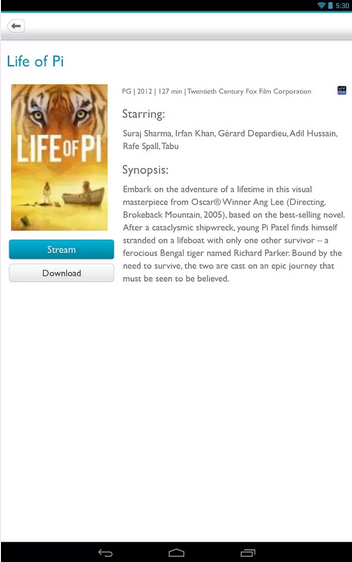 The cool part about Nook’s video service is that it uses UltraViolet for the majority of its video content. It’s also supported by all of the big movie studios, but it’s not a format that you’ve probably run into much. The Nook Video app brings whatever you have stored in your UltraViolet library over to iOS and Android. It will all be available within the app once you log in with your Nook account.
Aside from that, this app offers users the ability to rent or buy movies or TV shows. You can stream it over a 3G, 4G, or Wi-Fi connection or download it if you’ll be without connectivity for awhile, say on a flight. All of your video watching is linked to your account, so you can put down a video on your Nook and pick it up on your Android phone and continue watching from the spot you left off. All of this is handy enough, but it’s also not something we haven’t seen before. Nook Video is a tough sell to those who have already adopted another option as their go-to for film and TV on the go.
Additionally, we had some issues with the setup process. Even on Wi-Fi, the initial library load took a significant amount of time to access a minuscule amount of content. You don’t need a paid subscription to purchase or rent content, but you will need patience to access it. Getting new content onto your device of choice also requires you to go out of app and into a Web browser (at least, on iPad), which feels like an extra step that doesn’t need to be there. The app picks up your purchases by scanning your account for them, but it’d be nice to see it instantly appear after purchasing. Currently, you have to re-open the app and manually refresh to find new streams.
If you don’t currently have an app of choice that you go to when watching films or catching up on shows, you could give Nook Video a try. It does what it promises and has a decent library of content to check out. But know there are better options out there, and if you’re already using something else for the same purposes, you’re probably best to stick with it. The Nook Video app will best serve those with a rich library of Nook (or UltraViolet) video content that they don’t want to lose. Otherwise, there’s nothing to get excited about. It’s the next step toward phasing Nook tablets into their starring role as a footnote in tablet history.
Nook Video is available for free on Android from the Google Play Store and iPhone/iPad/iPod Touch from the iTunes App Store.


