With so many artificial intelligence companions hitting the scene, I was always unsure of which one is best for me. However, after trying all of them out over time, it’s become clear to me that Google Gemini has consistently come out on top for me.
Whether its creative generation or helping me with day to day tasks, Google Gemini has always been the most useful for me when compared to the alternatives. I’ve tried out a range of different AI companions from Copilot, ChatGPT and Grok and none of them have come close to Gemini.
Before getting into the nitty gritty about exactly how Gemini has outperformed the competition, it’s worth noting that one of the main reasons why it’s worked for me is because I’m pretty well invested in the Google ecosystem already.
I’ve used Google Calendar for years and prefer using Google Drive over alternatives including Docs, Sheets, and Slides. This means that when using different AI companions, it was easy for me to incorporate Gemini as I was already used to using the Google ecosystem.
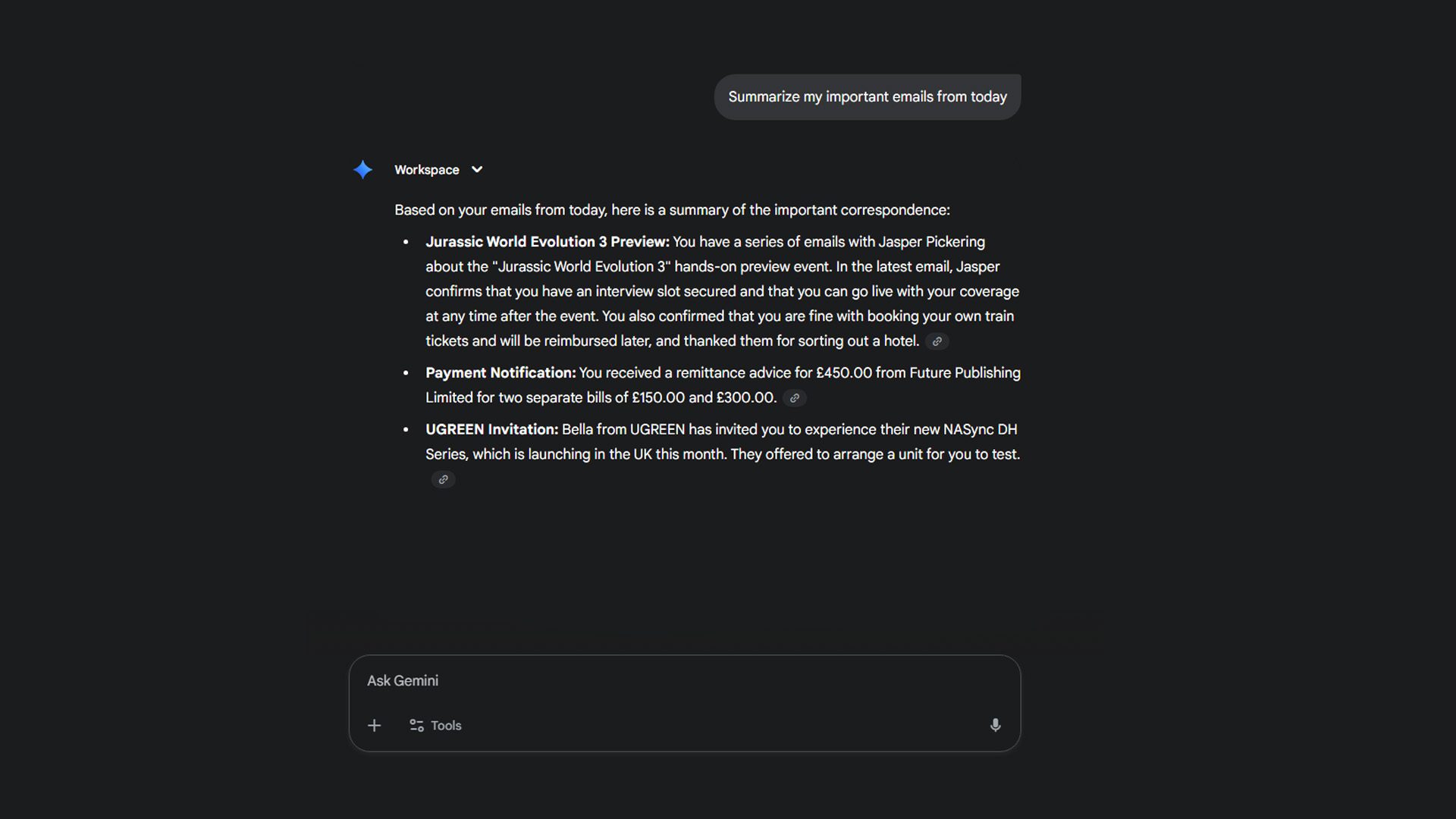
Thanks to this, it means I can ask Gemini for a run down of my upcoming events or even ask it to create an itinerary for me as it works alongside my Calendar. I can also use it to summarize emails for me, making it much easier to deal with an overloaded inbox – this is a particularly useful feature, as I can easily get clogged with emails and not know which ones need immediate attention and which ones don’t.
Gemini is also integrated straight into my email inbox so I can use it to draft emails and save myself time.
I’ve also been able to use Gemini to generate invoice templates and other documents for me within Google Docs itself which has been a life saver as it can make a typically boring and tedious task much faster. It can import information from previous invoices that I have saved in my Google Drive like my banking details and address straight from those older documents, so I don’t have to type them out all over again.
While I don’t use the Gemini creation tools – like image or video generation – too often, the times I have used these elements of the AI has been a breeze, with Gemini easily coming out on top when compared to the competition.
Overall, while I mainly use Gemini for simple tasks, the fact that it’s fully integrated into an ecosystem I have already used for years has made it super easy to pick up and use in my day to day life. It doesn’t feel like I need to open up a new browser window just to use the AI, with it already being easily accessible from my Inbox, Calendar and within Google Drive – tabs that I already have open every day.
From here on out, Google Gemini is seemingly only getting better. As I’ve made clear, I love the seamless integration of the AI and Google has confirmed that it’s hoping to further integrate Gemini into its range of products.
Gemini is coming to Google Home products soon, and I’m beyond excited because, again, I’m already invested in the ecosystem and I think Google Assistant isn’t the best. Having Gemini at my disposal all around my home will likely prompt me to use my Smart Home products so much more than I already do.
Google is also planning on implementing Gemini straight into the Google Chrome browser so that you can access it right from the top bar, whether it be asking it to summarize a webpage or schedule a meeting.
I’m even considering ditching my iPhone for Google Pixel thanks to Gemini. Gemini Nano runs directly on the phone and allows you access a range of AI tools from the palm of your hand.
Right now, I’m not sure that other AI companions could tempt me over. Thanks to the seamless integration that I get with Google products, it would be difficult for me to switch to another AI companion – it’s like asking me to switch email providers, when was the last time anyone did that?
Alternatives like ChatGPT and Microsoft Copilot would have to advance significantly further in order for me to switch to them for my day-to-day AI needs. If they would allow for integration with Google products like my Gmail Inbox or Google Calendar then that would maybe convince me to swap over too, however right now, that doesn’t seem feasible.