
Once Apple revealed that Mavericks would both be free and available for download immediately, we almost fell over in our chairs in our haste to download it onto our systems. However, we were pragmatic enough to realize that there could be problems with the roll-out considering how many other people would be attempting to do the same.
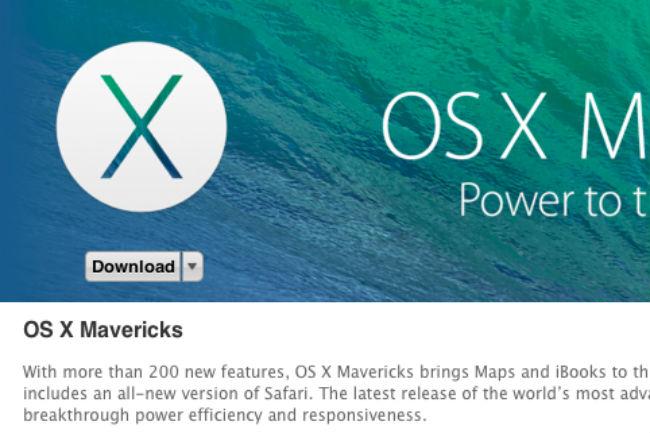 So, we headed over to the App Store, searched for “Mavericks,” hit the Download button and waited … and waited … and waited. It didn’t take us long to realize that something was wrong. After a while, the button’s “Downloading” status changed to “Download.” Hitting “Download” over and over again didn’t generate any results.
The App Store’s “Updates” tab was also bare, devoid of any helpful information..or any information at all. Something was definitely hampering our quest to get in on Mavericks. A big old “No Updates Available” sign.
We figured that somehow the download got interrupted. Eventually, we found a solution. If you can’t get OS X Mavericks to install on your Mac, or the download stalls out, try following these steps.
How to fix a stalled Mac OS X Mavericks download
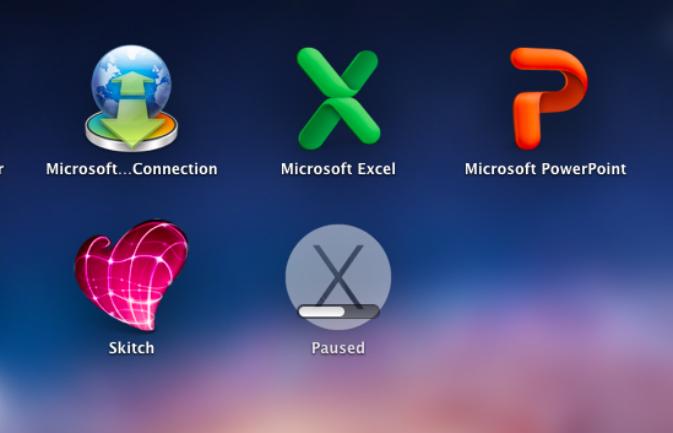 If you suspect that there’s something wrong with your Mavericks download, you can check on it’s progress by opening Launchpad. From there, locate the Mavericks icon. If you do indeed have a problem with the download, it could be that it was mysteriously paused somehow, which is what happened in our case.
From there, all we had to do to resume the download was click on it. Why simply hitting the download button in the App Store wasn’t doing the trick is beyond us, but at least we found a workaround. Weird, but whatever works.
How to delete the Mavericks Launchpad icon and restart the download
Here’s another fix we found. Some users report that if you suspect your Mavericks download has failed, you should open Launchpad, find the page containing the Mavericks icon and hold the Option button on your keyboard. Once you do, an X should appear right next to the icon. Click the X and try restarting the download in the App Store.
Editor’s Note: Though it seems like we’ve officially fixed this Mavericks download issue, we’ll be updating this post with additional problems if we come across any more, along with how to fix them.


