1. Home
  2. Computing
  3. Legacy Archives

Lenovo Thinks Small with A55 Desktop

Add as a preferred source on Google

Lenovo has rolled out its ThinkCentre A55 SFF desktop tower (SFF stands for "small form factor—get it?), hoping the combination of a tiny footprint and userr-friendly features will overcome any hesitancy about going with a svelte design. The new A55 tower is 64 percent smaller than Lenovo’s conventional desktop systems, and 25 percent smaller than its conventional small desktop.

"We are seeing an increased adoption of small form factor desktops in settings such as healthcare, education, financial institutions and call-centers," said Tom Tobul, executive director, desktop marketing, Lenovo. "Adding the ThinkCentre A55 Small Form Factor desktop PC to our ThinkCentre line gives small-to-medium business users access to the best engineered PCs in a small, full-featured design. These PCs give users the latest innovations like the new Windows Vista operating system and our innovative ThinkVantage Technologies in a compact form."

Recommended Videos

Lenovo plans to ship the A55 SFF with Windows Business and Windows Home Basic pre-installed, but customers will have the option of odering systems with Windows XP Pro or XP Home instead. The A55’s will ship with Core 2 Duo processors, and will reportedly include Intel’s 946GZ Express chip set, Intel’s GMA 3000 integrated graphics, either 667MHz or 533 MHz DDR memory, and hard drive capacities ranging from 80 to 500 GB. Other details are scarce, but we think it’s safe to say USB 2.0 and Ethernet will be on board; Lenovo will also include its ThinkVantage technologies (including Rescue and Recovery and Client Security System) to help businesses integrate the systems and get customers out of tight spots.

Lenovo plans to offer the ThinkCentre A55 SFF in early February at prices starting at $579 without monitor; if you’re looking for an inexpensive way to get into Vista but don’t have a ton of space for a new system, these may be worth a look.


Geoff Duncan
Former Contributor
Geoff Duncan writes, programs, edits, plays music, and delights in making software misbehave. He's probably the only member…
Topics
Google Assistant finally has a shutdown date, and it’s only weeks away
Google Assistant starts shutting down September 4 as Gemini takes over.
google assistant mobile.

Google Assistant’s long goodbye now has a firm date. Google says it will begin discontinuing the voice assistant on eligible mobile devices on September 4, 2026, according to an email sent to users and shared publicly on Reddit.

The transition may take several weeks, so Assistant won’t vanish from every device at once. Once the change reaches an eligible Android device, Gemini will replace Assistant with no option to switch back.

Read more
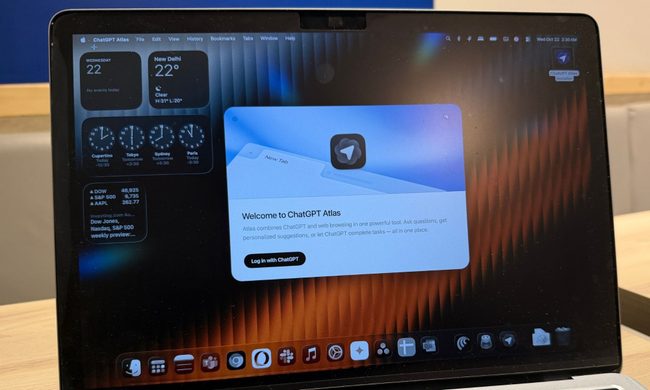
ChatGPT Atlas is shutting down and it has some homework left before you migrate
OpenAI is pulling the plug on Atlas, so start packing your bookmarks
ChatGPT Atlas browser on a MacBook.

ChatGPT Atlas is heading toward an early grave, and anyone still using OpenAI's browser has a small pile of homework to finish before the shutdown. OpenAI has confirmed that Atlas is scheduled to stop working on August 9, 2026.

After that date, the browser may no longer be operational. So users won't be able to browse the web or get access to its agent-powered workflows. Meanwhile, the company is moving those browser-based capabilities into ChatGPT and Codex. But unfortunately, the transition isn't as convenient as users may hope.

Read more
Google quietly rewrote Chrome’s AI documentation with important answers to on-device AI downloads
Google quietly clarified how Chrome handles on-device AI downloads.
Google Chrome with Gemini

I remember Chrome quietly downloading a 4GB AI model onto PCs. It raised plenty of eyebrows in May 2026. The next day, a Chrome executive clarified how on-device AI is core to its “developer & security strategy,” and that the model processes data locally. 

Now, Chrome has updated its support documents to explain the download and, more importantly, include an option to stop it. 

Read more