
We like them big and curvy here at DT, which is why the LG G Flex caught our roving eye straight away. It’s got a lot going for it beyond the ability to bend, but that unusual form factor was bound to be hiding something. We’ve heard a few grumbles about the G Flex, so we donned our detective hat, turned our collar up, and frequented some online basements to get the scoop. Here are the LG G Flex problems that were generating the biggest noise.
Click on a problem to jump to it:
- Problem: Bumpy screen
- Problem: Grainy screen
- Problem: Ghosting or image retention
- Bug: Occasional crashing
- Glitch: Bluetooth won’t connect or low quality
- Problem: Speaker audio quality
Problem: Bumpy screen
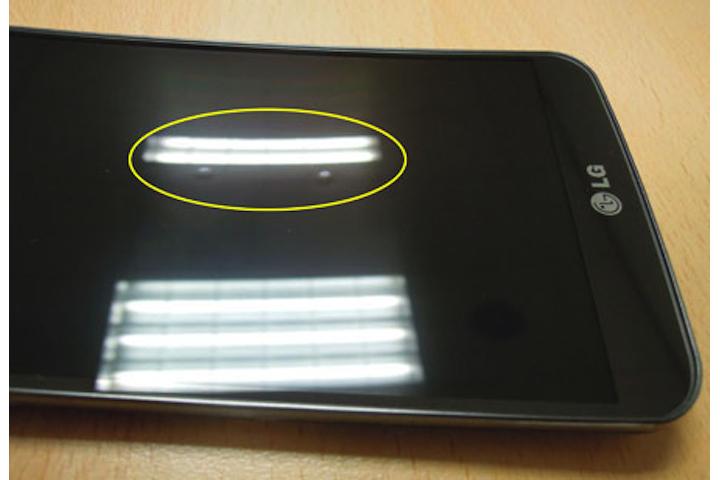
Bending your LG G Flex flat might be the kind of trick that you imagine makes you the talk of the party (it almost certainly isn’t), but you may end up paying a horrible price. Apparently the G Flex’s touchscreen can develop bumps. No one wants a touchscreen with unsightly bumps on it. Luckily it doesn’t impact on operation.
Potential fixes:
- Press the bumps and they should disappear. Learn your lesson and stop bending the G Flex flat.
- Play the waiting game and let the G Flex return to normal by itself. They’ll flatten out by themselves over time and there’s less chance of damaging the G Flex or creating more bumps if you just leave it alone.
Problem: Grainy screen
The top complaint in reviews and forum posts about the LG G Flex concerns the grainy screen. The resolution is quite low by modern standards, but there’s also some random color deviation and pixelation that seems to create a noisy look.
Workaround:
- Go to Menu > System settings > Display > Brightness and crank it all the way up. When you hit around 80 percent and above you should see the grainy effect fade away, but it’s going to cost you some battery life.
Problem: Ghosting or image retention
There’s a pattern emerging here, that new P-OLED display might be throwing the curve, but it’s far from perfect in other respects. When you switch from dark images to light ones, you’re going to see the old image takes a few seconds to fully fade away. You’ll see it more if you turn the brightness down, but that’ll make things grainy too, so don’t do it.
Workaround:
- Keep the brightness up high and it’s less noticeable, but there’s no way to eradicate this problem.
Bug: Occasional crashing
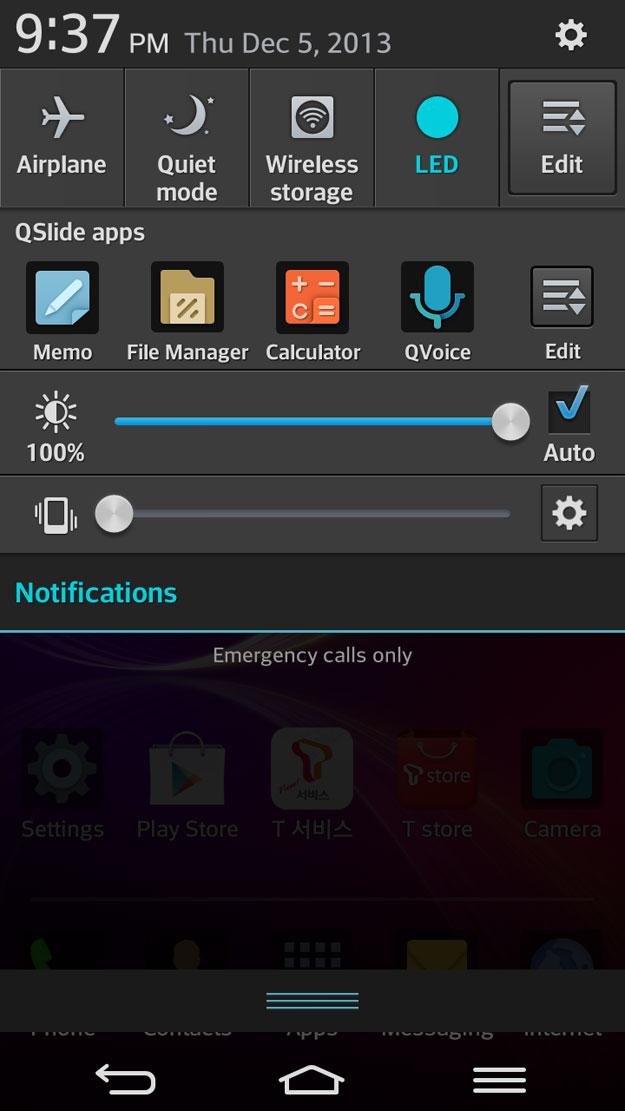
A few LG G Flex owners have encountered infrequent crashes. They might be linked to using specific apps; they might appear more randomly than that. You can try to narrow the issue down in a couple of ways.
Potential fixes:
- It might be a rogue app. Check by holding down the Power key and then touch and hold the Power off option that pops up on screen and Reboot to safe mode. You’ll see the words “Safe mode” at the bottom left of the screen when you’re in safe mode. It stops any third-party apps from running. Try uninstalling third-party apps, leaving safe mode, then repeating until you find the culprit.
- Sadly the G Flex runs Android 4.2.2 and the LG UI is heavy, so that could be the cause of the crashes. It should get Android 4.4 at some point and we’d expect that to improve the general operation. Check for updates in Menu > System settings > General > About phone > System updates > Check now.
Glitch: Bluetooth won’t connect, or connects at low quality
Some people have run into problems connecting their LG G Flex to Bluetooth headsets or in-car systems. There are also a few complaints about low quality streaming audio. Check that your Bluetooth is on via Menu > System settings > Networks > Bluetooth and tap it to search for available devices.
Potential fixes:
- If you’re unable to turn Bluetooth on, then just try holding the Power key down until the phone restarts.
- Check your Bluetooth headset or accessory manual and make sure the device is fully charged and that you’re pressing the pairing button (if applicable).
- If you’re using the Battery saver feature and you have a low battery on your LG G Flex, it could be responsible. Go to Menu > System settings > General > Battery > Battery saver and uncheck Bluetooth.
- Turn your Bluetooth accessory and your LG G Flex off and on again.
- Tell your LG G Flex to forget the pairing and try again from scratch.
- Make sure you’ve got the latest drivers and firmware for your Bluetooth device.
Problem: Speaker audio quality
The audio quality and volume has been brought up as an issue for some owners. There have also been complaints about distortion and popping.
Workarounds:
- Use good headphones or earphones and the sound quality should be excellent. If it isn’t then return your G Flex and try to get a replacement handset.
- Try fiddling with the equalizer in the LG music player, or flicking through the presets to find a setup that suits you. You can create custom setups and there are audio effects to try out.
- You can get lots of useful advice for rooted phones at the XDA Developers forum. Start at this thread to enable the Dolby EQ on your LG G Flex.
That’s all the LG G Flex problems we’ve encountered for now, but we’ll post more if and when we discover them. If you want to post a problem or share a fix then hit the comments.


