What’s happened? Google has introduced a new dedicated Images tab in the Google App, located at the bottom navigation bar.
- The tab serves as a new place in the app for users to discover images tailored to their interests, curated from their daily Google Image searches (via blog post).
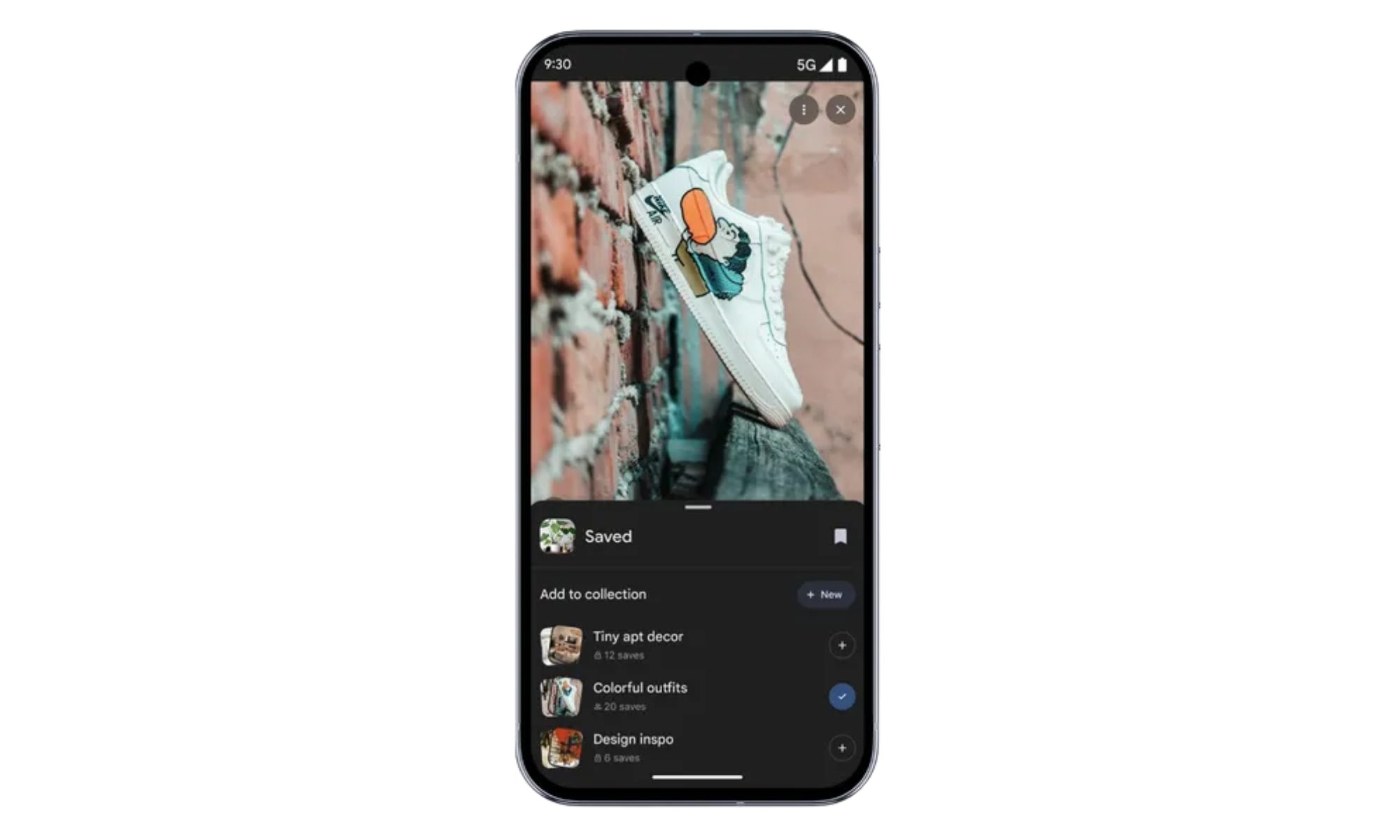
- It can also help users save and organize the images (that they come across on the app) into personalized collections for easy access later.
- With the new feature, users also get bookmark buttons for saving and options to create or add to collections.
Why is this important? Google envisions people using its Images tool for visual discovery and inspiration, and the new features help users store and organize their ideas in one place.
- By doing so, Google simplifies how users collect and utilize visual content for creative projects or daily needs.
- While the feature itself helps users save their inspiration, I believe it is inspired by photo-driven platforms like Pinterest and Instagram, which also allow users to save pictures and review them later.
- Moreover, the feature bridges the gap between visual search and personal curation.
Recommended Videos
Why should I care? For everyday users, the new Images tab makes it effortless to manage images found online without jumping between apps or relying on separate note-taking or gallery apps.
- For instance, if you’re planning a holiday party, you can browse decorations, outfits, and recipes in the Google app and save what you like right there.
- Furthermore, the tailored daily content keeps you updated with new visuals you might not have searched for but might end up saving.
OK, what’s next? The new Google app images tab will roll out to Android and iOS users in the United States over the next few weeks.
- I can imagine using the feature for shopping, event planning, educational purposes, and deciding on vacation destinations.
- Most recently, Google also added an AI Mode button in Chrome, right below the search box, for easy access to the company’s AI-based browsing experience.