1. Home
  2. Computing
  3. News

Now you can finally talk and type at the same time on ChatGPT

OpenAI is rolling out a new integrated voice mode across ChatGPT web and mobile

Add as a preferred source on Google
Chatbot on a smartphone.
Nadeem Sarwar / Digital Trends

You know how talking to ChatGPT used to feel like stepping into a different room? Well, OpenAI just fixed that. It’s rolling out a massive update that lets you chat with your voice right inside the normal message window. No more blue bubbles taking over your screen.

Before this, enabling voice mode meant staring at that floating blue circle. You couldn’t see your old messages, and if you missed a word, you had to exit just to read the transcript. It totally killed the vibe. With this redesign, OpenAI is finally treating voice like a normal part of the conversation, eliminating that friction.

A More Natural Chat Experience – What Happened and Why It Matters

Recommended Videos

Now, the walls are down. You can speak to ChatGPT, watch its answers pop up as text in real-time, and even look at images or maps while you chat. Everything is visible. It solves the biggest headache with the old system: feeling blind while you were talking.

This matters because it finally gets how we actually communicate. We don’t just talk or type; we mix them up. Maybe you speak because your hands are full, but you want to read the answer to make sure it’s right. This new setup supports that flexibility, making ChatGPT feel more like a modern assistant (like Siri or Gemini) and less like a walkie-talkie app.

If you use the app for brainstorming or troubleshooting, this is a game-changer. You can scroll back to check a fact or look at a photo you sent five minutes ago without cutting off the conversation. It feels less like a tool you have to toggle on and off, and more like a fluid helper that’s just… there. And when you’re done talking? Just tap “end” and you’re back to typing. Simple.

What’s Next for ChatGPT Voice

This new look is the default setting for everyone on web and mobile right now. But if you’re one of the few people who actually liked that old full-screen focus mode, don’t worry. OpenAI added a “Separate mode” toggle in the settings so you can go back.

It’s a clear sign that OpenAI wants ChatGPT to feel less like a robot and more like a real partner – one that can handle voice, text, and visuals without missing a beat.


Moinak Pal
Moinak Pal is has been working in the technology sector covering both consumer centric tech and automotive technology for the…
Claude’s Sonnet 5 is built to do more on its own and cost you less
Better than its predecessor, nearly as good as the flagship, and meaningfully cheaper than both.
Art, Floral Design, Graphics

Every major AI lab is racing to prove its models can work autonomously with minimal hand-holding; we’re now seeing pricing emerge as the next battleground. 

Anthropic just fired its latest shot, Claude Sonnet 5, a model the company says performs nearly as well as its flagship Opus 4.8 at a fraction of the cost.

Read more
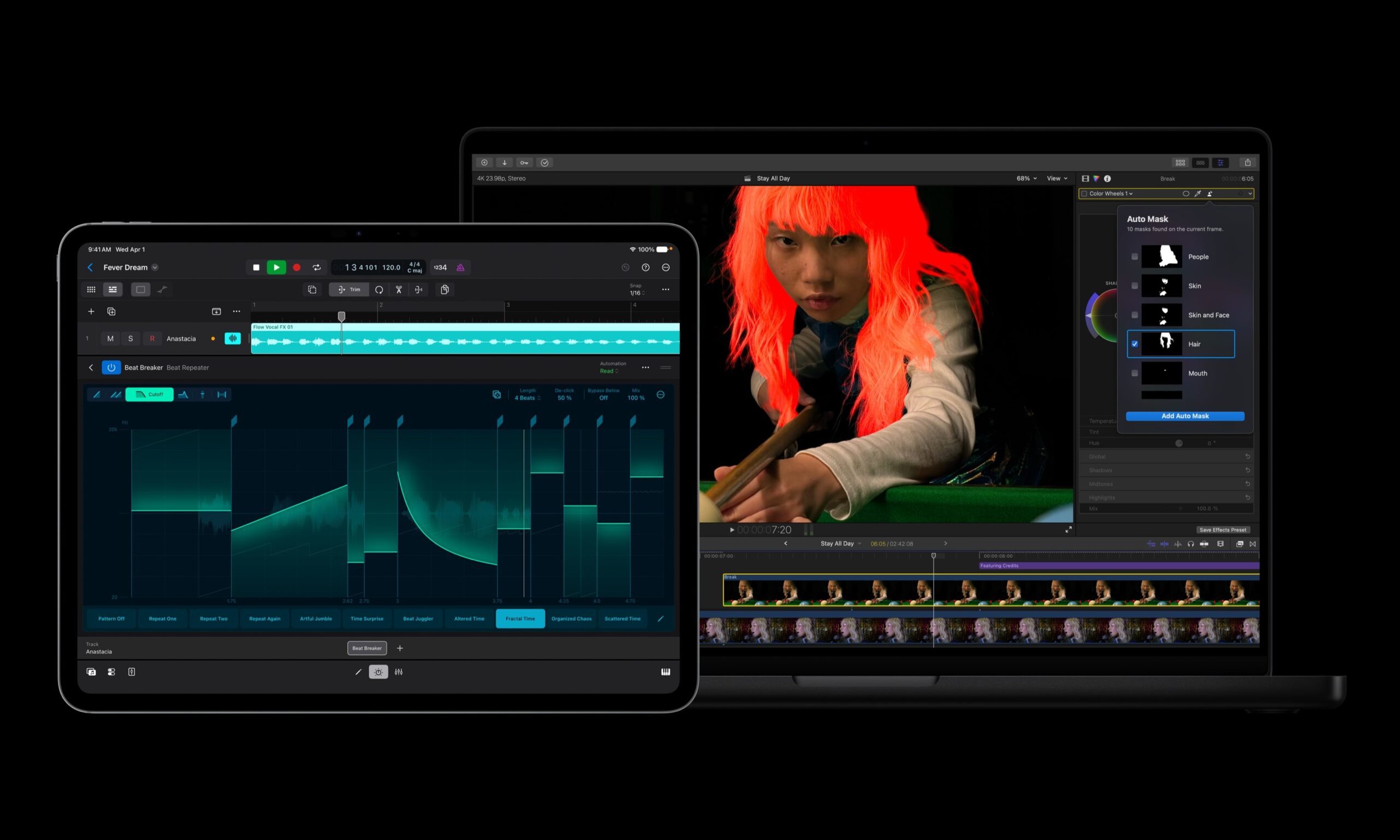
Apple Creator Studio adds AI tools across Final Cut Pro, Logic Pro and Pixelmator Pro
Final Cut Pro gets AI captions, Auto Mask and better Pixelmator Pro workflows in Creator Studio update
Computer Hardware, Electronics, Hardware

Apple has introduced a major update to Apple Creator Studio, adding new AI features, deeper Pixelmator Pro integration, and workflow upgrades across Final Cut Pro, Logic Pro, Keynote, Pages, Numbers, Motion, Compressor, Freeform, and Final Cut Camera.

The update makes Creator Studio more useful across Mac, iPad, and iPhone, especially for people who move between video editing, image editing, presentations, documents, spreadsheets, and music production.

Read more
AI browsers like Perplexity Comet can be tricked into spilling your password through BioShocking exploit
Six AI browsers were found leaking saved passwords and many of them haven't fixed it yet.
MacBook Air in hand, Comet browser loaded—let’s see what Perplexity’s AI can really do

Security researchers just found a strange way to trick AI browsers into handing over your passwords. They managed to trick AI browser agents into exposing sensitive data like saved passwords, session cookies, and private tokens by disguising the theft as part of a harmless "game."

The technique is called BioShocking, named after the popular video game BioShock, where a brainwashed character is manipulated into believing a false reality. Once an AI browser falls for the same trick, it stops following its own safety rules entirely.

Read more