  1. Home
  2. Computing
  3. News

A clever Mac app lets you feel vibrations through the trackpad when you click a link or button

This $5 Mac app turns your trackpad into a tiny web radar

Add as a preferred source on Google
HapticPad Mac App
HapticPad

A new Mac app called HapticPad tries to make browsing more tactile. Posted by its developer on Reddit’s r/macapps community, the app uses a Mac’s Force Touch trackpad to trigger a subtle vibration when your cursor hovers over links, buttons, and input fields in the browser. So you can quite literally “feel” parts of a web page before you click them. It is a small idea, but it has the kind of obvious-in-hindsight cleverness that makes you wonder why macOS does not already do this.
So how does this work?

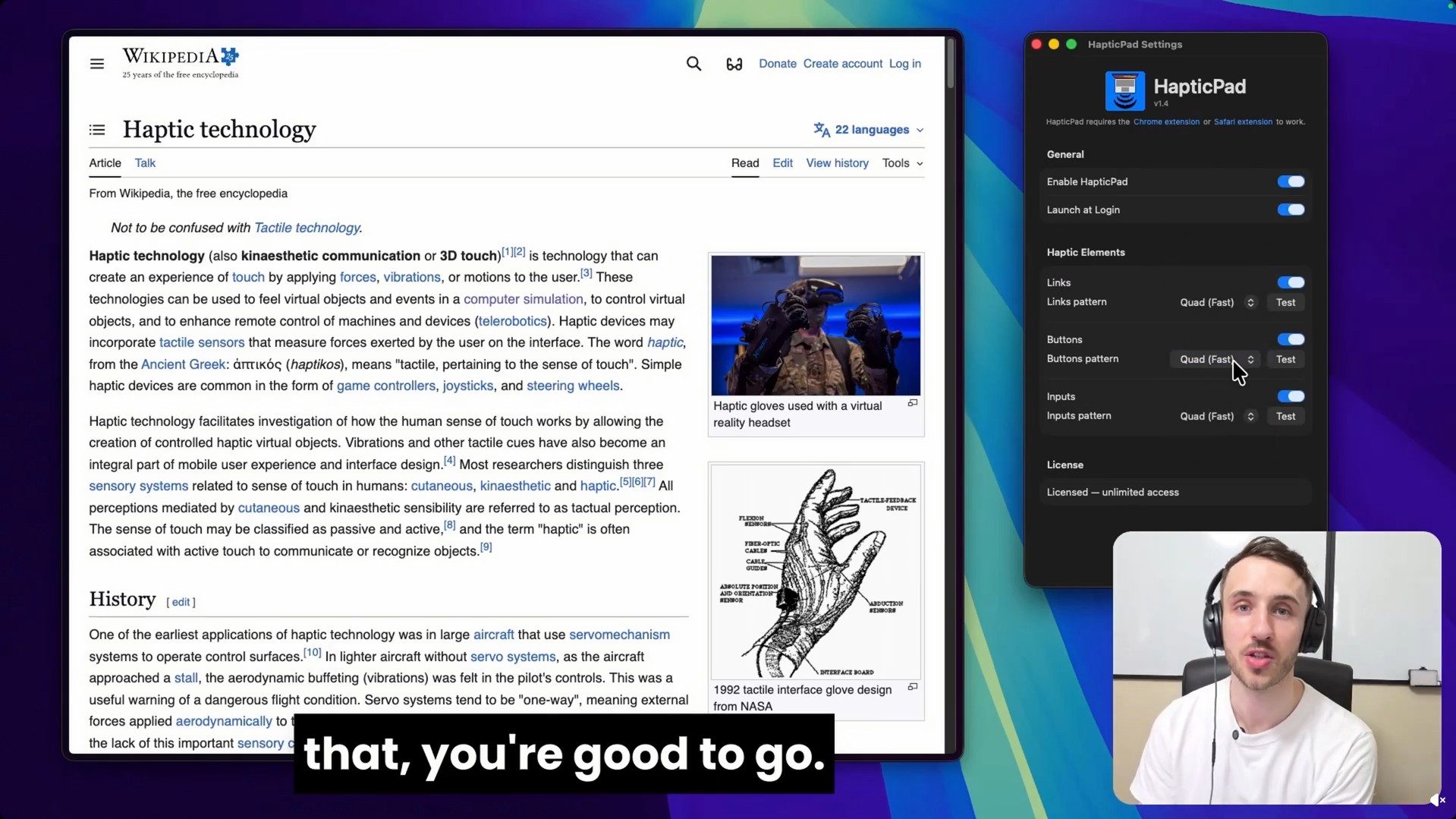
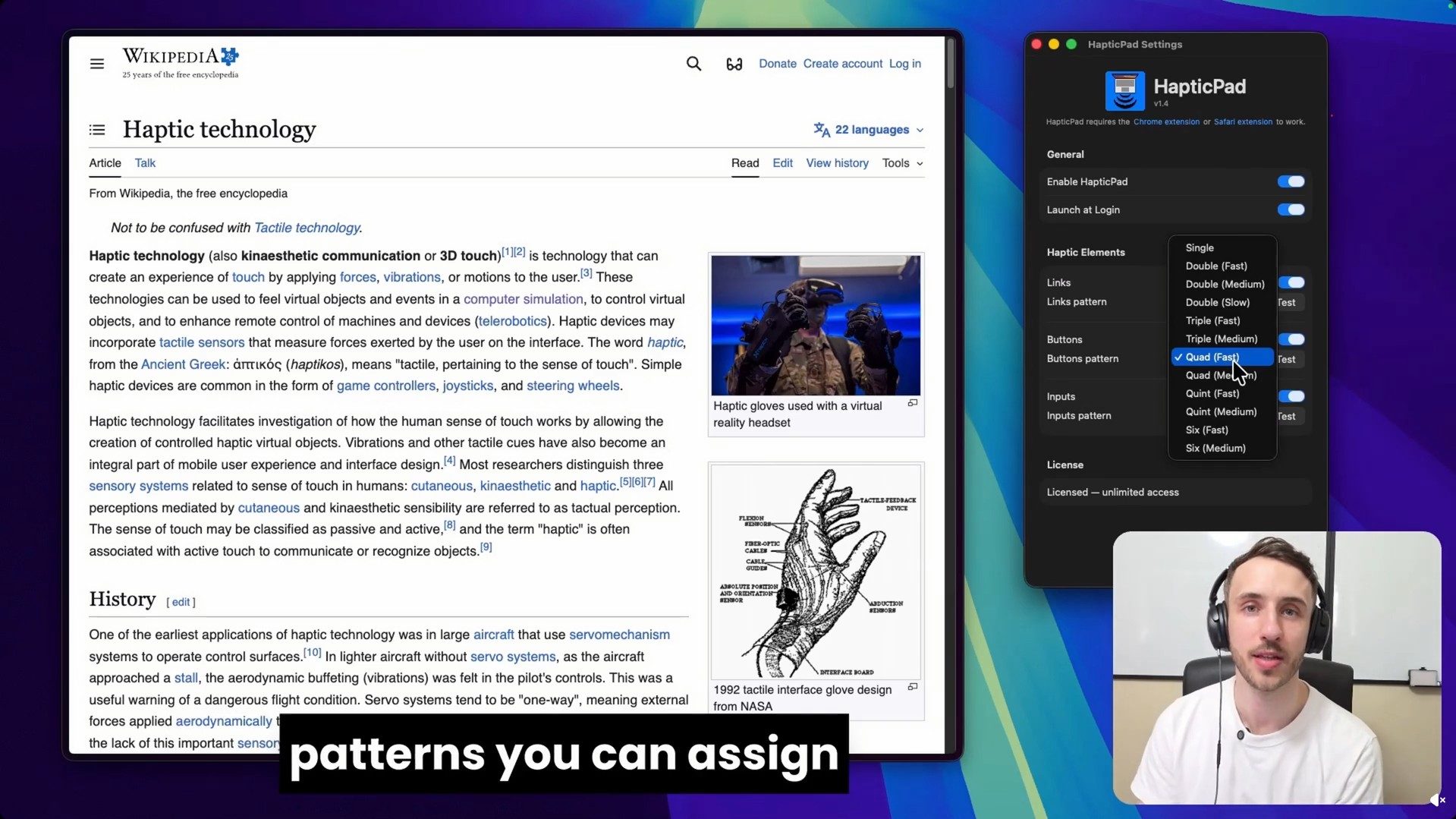
HapticPad works through a Mac app and a bundled Chrome extension. The developer says the trackpad vibration arrives in under 10ms, and the app can use different haptic patterns for different web elements. For example, links can use one pulse, buttons can use a different pattern, and input fields can use another. The official site says users can customize seven haptic patterns, including single, double, triple, and quad-style feedback.

Recommended Videos

The app is also being framed as an accessibility-friendly tool. Since it adds a physical feedback layer to browsing, it could help users who want an extra cue beyond visual highlighting. The developer says the settings are VoiceOver-compatible and keyboard-navigable. This sits broadly in the same lane as other oddball apps. But it is more practical than something like a $3 app that makes your MacBook play moans and other sounds when slapped.
Price and compatibility

HapticPad costs $4.99 as a one-time purchase and includes a 7-day free trial. It requires macOS 13 Ventura or later and a Mac with a Force Touch trackpad. The developer says the Chrome extension processes element detection locally, with no URLs, page content, or analytics leaving the Mac. It is a tiny app that seems pretty nifty. Apple has already had excellent trackpad haptics for years, and HapticPad makes them seem underused.


Vikhyaat Vivek
Vikhyaat Vivek is a tech journalist and reviewer with seven years of experience covering consumer hardware, with a focus on…
I found 2 Prime Day gaming laptop deals that dodge the usual RGB regret
The smarter pick depends on what you value more: RTX 5060 performance or a roomier 18-inch screen.
Computer, Electronics, Laptop

Prime Day gaming laptop deals can look impressive until you slow down and read the actual spec sheet. For gaming laptops, the discount only gets interesting after the GPU, display, memory, and storage pass inspection. These two MSI and ASUS deals stand out because their strengths are easy to understand before checkout.

MSI Katana 15 HX

Read more
ChatGPT and Gemini could be quietly affecting your voting decisions, analysis shows
Your AI chatbot also has a political lean
AI Apps installed on iPhone Gemini DeepSeek Claude ChatGPT Auren

It's already pretty common to ask AI chatbots for help with emails, homework, travel plans, and so much more. So it was only a matter of time before politics entered the chat. A new analysis from The Washington Post suggests that major AI chatbots may not be as politically neutral as they often sound. The Post tested models behind OpenAI’s ChatGPT, Google’s Gemini, Anthropic’s Claude, DeepSeek, xAI’s Grok, and Gab’s Arya using a set of political questions designed to measure how chatbots handle hot-button issues.

According to the Post, OpenAI’s model gave one-sided left-leaning answers in 80% of responses, while Google’s Gemini mostly took a both-sides approach, giving left- and right-leaning arguments in more than 90% of its answers.

Read more
Gemini in Chrome can now see exactly what you’re looking at on screen
Google's new "Select from screen" tool makes it easier to ask Gemini questions about text and images in a browser tab.
Google Chrome Gemini Featured

Google is making Gemini a lot more aware of what's happening inside Chrome. The company has started rolling out a new "Select from screen" feature that lets users highlight specific text or images from a webpage and send them directly to Gemini, making conversations with the AI assistant far more contextual.

Gemini can now focus on exactly what users want to ask about

Read more