1. Home
  2. Photography
  3. Social Media
  4. Legacy Archives

No photo is one-size-fits-all in social media, but these charts tell you what works

Add as a preferred source on Google

Update on July 28, 2014: We updated our original story to include a useful resource from Sprout Social, which includes more in-depth descriptions and dimensions for Google Docs. (H/t Kevin King)

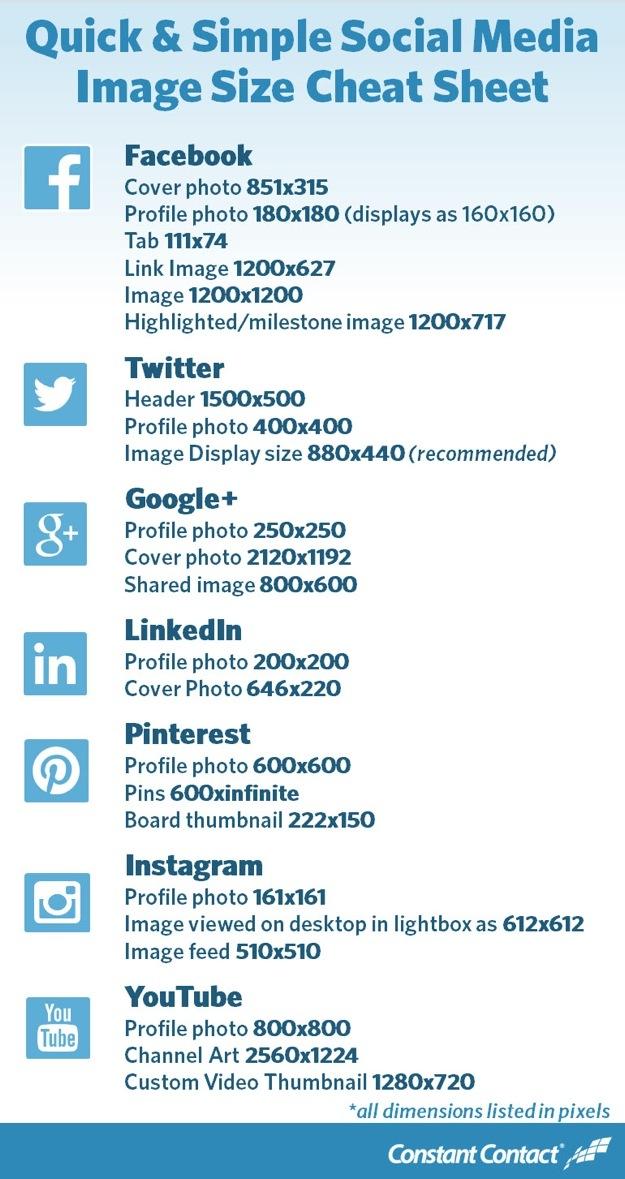
For anyone who spends a lot of time on social media, bookmark these useful charts of social media images size, right now. “Quick and Simple Social Media Image Size Cheat Sheet, created by online marketing firm, Constant Contact, is a quick-and-dirty site listing the dimensions required for your photos to look great on the most common social networks: Facebook, Twitter, Google+, LinkedIn, Pinterest, Instagram, and YouTube (see below). For even more in-depth descriptions and dimensions, plus visual representations and dimensions for Google Docs, Kevin King, the SEO manager at social media consulting firm, Sprout Social, has created this page, “Always Up-to-Date Guide to Social Media Image Sizes,” that is more comprehensive than Constant Contact’s. Either way, you’ll find the most accurate dimensions.

Recommended Videos

Back in the day, only creative folks like graphic and layout designers concerned themselves with proper images sizes. But, thanks to mobile photography, more of us have become publishers, so to speak, uploading tons of photos per day (Instagram averages that daily figure at 60 million). While our phones and digital cameras are capable of shooting images and videos at high resolutions, social media sites do put a cap on how large or small they need to be (except Google+ or Flickr, which don’t have a size restriction).

Why is proper sizing important? Take Twitter’s header image, for example. Twitter recommends an image of 1,500 x 500 pixels. If it’s too small, it won’t fill out appropriately (you also should never increase beyond an image’s native size, as that would create grainy images). If it’s too big, it may center on a part of the image that you don’t like, although many of these sites let you reposition the image afterward. Still, if you want the best-looking Facebook cover photo or LinkedIn profile photo, it’s best to crop an image before uploading. Some images are easy to remember (Instagram is a perfect square, for example), while some aren’t so obvious.

To find out what the best images sizes are for the sites you use, refer to the chart below. Of course, social networks are constantly evolving, so these figures may change in the future.

Twitter user? Who isn’t? Check out our own guide on how to change a background. Know of any other useful cheat sheets for social media? Let us know in the comments.

(Constant Contact via PetaPixel, Sprout Social; this article was originally published on July 11)
Constant-Contact-Image-Size-Cheat-Sheet-2
Image used with permission by copyright holder
Les Shu
Former Senior Editor, Photography
I am formerly a senior editor at Digital Trends. I bring with me more than a decade of tech and lifestyle journalism…
I bought Kodak’s viral keychain camera, and the bad photos are part of its charm
The Kodak Charmera is barely a camera, and I still keep using it
Machine, Wheel, Camera

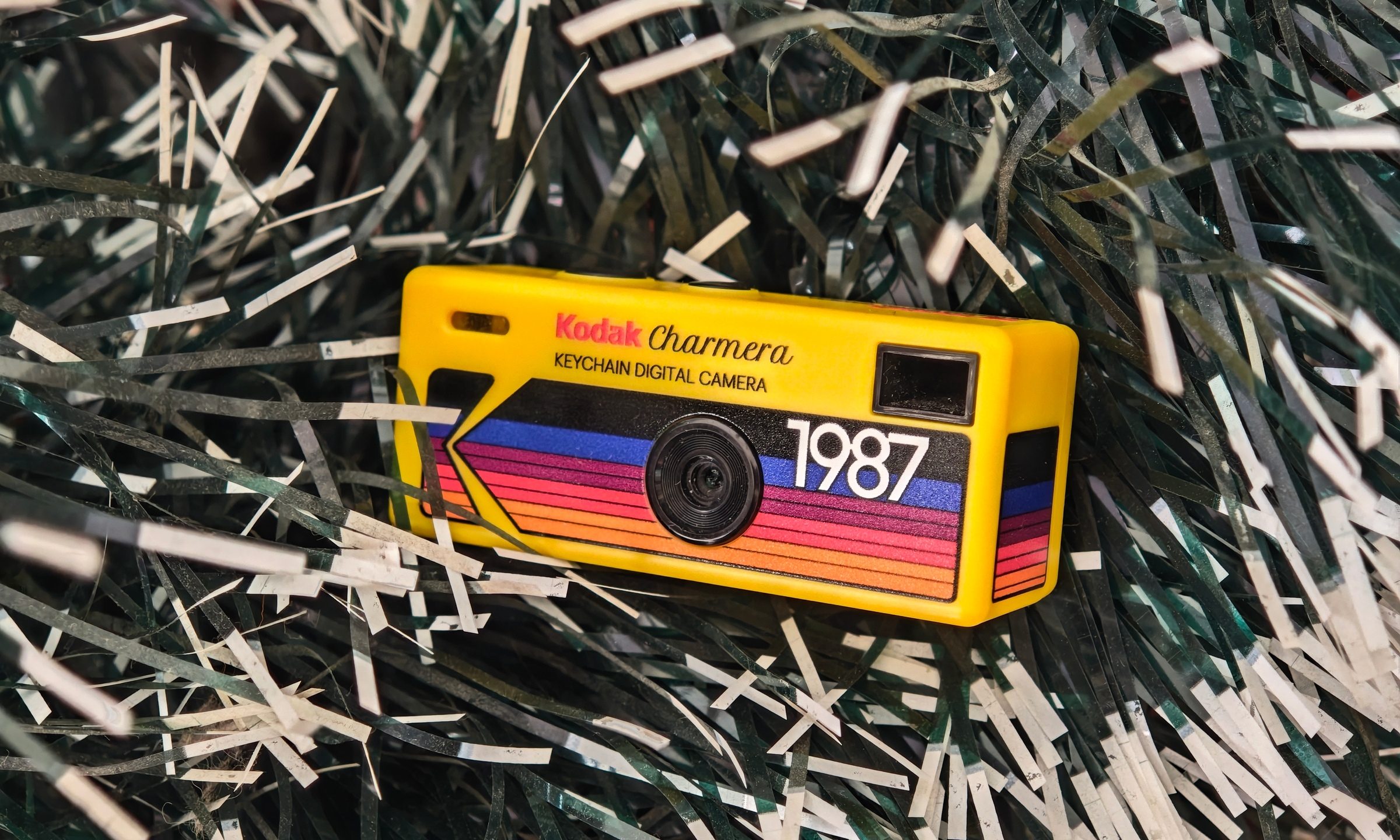
I bought the Kodak Charmera partly because I wanted a portable digital camera, and partly because I wanted a pretty little collectible. The Charmera is sold as a blind box, so you do not know which version you are getting until the box is opened. There are multiple retro Kodak-style designs, plus a transparent secret edition that looks like the one everyone would want.

I had the shopkeeper pick my box for better luck, and it worked out. I got the yellow variant, which is inspired by Kodak's original 80s disposable camera. The transparent one is definitely the fun collector’s piece, but the yellow model feels like the proper Kodak version. It looks like a tiny toy camera that escaped from a souvenir shop, found a keyring, and now hangs around wherever you go.

Read more
This new $30 keychain camera is coming for Kodak Charmera with a flip screen for selfies
Yashica's new camera makes toy photography more fun
YASHICA Funtastic Keychain Camera in multiple variants

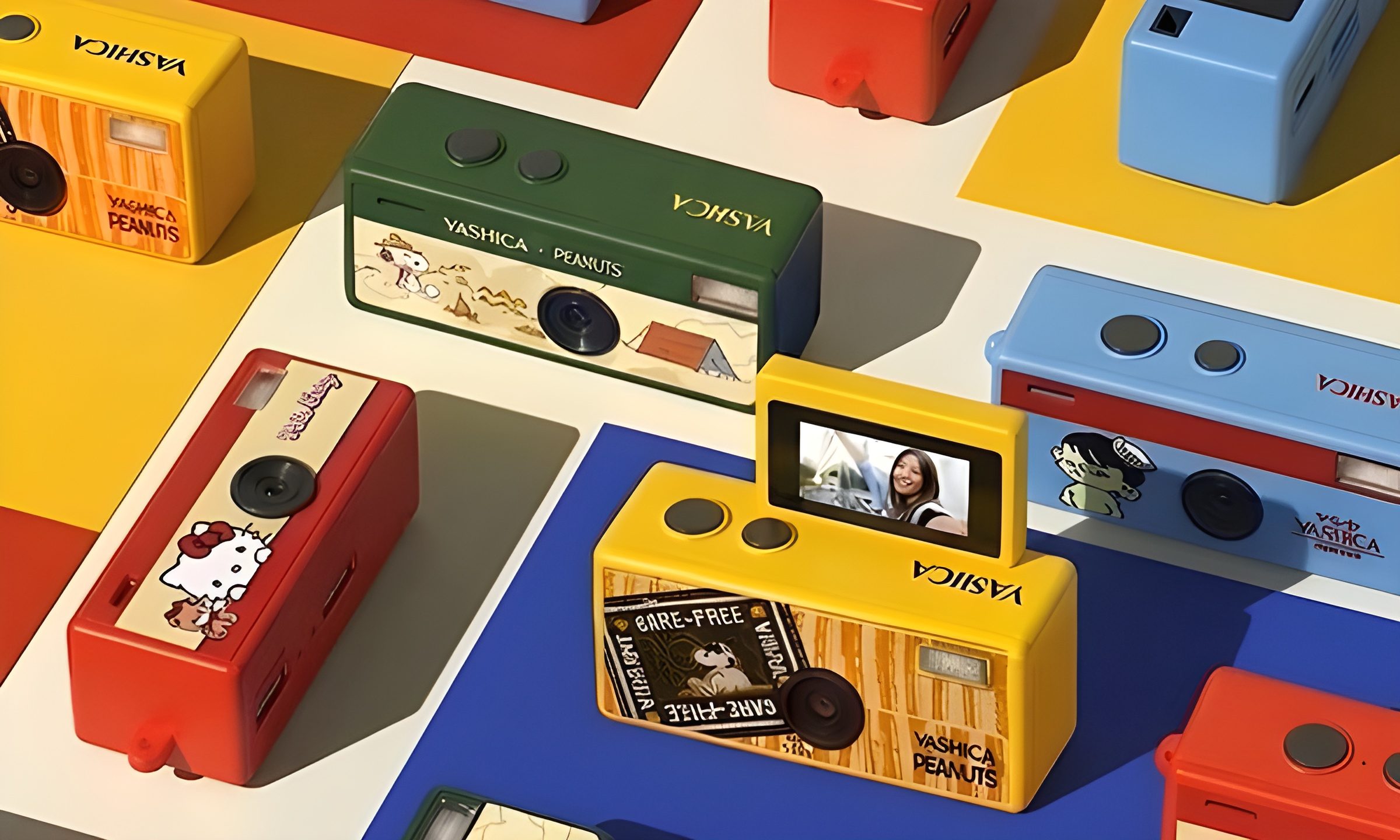
Tiny digital cameras are all the rage, and Yashica is now offering a very cute toy photography experience of its own. The company’s new Funtastic Keychain Camera is exactly what the name suggests, a miniature digital camera small enough to clip onto your keys, bag, or lanyard. The popular Kodak Charmera is the obvious comparison, which brings a tiny blind-box keychain camera that became a viral collectible.

Now, Yashica's version lands in the same novelty-camera lane, but adds one very useful trick, which is a 180-degree flip screen.

Read more
Google releases big v4.0 update for its popular Snapseed editing app on Android
Electronics, Phone, Mobile Phone

After years of sitting on its hands, Google appears to have remembered it owns one of the best photo editing apps on mobile. Snapseed 4.0 is now rolling out to Android, bringing the platform up to speed after a stretch of iOS exclusivity that left Android users watching from the sidelines.

The story starts last June, when Google quietly broke Snapseed out of its long dormancy with a significant 3.0 update for iPhone. It was a surprise move that suggested the company was serious about the app again. Google then confirmed at the start of this year that Android wouldn't be left behind for long, and true to that word, the Play Store listing has now been updated to reflect version 4.0 — skipping straight past 3.0 for Android users and landing both platforms on the same version simultaneously.

Read more