
  1. Home
  2. Computing
  3. Legacy Archives

Acer’s Aspire V7 Ultrabook, Aspire V3 gaming notebook rock new Intel Haswell chips

Add as a preferred source on Google

Acer-Aspire-V7-482PG_dtCheck out our review of Acer Aspire V7 laptop. 

Now that Intel’s Haswell cat is out of the bag, manufacturers are announcing many of their new notebook lines this week at the Computex conference in Taipai, Taiwan. Having already announced Haswell updates to its S7 and S3 line of Ultrabooks earlier today, Acer is continuing with the updates, announcing details about its Aspire V7 Ultrabook and all new gaming notebook, the Aspire V3. Both laptops rock the fourth generation of Intel’s Core i7 processor and offer discrete graphics, which is especially impressive for the V7 Ultrabook. 

Recommended Videos

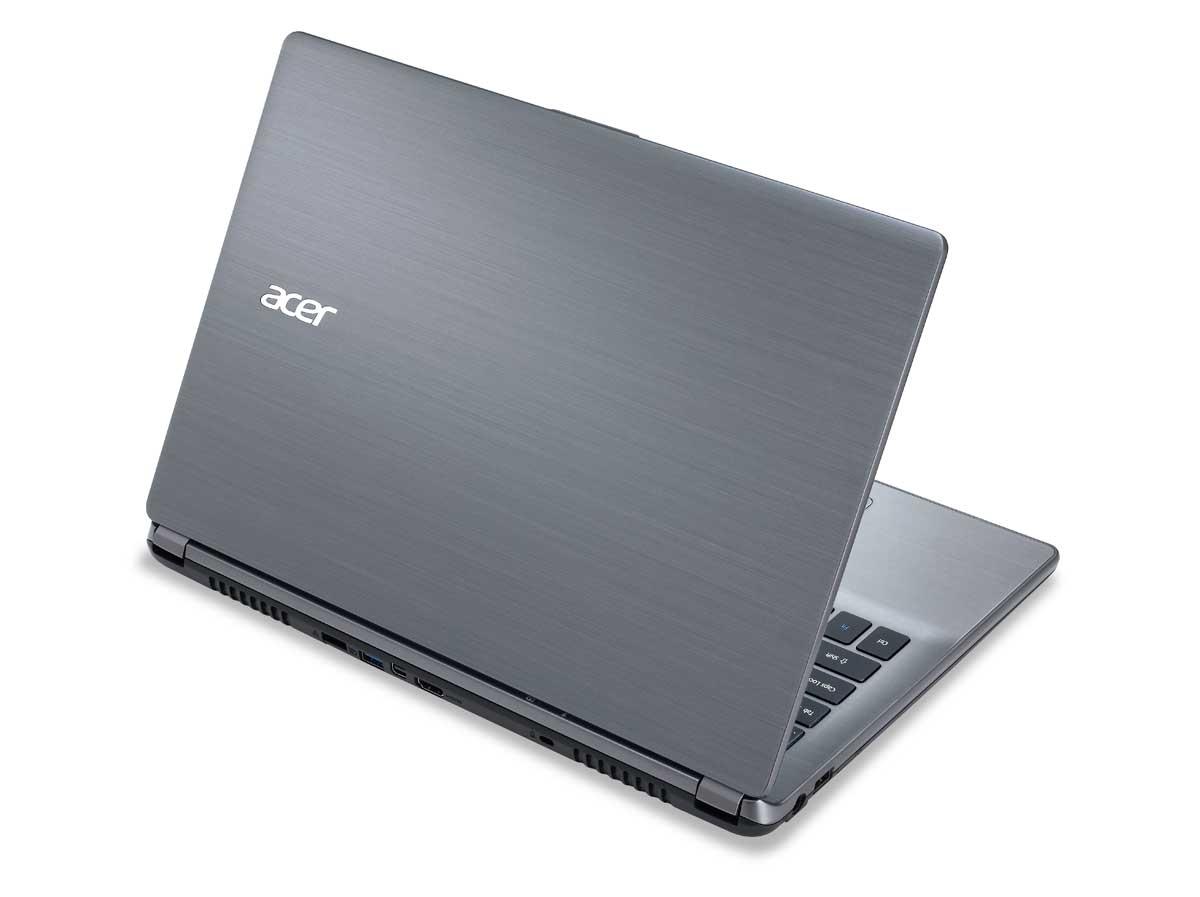
Based on the specs, the Aspire V7-482PG-9884 is shaping up to be a powerhouse of an Ultrabook. In addition to an Intel Haswell Core i7-4500U processor, it has a discrete Nvidia GeForce GT750M graphics card with 4GB of video memory plus 12GB of RAM and a 1TB hard drive. There’s no solid-state drive, at least in this initial configuration, but other versions of the Aspire V7 will offer an SSD option.
Acer-Aspire-V7-482PG-back_dt
Image used with permission by copyright holder

The Aspire V7 is fairly similar looking to the Aspire V5 that the company showed at its May event in New York City, but the V7 features a 14-inch ten-finger touch IPS 1920 x 1080 HD display. All of this is packed into a 13.39-inch x 9.45-inch x 0.9-inch (at thickest point) package that weighs 4.41 pounds. While it’s not the lightest Ultrabook we’ve seen, the Aspire V7 certainly packs a lot of tantalizing specs into its Cool Steel chassis. The V7 will start at $1,300.

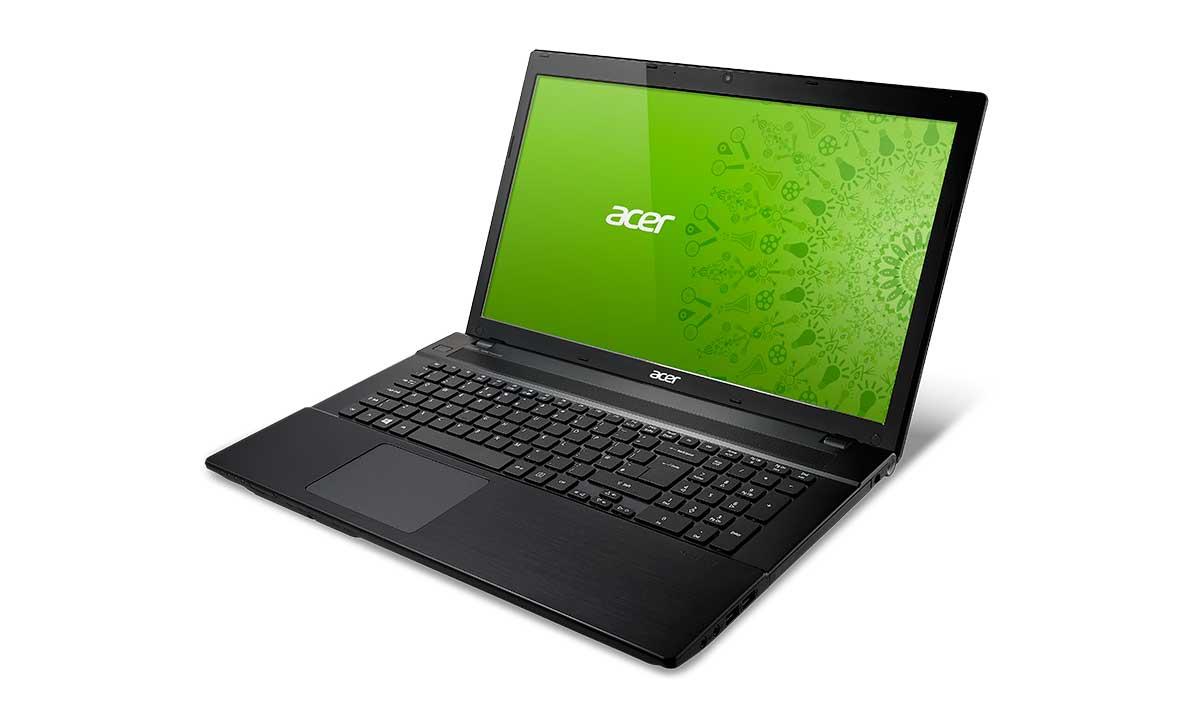
Looking for a notebook with more gaming prowess? Acer’s got you covered there, too, with its new 17-inch gaming rig, the Aspire V3-772G. While the base configuration starts at $1,000, we think the model available for $100 more, the Aspire V3-772G-9402 will be more interesting to gamers and multimedia fan. It features a quad-core, Haswell generation, Intel Core i7-4702MQ 2.2GHz processor that can clock up to 3.20GHz with TurboBoost. It’s paired with an Nvidia GTX 760M discrete graphics card with 2GB of video memory, plus there’s a 500GB hard drive and 8GB of RAM. A fully loaded configuration of the Aspire V3 will hold up to 12GB of RAM and a 1TB hard drive. 
Acer-Aspire-V3-772_dt
Image used with permission by copyright holder

The 17.3-inch 1920 x 1080 full HD LED backlit display has a brightness of 300 nits. While it’s not available as a touchscreen, the Aspire V3 does include a SuperMulti DVD player and plenty of ports including HDMI, two USB 3.0 ports, two USB 2.0 ports, and VGA. There’s also Bluetooth 4.0 for connecting a wireless keyboard or mouse.

Gaming notebooks have never been synonymous with “lightweight,” and the V3 is no exception. Its 16.33-inch by 10.83-inch by 1.36-inch (at thickest point) frame weighs in at 7.05 pounds. While  it’s not as light as an Ultrabook, we’ve still seen plenty of gaming laptops that weigh much more.

Both the Acer Aspire V7 and the Acer Aspire V3 will be available later this month.

Meghan McDonough
Former Contributor
Meghan J. McDonough is a Chicago-based purveyor of consumer technology and music. She previously wrote for LAPTOP Magazine…
Topics
MIT researchers found a new Spectre attack that can slip past Intel and AMD defenses
AMD Ryzen CPU inside a socket installed on a motherboard

Spectre has been haunting CPU security since 2018, and MIT researchers have now found another way to make it misbehave. The new TONTOU attack can bypass some of the defenses Intel and AMD have added over the years by exploiting a tiny gap in how those protections work. The research comes from Daniël Trujillo and Mengjia Yan at MIT's Computer Science and Artificial Intelligence Laboratory (CSAIL). Their findings show that even after a processor wipes or isolates information used by its branch predictor, there can be a brief window before that information is actually used. TONTOU, short for Time-of-Neutralization to Time-of-Use, attacks precisely that gap.

The tiny gap that TONTOU exploits

Read more
Microsoft accidentally gave Windows 11 users another OneDrive app, and you can’t easily remove it
Microsoft says the wider-than-intended rollout was an accident, but removing the app currently means removing OneDrive too.
Microsoft OneDrive Featured Graphic

Windows 11 users have been getting a new OneDrive app whether they asked for it or not. The problem? Microsoft says it wasn't supposed to happen. Microsoft has confirmed that its OneDrive Photos app was rolled out to Windows 11 PCs more broadly than intended, including enterprise machines where the app isn't even designed to work. The company says it is now working on a fix, but there's an awkward catch: users currently can't uninstall OneDrive Photos without removing the main OneDrive app too.

So, what exactly got installed?

Read more
Apple Reminders sucked for project management until I learned this feature
Your checklist deserves better. Here's how to turn Reminders into a proper Kanban board.
Apple reminders on Mac

For the longest time, I used Apple Reminders only for capturing quick tasks. Thanks to its Siri integration, Reminders let me add tasks quickly so nothing would fall through the cracks. However, when it came to managing big projects, I always moved to a more powerful task manager like OmniFocus or Things 3. 

That changed the day I stumbled onto the Column view. Apple added this feature with the iOS 17 and macOS Sonoma updates, and somehow I completely missed it. But once I discovered and got the hang of it, Reminders finally started to feel like a real project management tool instead of a glorified sticky note.

Read more