After a long wait, OpenAI finally announced the release of GPT-5. Meanwhile, I just decided to stop paying for ChatGPT Plus. I’ve been subscribed since April 2023.
My decision to unsubscribe wasn’t sudden. It’s been months since I first noticed that I’m really not getting what I need from ChatGPT. Here’s why I finally decided to let go, and what I’m using instead.
I jumped right in, but I was never fully happy
I was an early adopter of ChatGPT Plus. I decided to subscribe soon after it became available in my country, and remained subscribed for over two years.
I cancelled my subscription recently, and I have no regrets.
Late 2022 and early 2023 were perhaps the peak of the AI craze. When ChatGPT first became widely available, everyone was testing it, and so was I. At a time when the media was full of prophecies about how AI would soon replace all journalists, I knew that I had to train myself to use ChatGPT and similar tools, like it or not — so I decided to go ahead and pay the monthly fee to have access to all the latest features.
Some things blew me away, and still do. The ability to speak in a natural way and still get responses felt so much better than having to come up with the exact right search terms to get your desired results. ChatGPT could hold conversations, research stuff for you, write songs, and plan your itinerary. It was great.
Until you looked deeper.
Early on, many users were met with a sea of inaccuracies, each said with perfect confidence. I excused these issues for a long time, blaming my own inability to prompt the bot effectively or the fact that it’s been trained on now-outdated data.
But these days, those excuses don’t cut it anymore, and neither does ChatGPT.
It’s not me, it’s you

After spending over two years with ChatGPT, I have to say: It’s not me, GPT. It’s absolutely you.
I’ve learned the art of prompting AI to do what you want. It’s a lot more involved than the natural conversation pattern I was first so impressed by, but it does the job. Sometimes.
However, it often fails to impress.
I never intended to use ChatGPT or other AI for writing. As a journalist, I value the written word far too much to do that. However, I still played around with the tool just in case, and found it abysmal for writing. The reasons vary throughout these two years, though.
Initially, ChatGPT’s writing was extremely surface-level and dry. If you wanted a blog post to fall asleep to, the chatbot was your friend for just that. It lacked flair and struggled to follow all instructions. Over time, a lot of these issues have been ironed out, to the point where I now know many people who regularly consume AI-generated drivel and don’t even realize that it wasn’t written by an actual person.
However, ChatGPT still has a lot of “tells,” which is what makes each of my visits to LinkedIn a game of spotting the AI. It’s no longer about the em dash (–), which many claimed was an early sign of AI. These days, it’s all about sentence structure, overuse of colons, and forced metaphors that make me roll my eyes. It’s still just as useless as it was in 2023, but for different reasons.
Since I never intended to use the tool for writing, I could deal with it being pretty bad at that side of things. However, I did want to use it for research, fact-checking, and outlining — all three things that an AI assistant should be able to do.
Boy, was I too hopeful.
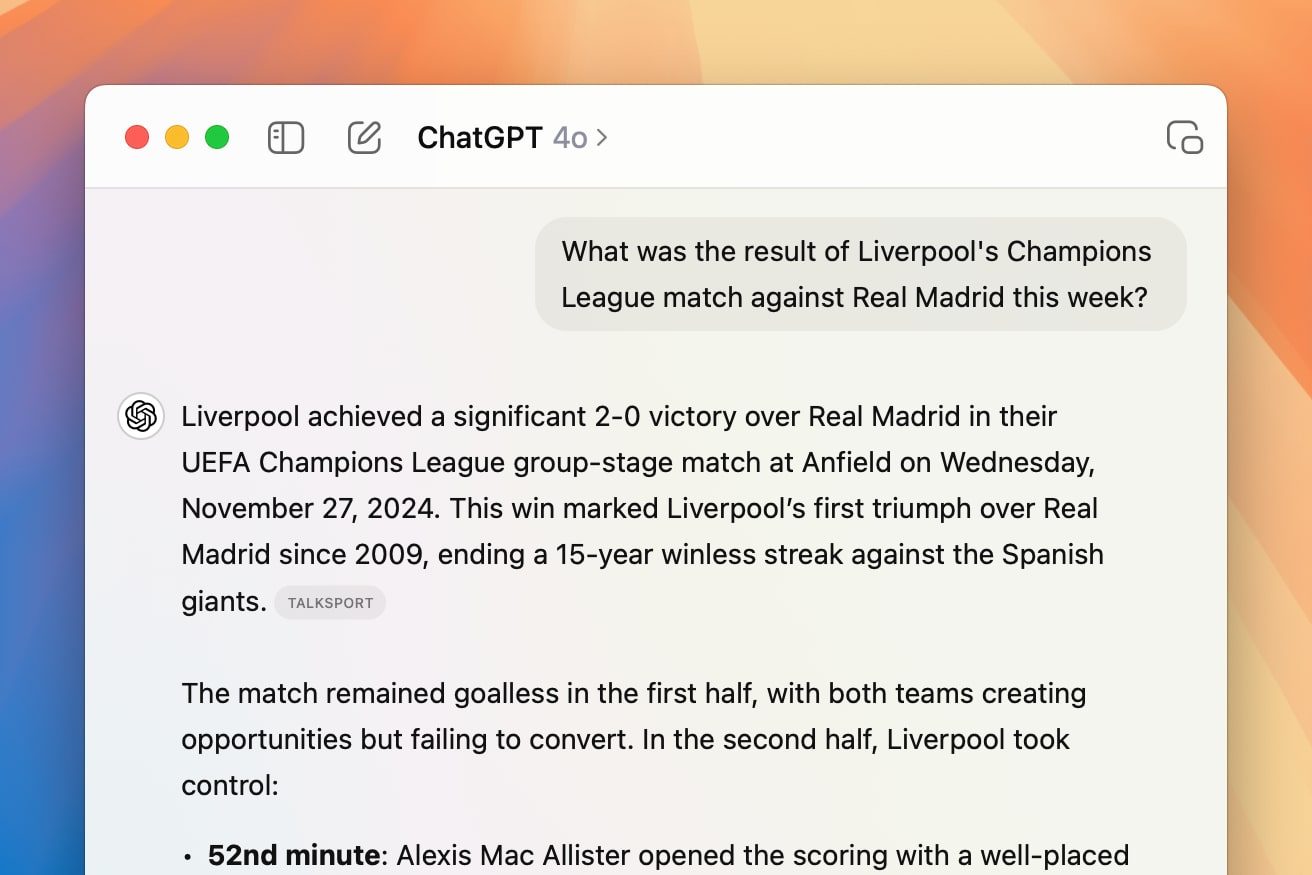
I quickly learned that asking ChatGPT questions should be done with two things in mind. One: It might be making it all up, and it’ll do so with perfect confidence. Two: Getting the actual, real answer is often faster if you just search for it yourself.
The number of times when I’ve asked ChatGPT something I roughly knew the answer to, but wanted a confirmation, and got the completely wrong answer is staggering. Even today, when I asked it to analyze some text and summarize it for me, it still got some of the data wrong. If I weren’t alert, I’d have made a fool of myself by using said data. Luckily, I know better than to trust AI — but unfortunately, many people take chatbot responses at face value these days.
When I realized that prompting ChatGPT and checking its work is more trouble than it’s worth, I turned to its competitors. This made me realize that you can’t rely on a single tool — you’ll get your best results by learning them all.
What do I use instead of ChatGPT?
My frustration with ChatGPT led me to use Gemini more. It does a better job of finding source links, which is something I often need in my work. You still have to be careful and check whether the links contain the information that Gemini claims they do, but it’s still better at this part of the job than GPT.
Writing-wise, I find Gemini to be as uninspiring as early-days GPT, but I find it to be more accurate when explaining technical concepts. I tested both ChatGPT and Gemini by quizzing them on GPU architecture, and GPT got more things wrong. It could’ve been a fluke, though.
I started using Gemini for the hard facts portion of my life, from fact-checking to research. I know better than to take it at face value, but it generally is less of a hassle to get to the bottom of a topic than it is with GPT.
I now also cross-check responses from different chatbots with other chatbots sometimes, although truthfully, this is more of a waste of time. When both are hallucinating, you get stuck in a hilariously frustrating feedback loop.
Ultimately, a friend of mine convinced me to try Kagi Assistant instead, and this is where my ChatGPT money is now going to. Kagi lets you use all search models in one place, and it does a good job of replacing Google Search, too.
GPT-5 might tempt me to go back
As you can probably tell, my biggest problem with ChatGPT (and chatbots in general) is the complete lack of accuracy.
Sure, many prompts end well. If each and every prompt ended poorly, that’d have been on me. But if every three out of ten are either a hassle or filled with hallucination, I simply prefer to do my own research. Research skills, in general, feel rather endangered in this AI-infested climate, so it’s good to nourish yours now and then.
ChatGPT has a lot of uses for many people. My friends and family use it for translation, drafting emails, and even things like deciding where to plant what in their yard. There’s so much good in it, but the fact that it can make up facts and stand by them until you point them out makes it a lot less useful than it could’ve been.
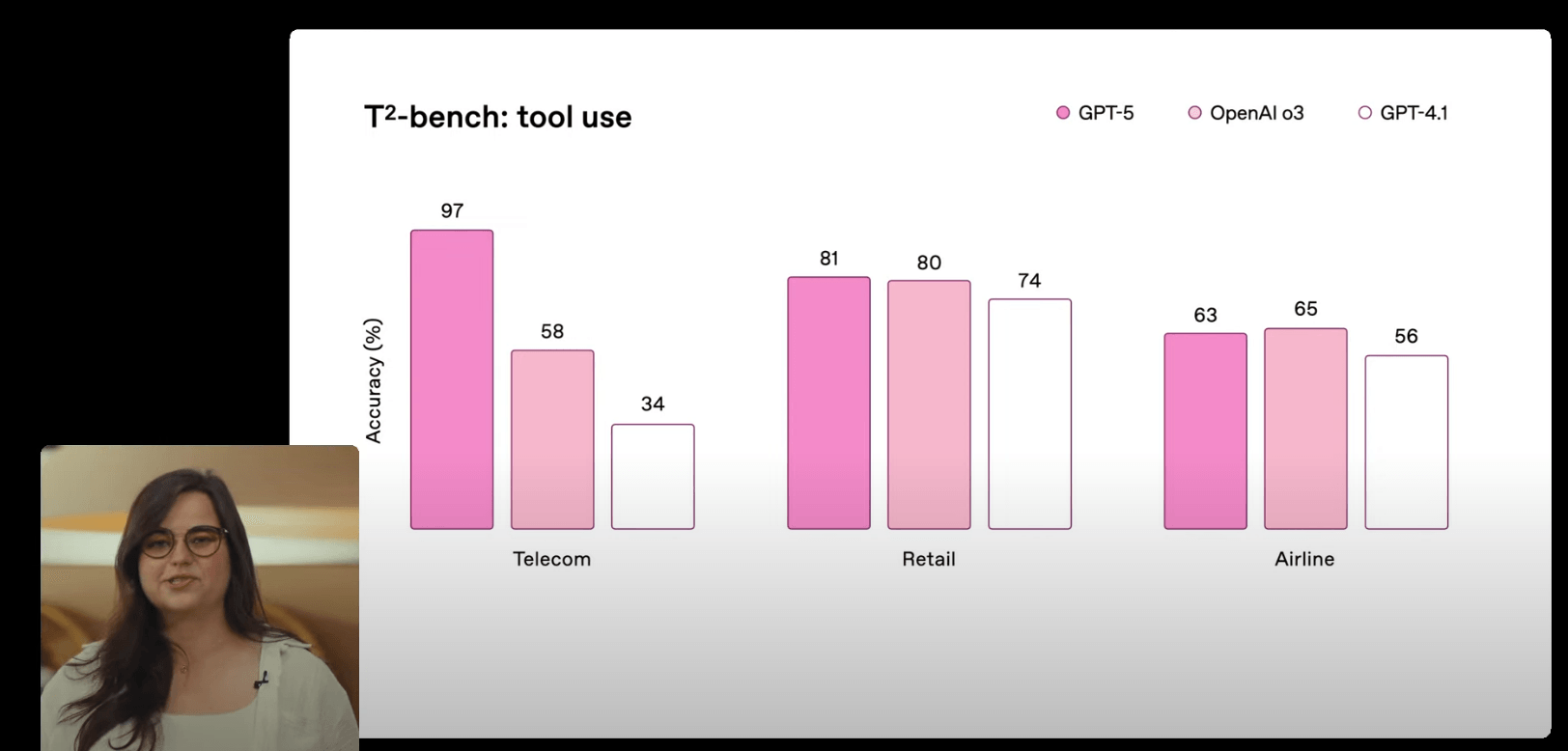
According to OpenAI, GPT-5 might fix some of the issues I’ve grown tired of. The new model is said to hallucinate less and be more dependable. It’ll also admit to it if it can’t do something instead of just confidently saying the wrong thing.
I will test GPT-5, much like I’ve tested every other model, and if it can provide a major improvement, I might have to rethink my decision. For now, I’m fully done with the paid version of ChatGPT, and I have zero regrets.