
“The first laptop to incorporate Nvidia’s 3D Vision technology, Asus’ G51J 3D, is a stereoscopic gaming powerhouse.”
- Out-of-the-box stereoscopic capability
- Includes 3D Vision glasses backpack, and gaming mouse
- High-end CPU and GPU
- Capable gaming rig
- Thick and heavy
- Mid-size display with low resolution
- Lack of 3-D content (save PC games) limits useful applications
“Why you can trust Digital Trends – We have a 20-year history of testing, reviewing, and rating products, services and apps to help you make a sound buying decision. Find out more about how we test and score products.“
Introduction
Stereoscopic viewing is mere months away from exploding—or seeping, depending on one’s level of zeal and optimism—into our living rooms via new 3-D televisions from mainstream manufacturers like Sony and Panasonic.
However, stereoscopic technology has been around for a while now in the computer space, thanks to graphics manufacturer Nvidia’s excellent 3D Vision solution. Thing is, it’s only been viable on desktops until now.
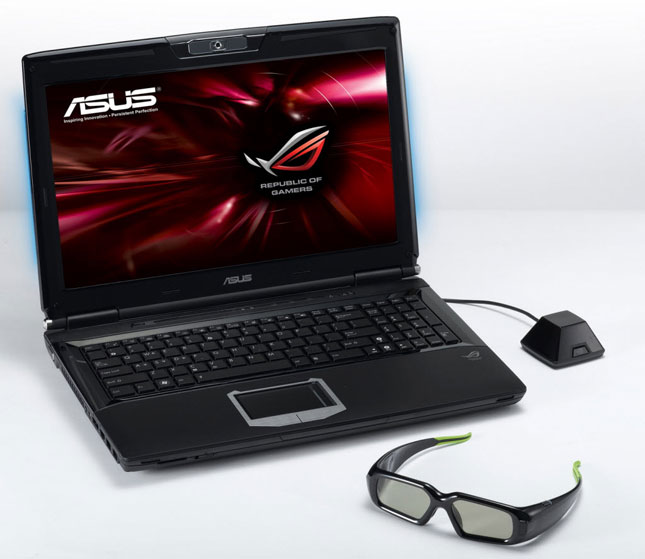
Asus’ G51J 3D changes that by wrapping a 3-D-enabled 120-Hertz display, NVIDIA’s active shutter glasses and a supported graphics card, drivers, and software, into a single package. It’s 3-D ready, right out of the box.
 Design and extras
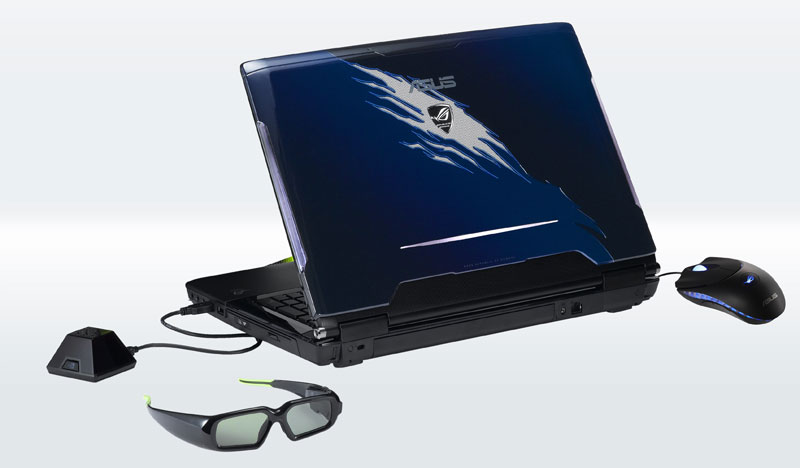
As a member of Asus’ “Republic of Gamers” line of gaming laptops, the G51J 3D is predictably flashy looking, with glowing lights lining its sides and what looks to be a claw mark etched into its black-and-navy lid. It’s not too gaudy, but by the same token, it’s not necessarily the sort of machine one would feel comfortable taking out at a serious business meeting.
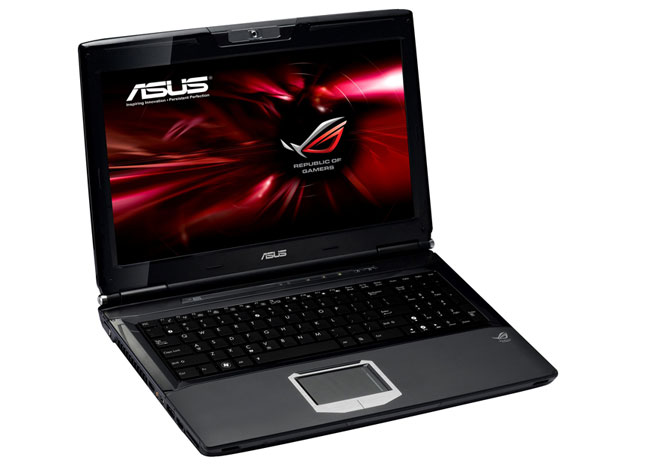
It’s also a bit bulky. Despite its average-sized 15.6-inch screen, it measures 1.6-inches thick and tips the scales at 7.7 pounds. It feels more like a 17-incher than the standard-sized notebook it should have been.
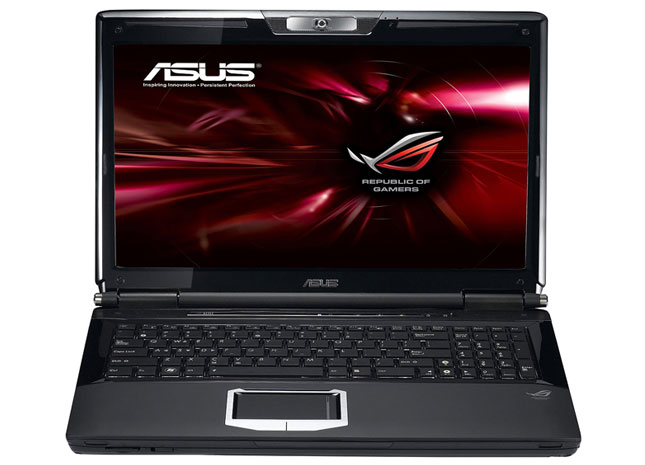
But there’s little else to complain about. The full-sized keyboard with numeric pad is comfortable and quiet, as is the mouse pad, the buttons below which are composed of smooth brushed metal.
Plenty of ports, including four USB, one HDMI, and one E-SATA, ring the edges, and are found in comfortable, non-intrusive locations.
It also comes with some valuable extras, including an excellent laptop backpack branded with the Asus gaming logo, a quality wired Asus gaming mouse, and, of course, those 3D spectacles from Nvidia.
Nvidia 3D Vision
3D viewing is the G51J 3D’s main event, and it impresses. It took mere moments to plug in Nvidia’s 3D Vision transmitter and begin watching some of the 3-D shorts that come stored on the hard disk, including a music concert and a spot for a Nürburgring race documentary. No hardware installations, software downloads, or technical issues. It’s pure plug and play, which is the way stereoscopic technology needs to work if it has any hope of being adopted by the mainstream.
What’s more, the 3-D effects were striking. We’ve seen Nvidia’s 3D Vision in action before, and it works just as well on the G51J 3D’s 120-hertz screen as on other monitors, such as Samsung’s 2233RZ. The effect isn’t quite the same as what you might see in theatres—rather than see objects spring off the screen, the viewer experiences an uncanny sense of depth—but it’s at times almost better and more natural.
In certain applications, you can actually control the level of that depth via a dial on the USB transmitter that communicates with the glasses. Be warned, though: It takes time to acclimate to deeper stereoscopic effects. We started to see dual images when we cranked it up past the midway point. Give it time, like growing accustomed to a hot tub filled with stinging water, and you’ll slowly grow accustomed to deeper settings.
As for what you’ll be able to see in three-dimensions, probably not much for now. Movie studios have promised that films encoded in 3-D will be coming to Blu-ray this summer, but the unit we evaluated didn’t have a Blu-ray player. And, unless you happen to own one of the rare and relatively pricey 3-D cameras on the market, the included stereoscopic still image viewing software won’t do you much good.
That means most people will be limited to PC video games. Luckily, hundreds of titles are compatible with 3D Vision, which means just about any recent game you own will be primed for stereoscopic rendering. We tried a few titles, including Call of Duty: World and War and Resident Evil 5, and both looked terrific. Indeed, games seem to be a medium ripe for 3-D exploitation, as the added sense of depth serves to draw players deeper into their fantasy worlds.
Performance
Lucky for gamers, the G51J 3D was clearly built with performance in mind.
Under the hood, you’ll find a powerful Intel Core i7 720QM processor that runs at a default 1.6 GHz, but can be ratcheted up to 2.8 GHz for increased power. It’s one of the best mobile CPUs around. Combine it with an NVIDIA GeForce GTX 260M graphics board and 4GB of DDR3, 1066MHz RAM and you’ve got a speedy little rig.
An option to add a second card for multi-GPU applications would have been nice, but it’s a perfectly respectable gaming machine as is. All of the games we installed ran quite smoothly, and it scored a solid B with 30.4 frames per second on Resident Evil 5’s benchmark test.
However, we weren’t quite as impressed by the display. Putting a 120Hz monitor on a laptop and keeping it more or less affordable is a fine accomplishment, but gamers like big screens with high resolutions, and the G51J 3D’s 15.6-inch, 1366-by-768 LED-backlit display, though crisp, bright, and widely viewable, might not cut it for some members of the intended demographic.
Conclusion
As the first laptop to incorporate Nvidia’s 3D Vision technology, Asus’ G51J 3D is clearly an early adopter product. Decidedly singular of purpose, it will give on-the-go gamers the ability to immerse themselves more deeply in their interactive entertainment, but won’t be of much use in other 3-D viewing applications (not right away, anyway). It’s worth investigating for those who fit its niche market, but will be something of a curiosity for everyone else.
Highs
- Out-of-the-box stereoscopic capability
- Includes 3D Vision glasses backpack, and gaming mouse
- High-end CPU and GPU
- Capable gaming rig
Lows
- Thick and heavy
- Mid-size display with low resolution
- Lack of 3-D content (save PC games) limits useful applications


