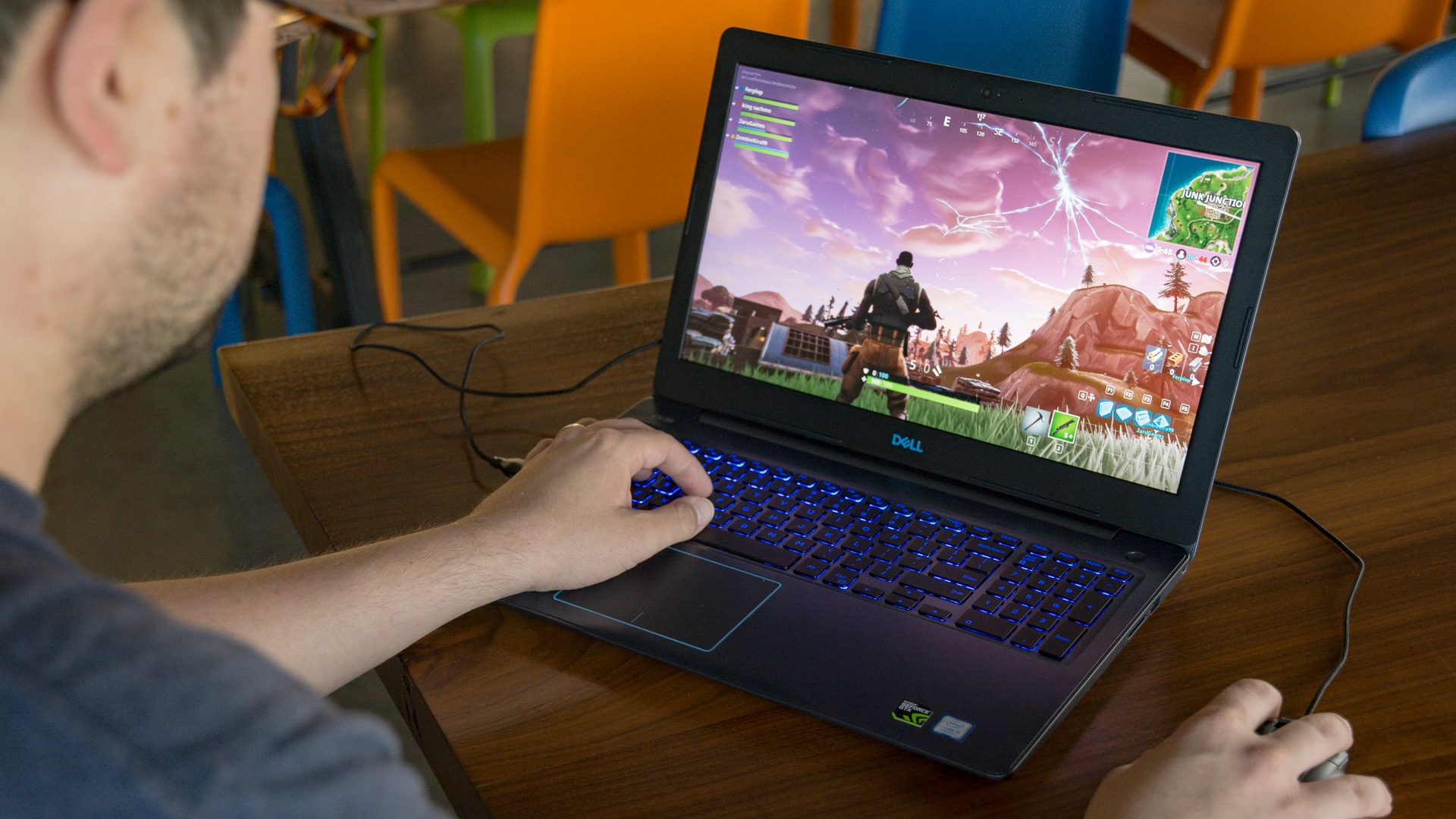
Unless you are opting for a truly high-end gaming laptop, you should at least consider the most popular hardware configuration for mid-range solutions. An eighth-generation Intel CPU paired up with a GTX 1050 Ti graphics chip.
It’s not going to play AAA games at 4K, but it will have enough oomph for just about anything if you’re kind on the settings scale. Lenovo and Dell both make some great laptops that use just that hardware, so we pitted the Lenovo Legion Y730 versus the Dell G3 Gaming Laptop to find out which is best.
Design
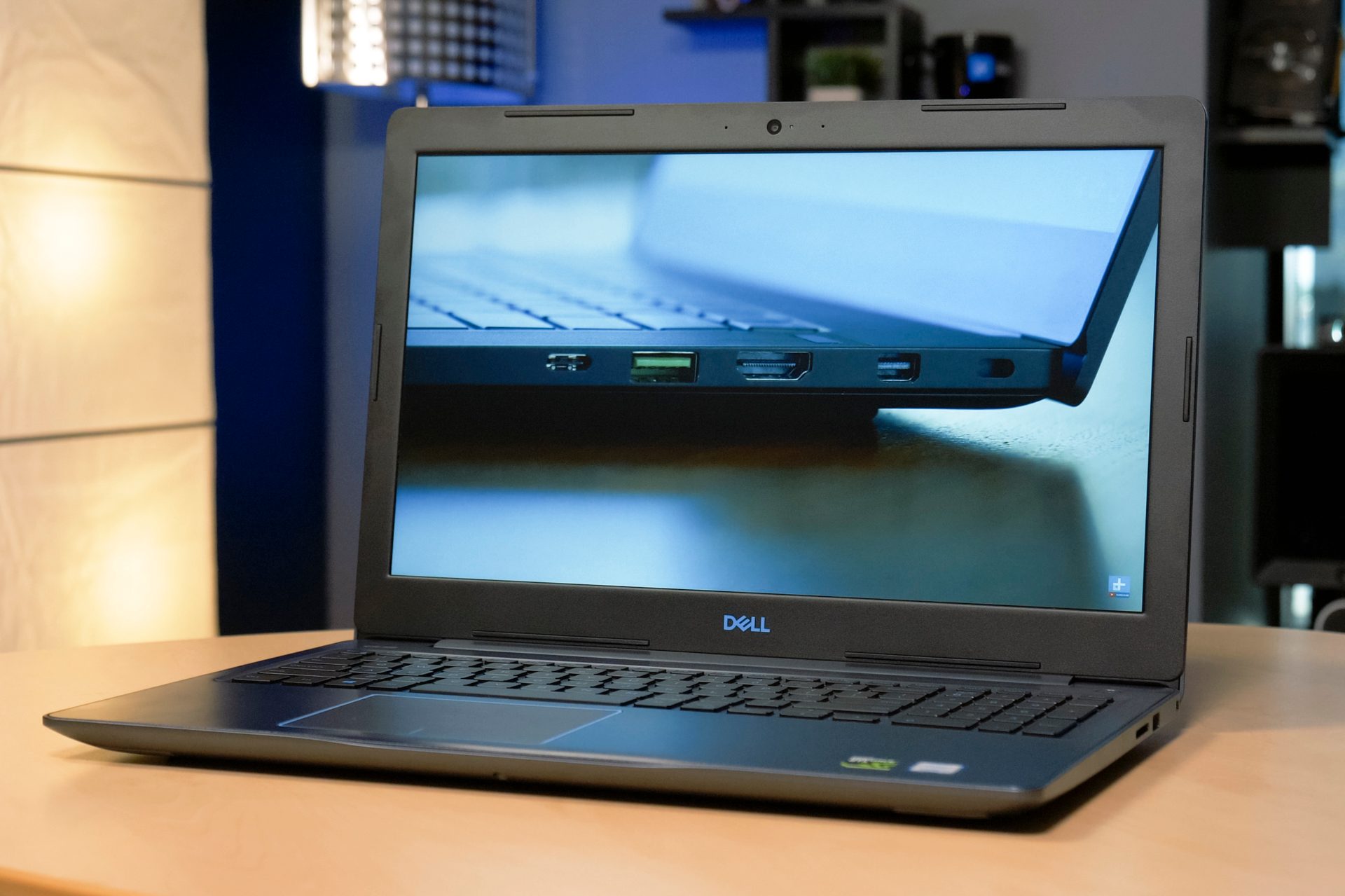
Mid-range laptops around this sort of price point can look fantastic, like our favorite laptop of current years, the Dell XPS 13. But it’s rare to get something with that premium feel and have premium hardware under the hood for the same sort of money. That’s something that’s certainly the case with the Dell G3 Gaming Laptop, which at our $850 review unit price point, looks rather dated. It has a dull color scheme and thick bezels, which do play a part in its overall solid, and durable feel, but it’s not a laptop that’s going to turn any heads.
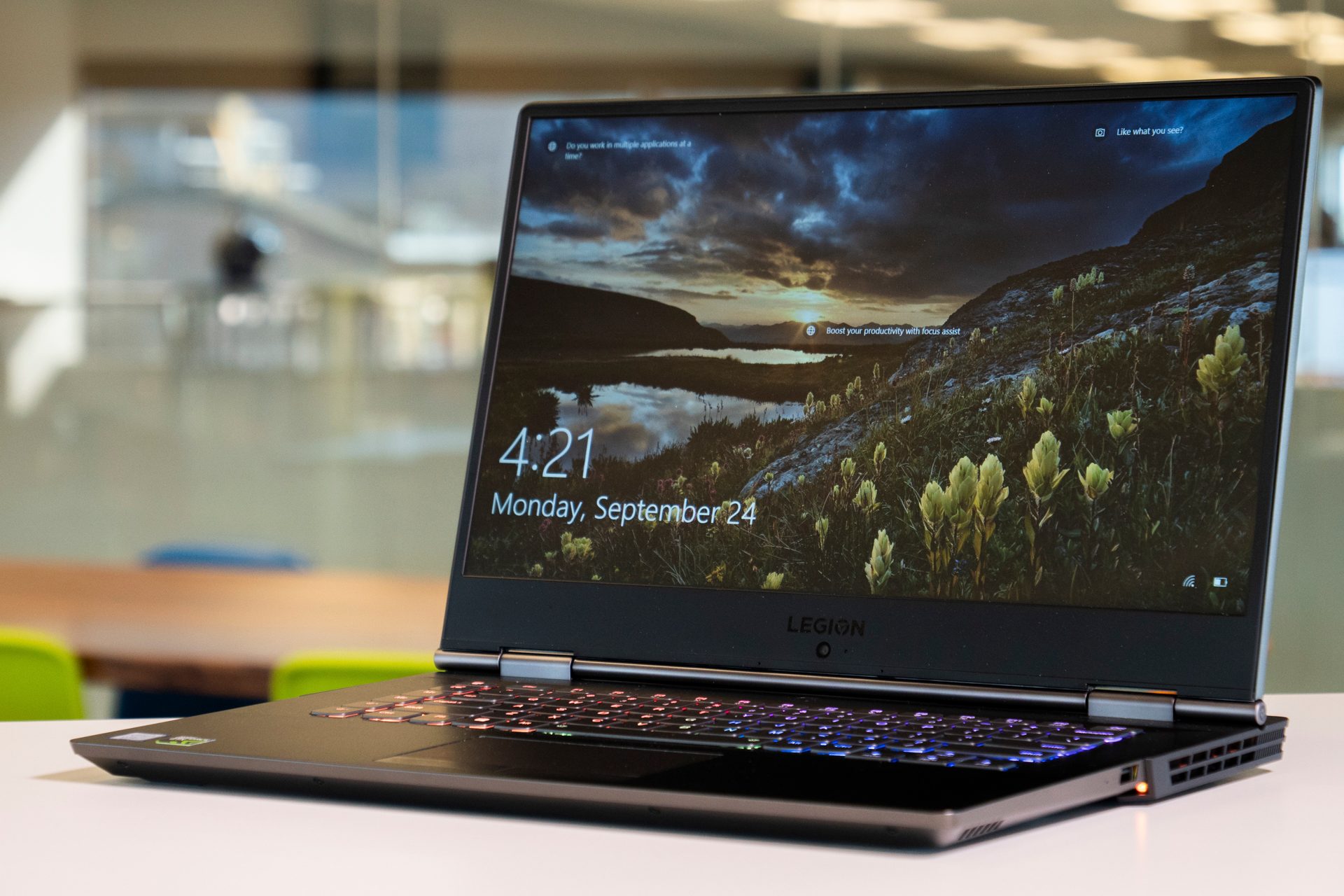
In comparison, the Lenovo Legion does look quite a bit better, but our review unit cost nearly double the price at $1,550. It has an understated look, which you might call drab, but we love the Legion logo on its lid, and its thin bezels and chassis make it feel sleek. At almost a pound lighter than the Dell alternative, it’s a whole lot easier to carry around too.
Although we’d typically suggest a decent gaming mouse when playing on any kind of PC, be it a desktop or laptop, that goes doubly so for the G3, which has a touchpad that feels underwhelming and inaccurate. Its keyboard is a little better, but the fixed-color back-lighting is far from our favorite shade of blue. The Legion, on the other hand, has a passable touchpad and a pretty great keyboard. Its layout is a little odd and took us a couple of days to get used to it, but it looks great thanks to fantastic per-key backlighting that’s fully customizable using Corsair’s iCUE app.
Performance
Considering their pricing disparity, you might be surprised to learn that the hardware configurations under the hood of these laptops are pretty comparable. The entry-level Dell G3 is priced at $750 and comes with a 15-inch 1080p display, an eighth-generation Intel Core i5-8300H paired up with 8GB of RAM, a GTX 1050 graphics chip, and a terabyte of HDD storage space that’s augmented with an 8GB caching drive. $1,000 gets you a Core i7-8750H CPU, a GTX 1050 Ti, and a 128GB SSD, and there are options for a 17-inch screen model up to $1,150, which has a GTX 1060 Max Q design.
Our review configuration with its i5-8300H and GTX 1050 Ti delivered decent frame rates in most of our gaming tests, managing a solid 60 FPS at 1080P, Ultra settings in Battlefield 1, and over 50 FPS in Civilization VI’s benchmark at 1080P Ultra too. It only really fell down in the famously-taxing, Deus Ex: Mankind Divided, but it still managed 34 FPS at 1080P on High settings.
Configuration options for the Legion Y730 are much more restrictive and expensive. The entry-level version costs $1,200, but the only difference between it and our $1,550 review system was the size of the hard drive and the amount of RAM. Our system came with a 256GB SSD and a 2TB mechanical hard drive, with 16GB of RAM. Whichever configuration you opt for though, you get a 15-inch 1080P display, an eighth-generation Intel Core i7-8750H CPU, and a GTX 1050 Ti graphics chip.
Despite its heftier processor, the Y730 actually fell behind the Dell laptop in our gaming tests. It managed just 51 FPS in Battlefield 1 at 1080P Ultra settings, and 45 FPS in Civilization VI at the same settings. It fared much the same in Deus Ex. Its visuals were better, though, due to its far superior display. The Dell G3 looking dull and its colors inaccurate, with woeful support of the sRGB and Adobe RGB color gamuts.
The cost difference between the two systems is impossible to ignore too. With comparable hardware and better frame rate results, the Dell G3 is less expensive by as much as a third.
Portability

As gaming laptops, neither the Dell or Lenovo solutions are super portable, but they’re not going to put your back out either. The G3 Gaming Laptop weighs 5.57 pounds for the 15-inch version and measures 14.96 x 10.16 x 0.89-inches. The Legion Y730 is a little lighter at 4.9 pounds and a little trimmer, measuring 14.25 x 10.52 x 0.79-inches.
While size and shape are close between these two though, battery life is not. The G3 managed nearly six hours in our video loop test and just shy of three hours in our Basemark test. The Legion Y730 on the other hand, didn’t even manage three hours in the video loop test, nor make it past two hours in Basemark.
Even for a gaming laptop, that’s exceedingly poor, and surprising considering the hardware it sports isn’t that intense. It’s not a system you can use away from a power socket for any real length of time.
Better battery for much, much less

Although these laptops are very similar, there are some significant differences. Where the Lenovo Legion Y730 looks better — albeit rather boring — has more memory and storage, a high-refresh rate display, and is lighter and leaner, none of that is worth the far greater price you pay for it. At almost double the price of the Dell G3 Gaming Laptop, it somehow comes with worse gaming frame rates and battery life that is almost half that of its competition.
The Dell laptop isn’t a fantastic gaming machine. It looks dated, its display is poor, its hardware isn’t class leading — but in this head to head, it offers far more bang for your buck. You can get its best configuration for under $1,00, and its battery lasts for hours longer than the Legion alternative.
At this price point there just aren’t better alternatives. Sub-$1,500 gaming laptops make sacrifices. In this case, the G3 sacrifices less and delivers more for your money.