
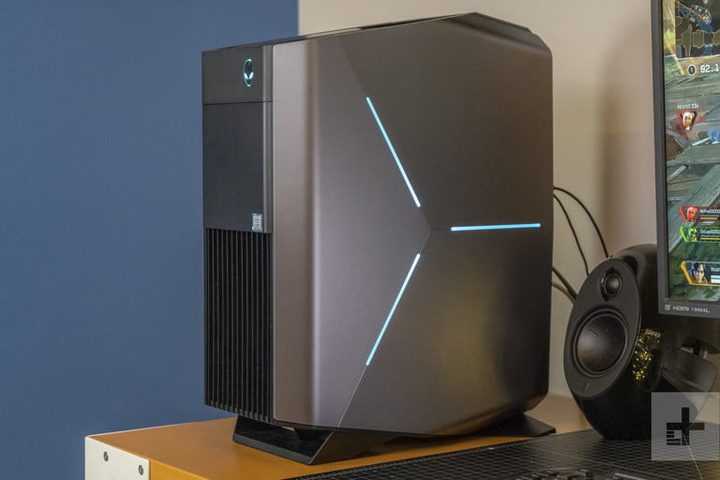
Like Christmas, Dell’s Cyber Savings Event comes once a year. Lucky for you, just like Christmas, it also means gifts. Take, for example, the Alienware Aurora R8, which is now on sale at Dell for $700 — down $220 from the usual $920. The Alienware Aurora R8 is one of the most powerful and affordable gaming PCs out there, especially at this price. They’re not quite giving it away, but with all the power and speed, plus the R8’s nifty new design, if it’s a gaming desktop you’re in the market for, this is the best time of year.
No laptop can really compete with a desktop when it comes to the dollar-for-dollar overall gaming experience. When you’re looking at playing the best version of the latest games, especially at higher levels, you really need a desktop. And with the Alienware Aurora R8’s ninth-generation Intel Core i5 9400 processor (it has six cores, a 9MB cache, and up to 4.1GHz with Intel Turbo Boost Technology) they don’t come much more powerful, especially for under $1,000. This is one of the reasons that pro gamers, like Team Liquid, use Alienware as the team’s official gaming PC. There’s also a 512GB solid-state drive, which dwarfs many of the other SSDs you’ll find in the same price range (and puts the old platter-based hard drives to shame).
This is backed up by some amazing graphics capabilities. Smooth, lucid images and gameplay, even on the highest settings on 2020’s top new games, are the result of an Nvidia GeForce GTX 1660 Ti graphics card, which Alienware has packed the R8 with, and is rivals any built-in graphics capabilities on any desktop in the $1,000 range. But if that’s not enough for you, upgrades are made simple with the R8’s tool-less access by way of a power supply unit swing arm. It allows you to switch out graphic cards, memory modules, storage drives, and expansion cards, with very limited effort. The lighting on the tower’s space-age design is customizable, too.
Of course, this machine is ideal for gaming, but it’s an all-arounder as well. It comes all set with Windows 10 Home, and Qualcomm DW1810 1×1 802.11ac Wi-Fi Wireless, and Bluetooth 4.2 for the ultimate connectivity.
It’s a fantastic time to get into gaming or upgrade your current setup, just look at our gaming PC deals. It’s rare that we ever see a game-focused machine, with as much power, speed, versatility and graphics capabilities as the Alienware Aurora R8, for less than $1,000, never mind $700. It’s almost unheard of! Get $220 off the regular price of $919, as part of Dell’s Cyber Savings Event, today.


