
At this point, most people are at least a bit familiar with smart home speakers and devices. This smart technology can act as an assistant, increase productivity, save time, play music, and improve quality of life. Home devices can be controlled remotely using a button or via voice command using your smartphone. With Memorial Day right around the corner, fantastic deals are popping up already, including a savings of $100 on Apple’s HomePod at Best Buy. The HomePod is packed with features, and at just $200, it may be time to give smart home technology a try if you haven’t already. If you are familiar with smart home technology, you will surely want to check out this deal on the Apple HomePod.
The HomePod is a breakthrough speaker – and so much more. Not only does the speaker adapt to its location and produce high-quality audio wherever it is playing, but it also utilizes Apple Music and Siri to help you discover new music and play all of your favorites. The HomePod may seem small at just seven inches tall, but for its size, it cranks out rich sound that fills any room. The speaker contains a high-excursion woofer that is positioned at the top of the speaker facing upward. This creates deep bass with a wide range that surpasses traditional speakers. What makes the HomePod so unique is that the internal bass-EQ microphone and six-microphone array analyzes and compensates for its surroundings, making for consistent sound no matter the environment. The speaker also features seven tweeters, each with its own amplifier.
The HomePod also helps you and your family with everyday tasks and controls the rest of your smart home with your voice. The six microphones positioned around the HomePod allow it to pick up all of the sounds in any room, which means that when you say, “Hey Siri,” the HomePod hears you no matter where you are without you having to raise your voice. Also featuring noise and echo cancellation and advanced signal processing, Siri will hear all of your commands even if you have loud music playing. For those concerned with safety, everything you say to Siri is encrypted and sent anonymously to Apple servers without being linked to your Apple ID.
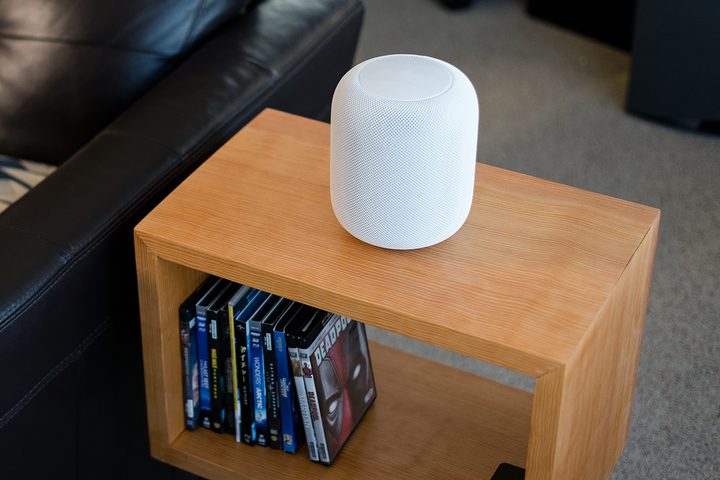
Available in white and space gray, the HomePod is wrapped in a seamless mesh fabric that looks great while further increasing its acoustic performance. The set-up is simple as well – plug it into your iOS device, and the speaker is detected automatically. You can also pair one HomePod with another to create an unbeatable surround sound or multiroom audio experience.
After something a bit different? Take a look at the other Memorial Day sales happening now.


