
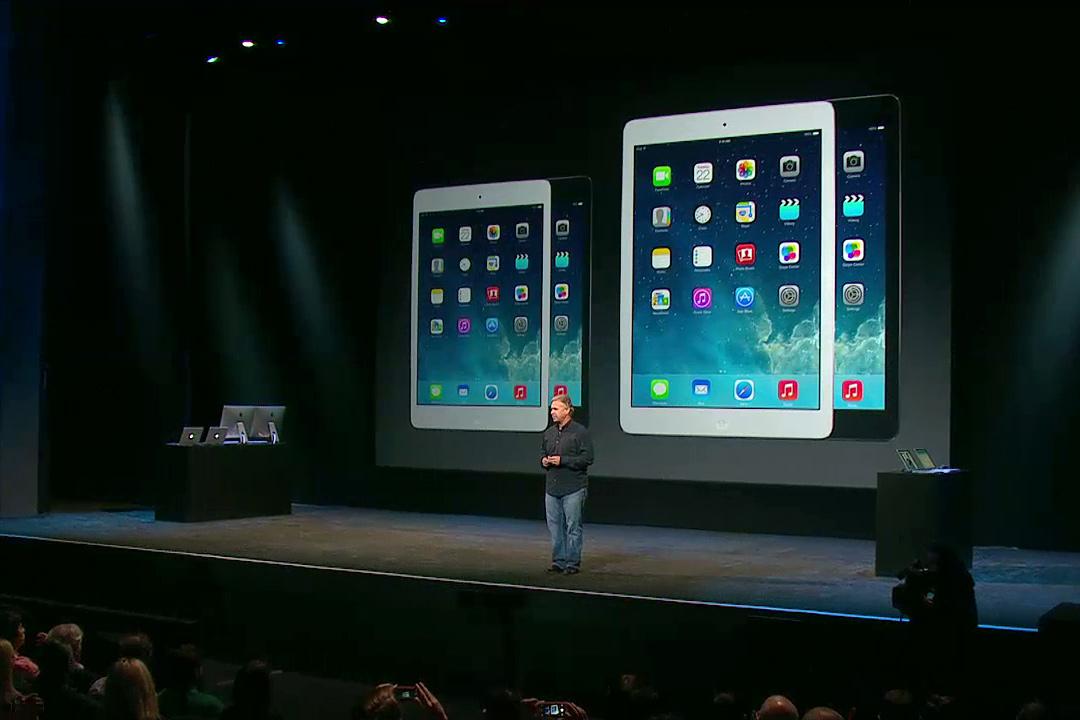
If you’re looking to buy a brand new tablet, you’re rather spoiled for choice after this week’s wealth of new announcements and releases. Not only has Microsoft put its Surface 2 and Surface Pro 2 slates on sale, but Nokia has also come up with the Lumia 2520 Windows tablet. However, it’s Apple which has stolen the show (as usual) with its new iPad Air and iPad Mini 2 tablets. It hasn’t revolutionized anything, but it didn’t really need to. Instead it gave us a pair of strong, good-looking, and sensibly upgraded new models. After the disappointing iPad 4, they’re exactly what we wanted.
Two new iPad tablets, one large, the other small
Apple has renamed its full-size tablet, this time choosing not to call it simply “iPad” or, “New iPad,” but the iPad Air instead. It has effectively reset the model count, so this time next year we will presumably be welcoming the iPad Air 2. Anyway, we’re getting ahead of ourselves. What’s new with the iPad Air?
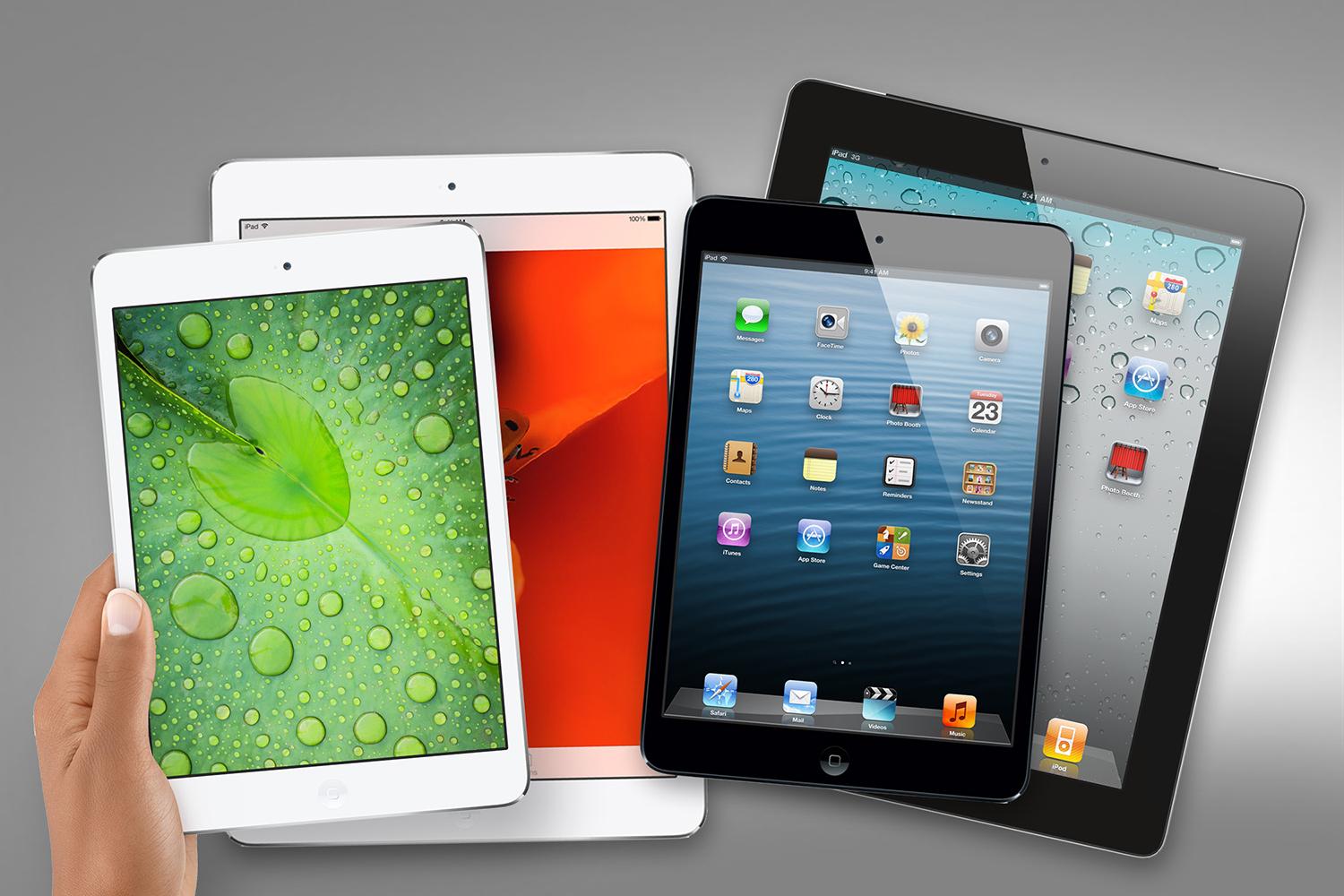
A lot, actually. The tablet has been redesigned to take on a similar look to the iPad Mini, with a 43 percent thinner bezel – at least down the side of the screen – than before, and a 20 percent reduction in thickness to 7.5mm. The overall weight has dropped to 469 grams for the Wi-Fi model and 478 grams for the 4G iPad Air, representing a 28 percent weight loss.
Turn the tablet on its side and you’ll see the old plastic volume rocker has been replaced by two metal volume buttons, while the edge of the aluminum unibody is far less sharp than before.
The iPad Mini 2, which Apple wants to call the iPad Mini with Retina Display, hasn’t changed visually at all, It has given its design tweaks to the larger iPad, rather than the other way round. It’s also 7.5mm thick, but is lighter at 331 grams for the Wi-Fi tablet or 341 grams for the cellular tablet. Finally, both tablets now come in Apple’s Space Gray color scheme.
Two old iPads have stuck around
Apple now has four tablets in its range. The old iPad Mini and even older iPad 2 are sticking around for another year. If the iPad Air and iPad Mini 2 are a little too expensive, these aging tablets are Apple’s budget option. The iPad 2 remains at $400, while the iPad Mini has been reduced in price to $300, both provided you purchase the 16GB Wi-Fi models.
How about the features?
While only the iPad Air looks different on the outside, both tablets have been altered internally. Starting with the iPad Air, it has been given the 64-bit, A7 processor and the M7 co-processor from the iPhone 5S, which Apple says will see it perform twice as fast as the older iPad.
Apple has also added dual-band MIMO (that’s multiple-in, multiple-out) Wi-Fi to the iPad Air, which should speed up Wi-Fi performance, just as it does on hardware such as the Amazon Kindle Fire HDX. It has also expanded the amount of compatible 4G LTE networks, so more countries can enjoy fast data on the move.
Other features of the iPad Air include a 1.2-megapixel FaceTime camera with 720p video, a 5-megapixel iSight camera with 1080p video on the rear, dual microphones, Bluetooth 4.0, and a digital compass. If you want assisted GPS, you need to buy an iPad Air with cellular connectivity.
Moving on to the iPad Mini with Retina Display (or iPad Mini 2), it’s also powered by the A7 and M7 processors, and benefits from MIMO Wi-Fi, the same camera setup, and all the other hardware features seen on the iPad Air. The other major alteration is the screen, which now has the same Retina resolution of 2048 x 1536 pixels as the larger tablet, making the size of the display the only real difference between them: 9.7-inches plays 7.9-inches.

Same software?
Yes, both the iPad Air and the iPad Mini 2, and the old iPad Mini and iPad 2, all run the latest iOS 7 software. In addition to the usual standard apps such as Safari, iTunes, and Newsstand, anyone who buys a new iOS 7 device will get Apple’s other software for free too. This includes GarageBand, iPhoto, iMovie, Pages, Numbers, and Keynote. Visit the App Store and you’ll find 475,000 apps specially written for the iPad’s larger screen.
How about the battery life?
While the iPad Mini has a slightly smaller battery than the iPad Air, Apple claims both will return 10 hours of Wi-Fi Web browsing or media playback. Knock an hour off this time if you’re browsing the Internet using 4G though.
But what about storage space and prices?
There are four options for each tablet, plus the choice of either a Wi-Fi model or one with 4G LTE cellular connectivity. The prices are straightforward, so here we go, starting with the iPad Air:
- 16GB Wi-Fi: $500 / 16GB 4G: $630
- 32GB Wi-Fi: $600 / 32GB 4G: $730
- 64GB Wi-Fi: $700 / 64GB 4G: $830
- 128GB Wi-Fi: $800/ 128GB 4G: $930
The iPad Mini 2 is slightly more expensive than its predecessor, but as it has been given a considerable spec bump, it’s to be expected.
- 16GB Wi-Fi: $400 / 16GB 4G: $530
- 32GB Wi-Fi: $500 / 32GB 4G: $630
- 64GB Wi-Fi: $600 / 64GB 4G: $730
- 128GB Wi-Fi: $700 / 128GB 4G: $830
Any accessories?
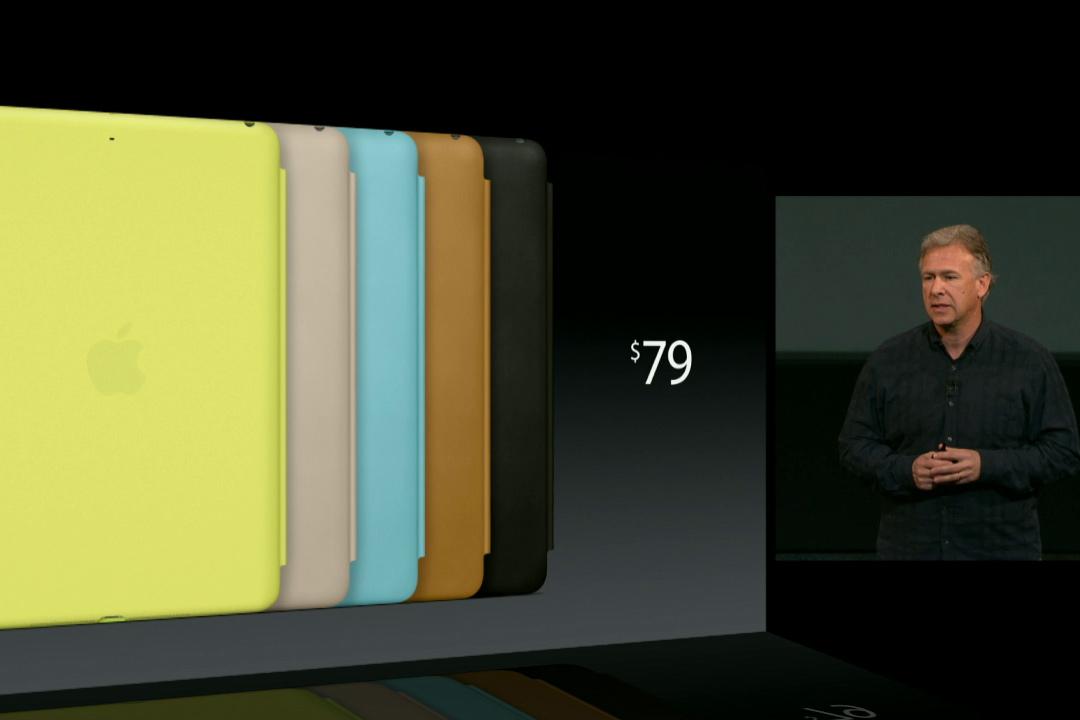
Apple has added the iPad Air to the list of tablets compatible with its Smart Case and Smart Cover, and both are also available for the iPad Mini 2. The polyurethane Smart Cover comes in black, yellow, pink, blue, green, or Apple’s special edition red and has been priced at $40, regardless of which iPad it’s for. The leather Smart Case comes in black, yellow, blue, beige, brown or red, and costs $80 for the iPad Air and $70 for the iPad Mini 2.
I’m convinced, when and where can I buy one?
Apple will release the iPad Air on November 1 online and in-stores. As for networks, AT&T, T-Mobile, and Verizon have all put up Coming Soon pages for the iPad Air. Unusually, Apple has announced the iPad Mini 2 without a release date, saying only that it’s coming later in November. Like the iPhone 5S, it appears neither tablets will have a pre-order period.


