
Sprint has teamed up with Motorola to boost its repertoire of phones. The Photon 4G leads the pack for Sprint’s next-generation WiMAX-enable devices, while the new Triumph gives Virgin Mobile pre-paid customers a solid Android smarphone option.
At a press event in New York City today, Sprint and Motorola announced a revamped partnership that will bring 10 new devices to the Sprint and its Boost Mobile and Virgin Mobile brands this year. Today’s biggest announcements include the Google Android-based Motorola Photon 4G for Sprint, and the Motorola Triumph, a pre-paid option for Virgin Mobile, both of which will be available this summer. No pricing options for either device have yet been announced. Below, a hands-on look at what the Photon 4G and the Triumph have to offer.
Motorola Photon 4G
The first dual-core handset to launch on Sprint’s network, the Photon 4G is powered by Nvidia’s robust 1GHz Tegra 2 CPU and has 1GB of RAM – twice the memory of the similarly spec’ed Droid Bionic – to give the device the speed and power expected of next-generation “superphones.” The bright and crisp 4.3-inch qHD display doesn’t disappoint – even iPhone 4 fans would have trouble finding much to criticize here. To support the massive display, Motorola included a kickstand, which automatically sets the phone into landscape mode when it’s pried open.
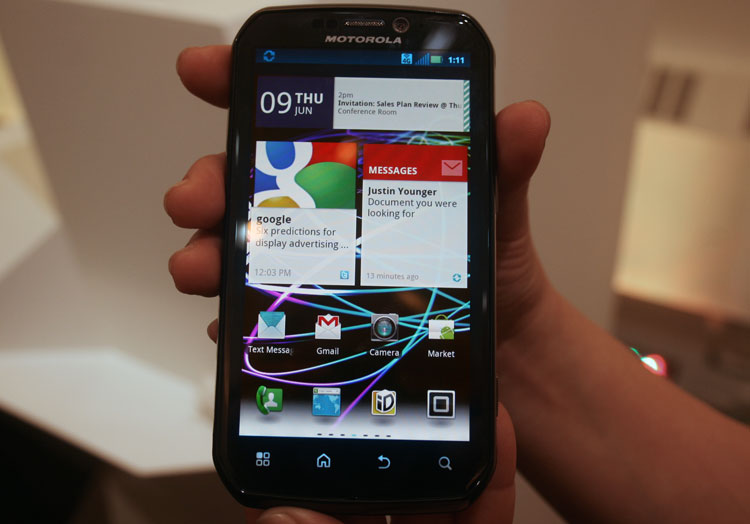
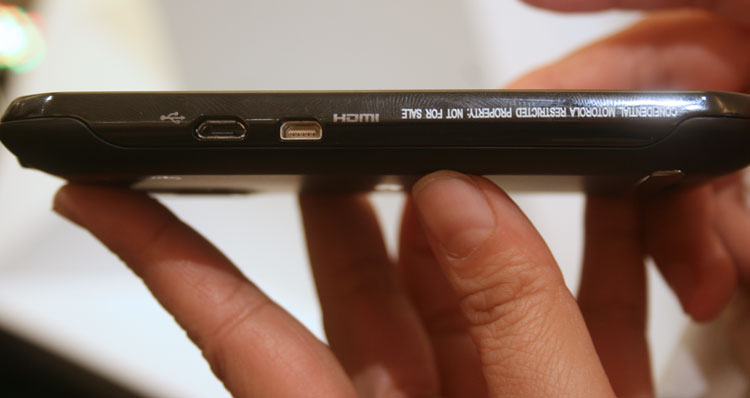
Photon’s 8-megapixel rear-facing camera allows for 720p HD shooting capabilities, and is a nice step-up from the Motorola Atrix 4G, which sports a 5-megapixel camera. Plus, the micro-HDMI port allows for 720p HD video output to a television, and Sprint will offer a docking station for a faster connection setup. The front-facing VGA camera for video chat is a necessary addition these days. But obviously, the picture quality won’t come anywhere close to that of the rear camera. (None of them do.) The Photon has 16GB of on-board storage, and can be expanded by 32GB with a microSD card. It also supports 802.11b/g/n and Bluetooth 2.1 wireless connectivity.
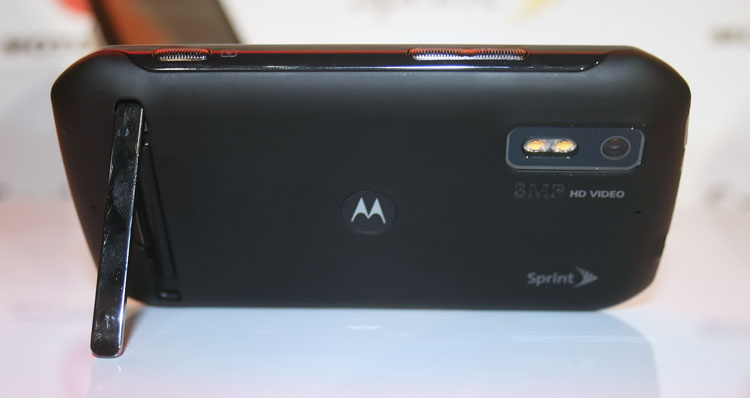
The phone is made to connect to Sprint’s WiMAX CDMA 4G network, but is also backwards compatible for 3G connection. As an added bonus, the Photon also works as a GSM worldphone – a massive upside for frequent travelers – and is only one of a few devices Sprint offers with this feature.
Based on the Android 2.3 Gingerbread operating system, the Photon comes with all the features users have come to know and expect from an Android device. Added on is Motorola’s custom Motoblur software, which allows users to add up to 10 different social networks, contacts, photos, emails and messages, and view everything in a single window. Because Motoblur is based off of Android, it isn’t a poor excuse for an add-on, like so many other pre-installed custom apps, and could have some real fans once people get used to the concept.
Sprint is selling the Photon 4G as a do-everything-for-everyone device. The carrier has also added additional security measures for the business and enterprise crowd, as well as simple calendar and account integration and file management. On the opposite side of the user spectrum, Photon’s Tegra 2 gives it all the power it needs to be a full-on gaming device. The demoed racing gaming at the event showed the device working smoothly.
Overall, the Motorola Photon looks like a solid option, especially on Sprint’s 4G network. Some users might not want to wait until summer, and instead opt for the HTC EVO 3D. But those who do wait for the Photon likely won’t regret it.
Motorola Triumph
The first Motorola device to land on Sprint’s Virgin Mobile brand, the Triumph may be less sexy when compared side-by-side to the sleek Photon 4G powerhouse. But as a pre-paid option, it doesn’t get much hotter than the Triumph.
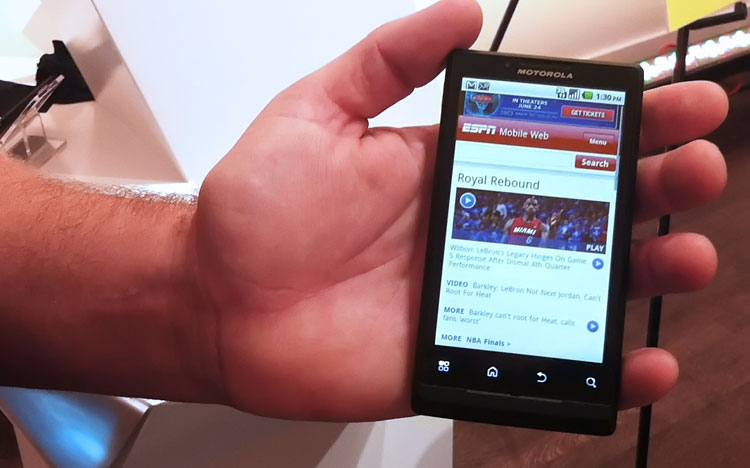
The handset’s WVGA touchscreen measures a solid 4.1-inches. It runs on Android 2.2 Froyo, sports a 1GHz Snapdragon processor and comes loaded with 2GB of built-in storage, which can be upgraded with microSD. It also has a 5-megapixel rear-facing camera capable of shooting 720p video – a feature the Sprint rep told us was his favorite aspect of the device – and a VGA front-facing camera. An HDMI port and an assisted-GPS port come standard, as does 3G, Wi-Fi and Bluetooth connectivity.
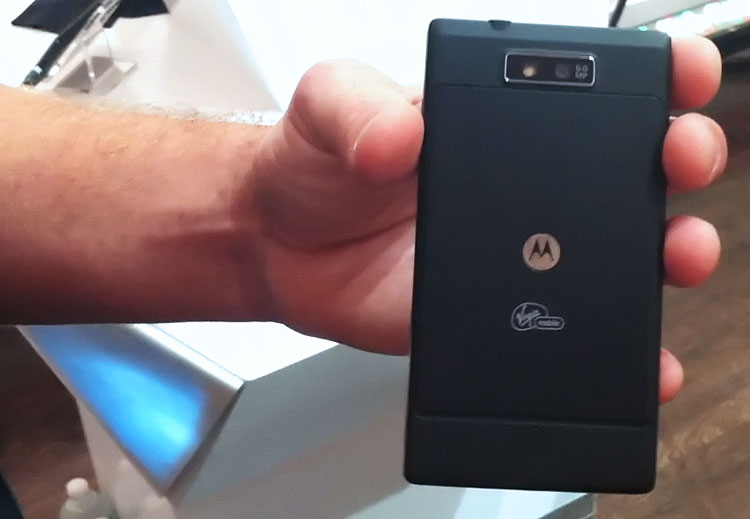
One of the main selling points Sprint and Motorola pushed for the Triumph was the addition of the Virgin’s music-centric social network, Virgin Mobile Live 2.0. This app comes preloaded on the Triumph, which is fine. But the app looked a little clunky and corporate-made, like so many other in-house apps developed by wireless carriers. Its inclusion doesn’t count against the Triumph, but it certainly didn’t seem like a major selling point either.
All-in-all, if you’re going to go pre-paid, the Triumph is definitely a winning route.


