
The Web moves fast, and so does e-commerce. Blink and you might miss a fleeting piece of information or major sale on something you love. Instead of chugging Mountain Dew all night as you frantically refresh, you can now use Punchr to monitor webpage activity for you.
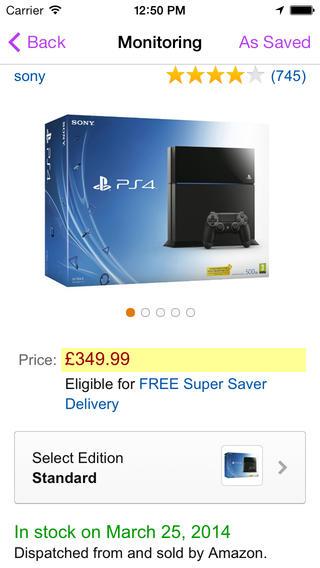 The concept of Punchr is simple. There are things on the Web that you want to keep an eye on without actually having to watch at all times for changes. Punchr acts as your eyes. Find the webpage you’re interested in eyeing, tell Punchr exactly what it is you’d like to monitor, and set your marker. Any time an alteration occurs to that specific bit of information, Punchr will alert you to the update so you can act accordingly to the change. That’s the idea, anyway.

Unfortunately, the execution wasn’t there in our experience with Punchr. The app is about as streamlined as possible, which is great. The primary interface is a stripped down Web browser with little more than an address bar and a back button for navigation options. Despite this, the browser is slow — as slow as a snail sleeping in molasses. You won’t have to reload a saved page after visiting it once, but we had flashbacks to 56k modem days trying to open pages for the first time.
A little bit of patience and we pushed through the stumbling slowness of Punchr’s browser. We marked a couple pages to see how well the app would track changes and to its credit, it kept us updated. A push notification was sent with the first change, and Punchr told us which of our saved pages had been modified since our last visit. It did not appear to track further changes made to that page after that point, or it didn’t tell us about them if it was keeping track. If you’re tracking price changes on something, say a pricey piece of tech that you expect to have a price drop or tickets to an event, push notifications are the insight into when the important change that you’re waiting for happens. Getting them to work consistently is paramount for Punchr.
Punchr could be a time saver for anyone keeping their eye on something online. If a website goes down and you’re waiting for it to come back online or you’re hoping to score a deal before a new device sells out, Punchr provides an appealing service, acting as your eyes even when you aren’t watching. But if those digital eyes fall asleep on the job too, it’s not exactly helpful. Punchr seems like it would be best served working in concert with an existing Web browser, like as an extension or add-on. For us to be willing to count on it regularly, it needs a better browser. Still, you can give it a try for yourself. The link is below. Let us know what you think.
Punchr Page Monitor is available for free on iPhone and iPad.


