When was the last time you saw or used a piece of technology that made you feel like you were living in the future? Was it the very first time you picked up a smartphone? Perhaps it was more recently, when you held your first folding phone? Maybe it was even an AI gadget? (Wait, probably not that.)
For me, it was on May 14, 2024. A few hours after the Google I/O 2024 keynote ended, I had the opportunity to demo Google’s Project Starline. It wasn’t technically a new announcement for I/O 2024, but it was one of the most impressive things I saw at Shoreline Amphitheater that day.
What is Project Starline?
I suppose I should provide a bit of context before I continue. Some of you might know what Project Starline is, but for those who don’t, here’s a quick refresher:
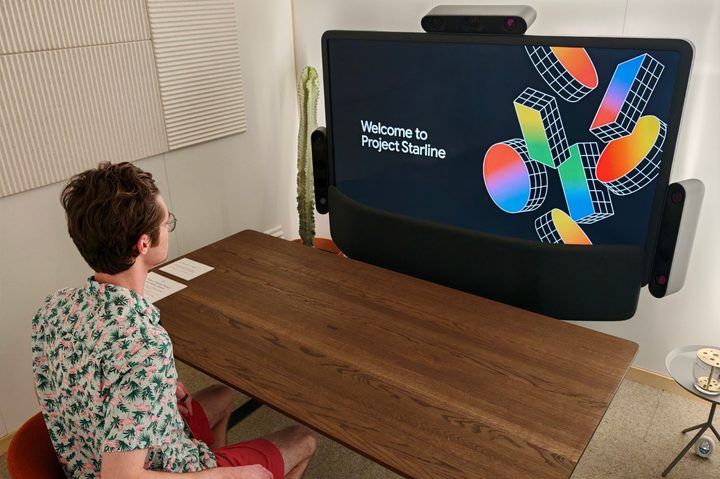
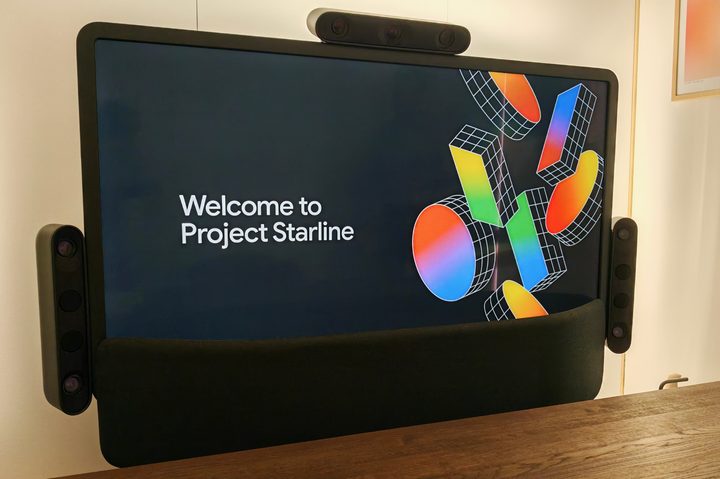
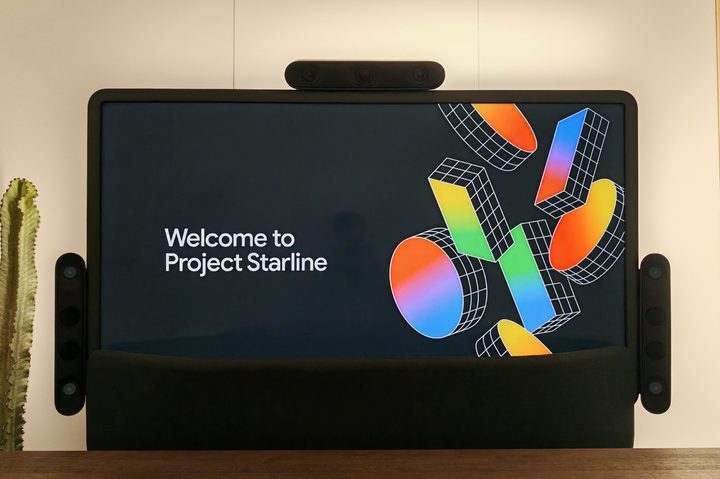
Announced at Google I/O 2021, Project Starline is a system that transforms online video calls (like Zoom and Google Meet) into lifelike experiences. Project Starline has changed a lot since its first reveal, but the version I saw (which was announced in 2023) consists of a large monitor, an impressive speaker system, and three sets of cameras/sensors on the left, right, and top of the monitor.
What does all of this tech do? It creates a 3D image of yourself and sends it to the person you’re talking to (who is also using Starline). The other person’s 3D model is streamed to your monitor in real time, allowing you to see a lifelike, 3D representation of them. It’s like a Zoom call, except it’s supposed to feel like you’re actually sitting in the same room as the other person — not just looking at them through a computer monitor.
So, how does all of this really work in person? That’s what I wanted to find out.
Video calling like I’ve never seen it before
I had my Project Starline demo with the project’s co-founder, Jason Lawrence. Our respective demo booths were placed right next to each other, but this was just for the purpose of having everyone in the same location. Just like “normal” video calling, Starline users can talk to each other no matter where in the world each person is.
Walking into my demo booth, I saw a very simple setup — including a chair, a table, and the Project Starline system. I was able to take photos of Starline before the call started, but not during the call itself (cameras cannot correctly capture the effect of Project Starline’s 3D calls via photos or videos, so Google asked me not to photograph my call with Jason).
It felt like we were naturally continuing our conversation in person.
Within a minute of me sitting down and Jason walking into his demo booth, a 3D image of him magically appeared on the screen in front of me — as did a 3D image of myself on his Starline monitor. There’s no clunky onboarding process where Starline needs to scan/capture what you look like before you can make a video call. Since your 3D model is created in real time, you just start the call like you would on any other video-calling app today.
As much as it may sound like marketing fluff, Project Starline really does create the impression that you’re sitting across the table from the other person. I chatted with Jason outside of the demo booth before we began our session, and when he appeared on my Starline monitor, it felt like we were naturally continuing our conversation in person and not through a video call.
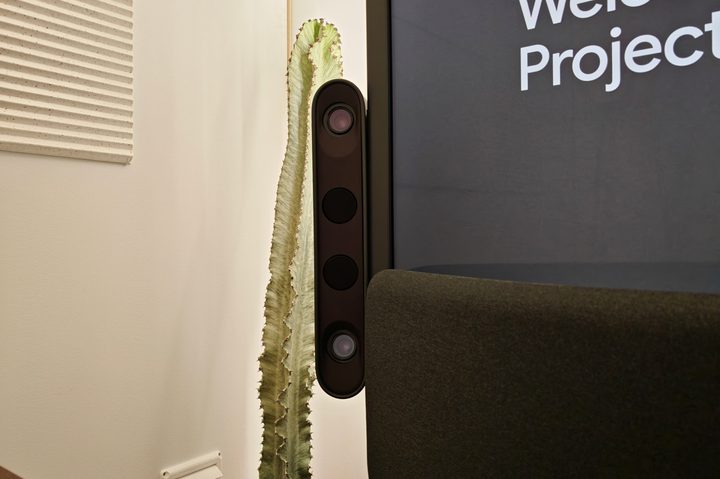
At first, the effect is a little disorienting. As someone who’s on multiple video calls almost every single day, it’s a wildly different experience from the Microsoft Teams meetings I’m used to. In those, I’m looking at someone through my computer monitor (and not making eye contact) or trying to awkwardly look directly at my Logitech webcam.
For the first few seconds of my Starline call, I naturally wanted to look at the cameras at the top of the monitor. However, it eventually clicked that I could just look directly at Jason and have an in-person conversation while making normal eye contact. The monitor’s 3D effect is equally impressive. At the very beginning of our call, Jason stretched his hand out toward me with an apple in it, and it really looked and felt like I could go ahead and grab it.
It’s difficult to describe the experience in words other than by saying that I’ve never had a video call quite like this. Could I see some artificial-looking effects around Jason’s hair? Sure. Did I see pixels if I looked really closely at the display? I did. But when I was talking back and forth with Jason, I didn’t notice those things. I just felt his presence in the room with me, and it legitimately blew my mind.
Google has created something special
My Project Starline demo was only 10 minutes long, but even during that brief time, I was already sold.
Video calling today is fine, but it doesn’t replicate the experience of an in-person conversation. Google isn’t trying to replace actual face-to-face interactions with Starline, but it does want this to be an option people have between the two experiences — something more lifelike than a normal Zoom call and easier to do if you can’t physically be in the same room as another person. If you ask me, Project Starline knocks that goal out of the park.
What’s particularly exciting is that Project Starline won’t be a “project” for much longer. Earlier this month, HP announced it was partnering with Google to “start commercializing the Starline experience in 2025” to bring the tech to people in the real world.
We don’t quite know what exactly that commercialization will look like or how much it’ll cost, but it’s important nonetheless. As Jason told me toward the end of my Starline demo, “Seeing is believing.” He’s absolutely right about that, and it’s exciting to think that more people will soon be able to see what I saw — a video-calling experience that really does feel like we’re living in the future.