
  1. Home
  2. Phones
  3. Apple
  4. Computing
  5. Mobile
  6. Legacy Archives

Kensington debuts KeyFolio Thin X3: A keyboard that can charge your iPhone

Add as a preferred source on Google

There are a ton of iPad keyboard cases out there and it can be hard to find the right one for your needs. However, the Kensington KeyFolio Thin X3 keyboard case for the iPad Air does just about everything you could ask for. The case holds your tablet in place, protects the screen, allows for easy typing with shortcuts keys, and it can even charge your iPhone in the meantime.

So if you’re on an airplane, train, bus, or just sitting in a cafe typing madly away on the KeyFolio Thin X3’s keyboard and you suddenly realize that your phone is going to die at any minute, you can simply plug in the USB adapter and connect your power cord to the keyboard. Since the adapter is a USB, you can charge any kind of smartphone, be it an iPhone, Android, or Windows device.

The KeyFolio can give your phone a full charge ad still have battery left for typing, but Kensington says the charging feature is mainly for a small, added boost. The keyboard connects to your iPad Air via Bluetooth and provides protection fro the screen and the back of your device. The case closes to look like a laptop and is held secure by magnets, so you don’t have to worry about something getting lodged between the keyboard and the tablet while it’s in your bag.
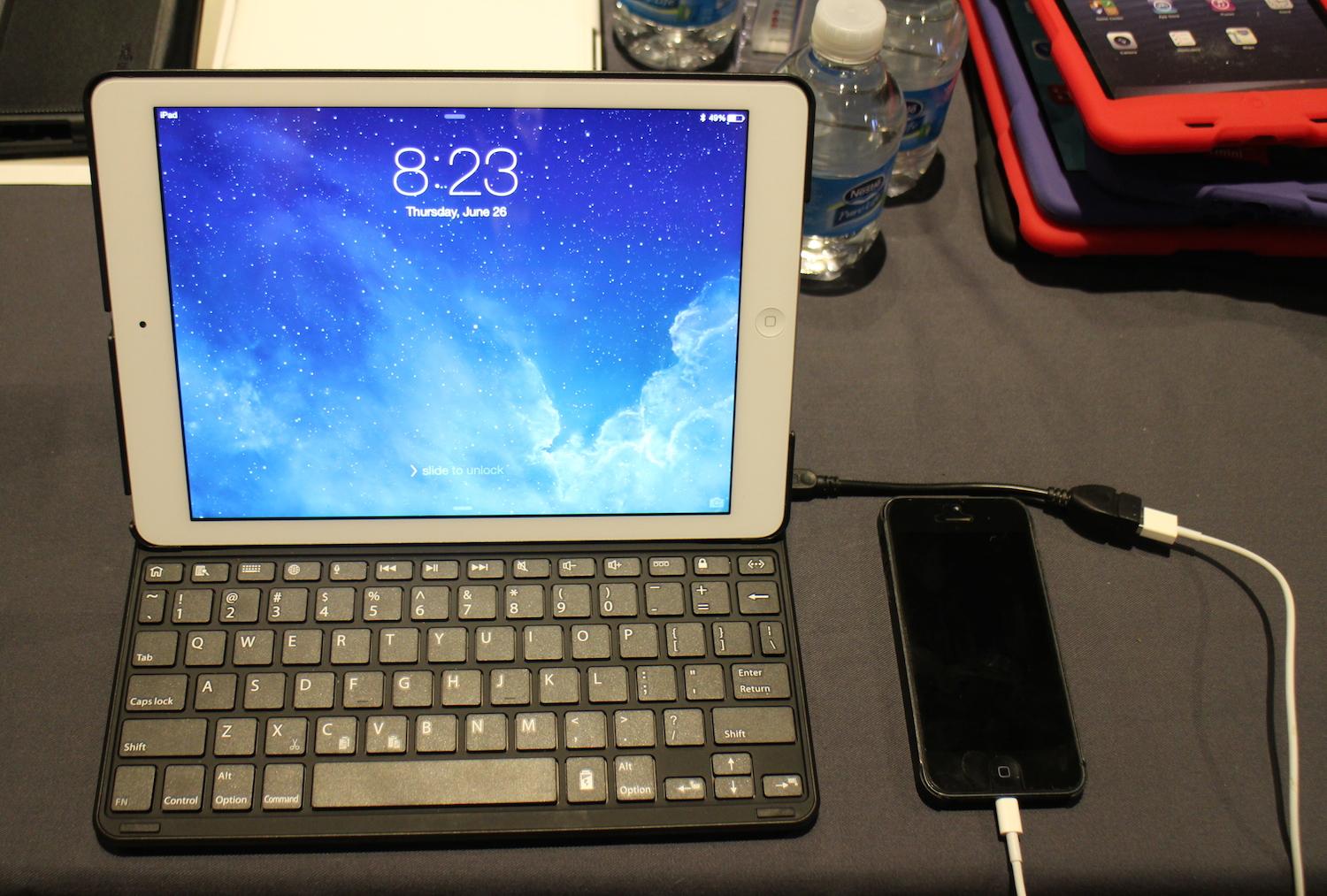
Kensington KeyFolio Thin X3
Image used with permission by copyright holder

When you open the case, your iPad Air will automatically wake up. Then, you can slide the iPad Air back into the typing position and a magnetic groove will hold it in place while you type. Then, when you don’t want to use the keyboard anymore, you can slide the tablet forward and rest it at the perfect angle for touchscreen use. The KeyFolio Thin X3 also recognizes that you’re no longer using the Bluetooth keyboard and automatically switches over to the iPad Air’s own touchscreen keyboard.

Recommended Videos

The keyboard itself is laptop style, offers the full range of keys, and several shortcut keys to make your life even easier. In our short test of the it at CE Week, we found the keys responsive and easy to use. The charging feature is also a very cool bonus, especially when you’re on the go.

Kensington says the KeyFolio Thin X3 will be available soon for $100.

Malarie Gokey
As DT's Mobile Editor, Malarie runs the Mobile and Wearables sections, which cover smartphones, tablets, smartwatches, and…
Pixel 11’s seven-year spare-parts promise could be perfect to ride out RAMageddon
Pixel 11 continues Google’s seven-year spare-parts support as phone prices climb
Electronics, Mobile Phone, Phone

The Pixel 11 series has plenty of new hardware and software features to talk about, but one detail that stood out to me has actually been around for a few generations.

Google is continuing its seven-year spare-parts commitment with the Pixel 11 series, a policy it first introduced with the Pixel 8 back in 2023. It means batteries, displays, and other replacement components should remain available long after the usual upgrade cycle has come and gone.

Read more
Google’s hyped-up RGB HiLight on the Pixel 11 Pro had me excited for nothing
Google’s cleverest new hardware might also be its biggest missed opportunity.
Electronics, Mobile Phone, Phone

I have been following rumors about Google’s new HiLight feature long before the company even announced its name. A few weeks ago, reports spoke about the feature as Google’s AI interface, something that glows when users speak to Gemini. 

Now that the company has wrapped the Pixel 11 launch event, everything’s out in the open, and one of the only two things it does is light up when you speak to Gemini. So, after all the speculations and build-up, Google’s big reveal is… basically the same thing we thought it was, and I have some strong thoughts about that. 

Read more
Galaxy phones may finally get a basic privacy feature Samsung missed
One UI 9.5 could let you lock an app without jumping through hoops
Computer, Electronics, Tablet Computer

Samsung gives Galaxy owners an impressive amount of control over their phones. Features like Good Lock let users customize just about every aspect of their smartphones. But somehow, the company forgot to put a simple alaxy owners an almost ridiculous amount of control over their phones. Somehow, simply adding a fingerprint lock for apps.

With the One UI 9.5 update, this might finally change. Tipster Fahad Ali Javed has uncovered a native App Lock feature inside an unreleased One UI 9.5 build running on a Galaxy S26. So you would be able to secure individual apps directly from the app drawer without moving them somewhere else first. This could be one of One UI 9.5's simplest and most useful additions.

Read more