
The LG G3 is one of this year’s most exciting new smartphones, and if you’ve already rushed out to buy one, you could be looking around for some official accessories too. LG has released four different products that are designed to work with the G3 – the QuickCircle case, the Slim Guard case, a wireless charging dock, and a memory stick with a full-size USB and a micro USB connector. We take a look at all four, to help you can make the right decision about which one to buy.
LG QuickCircle Case
To accompany the release of its G3 smartphone, LG came up with a novel take on the folder-style case. It’s called the QuickCircle, and like other cases of its type, it attaches to the phone using a solid rear panel – which replaces the standard back plate – and has a flexible front cover to protect the screen. The circular window on the front of the case can do more than just give you at-a-glance time and date information.
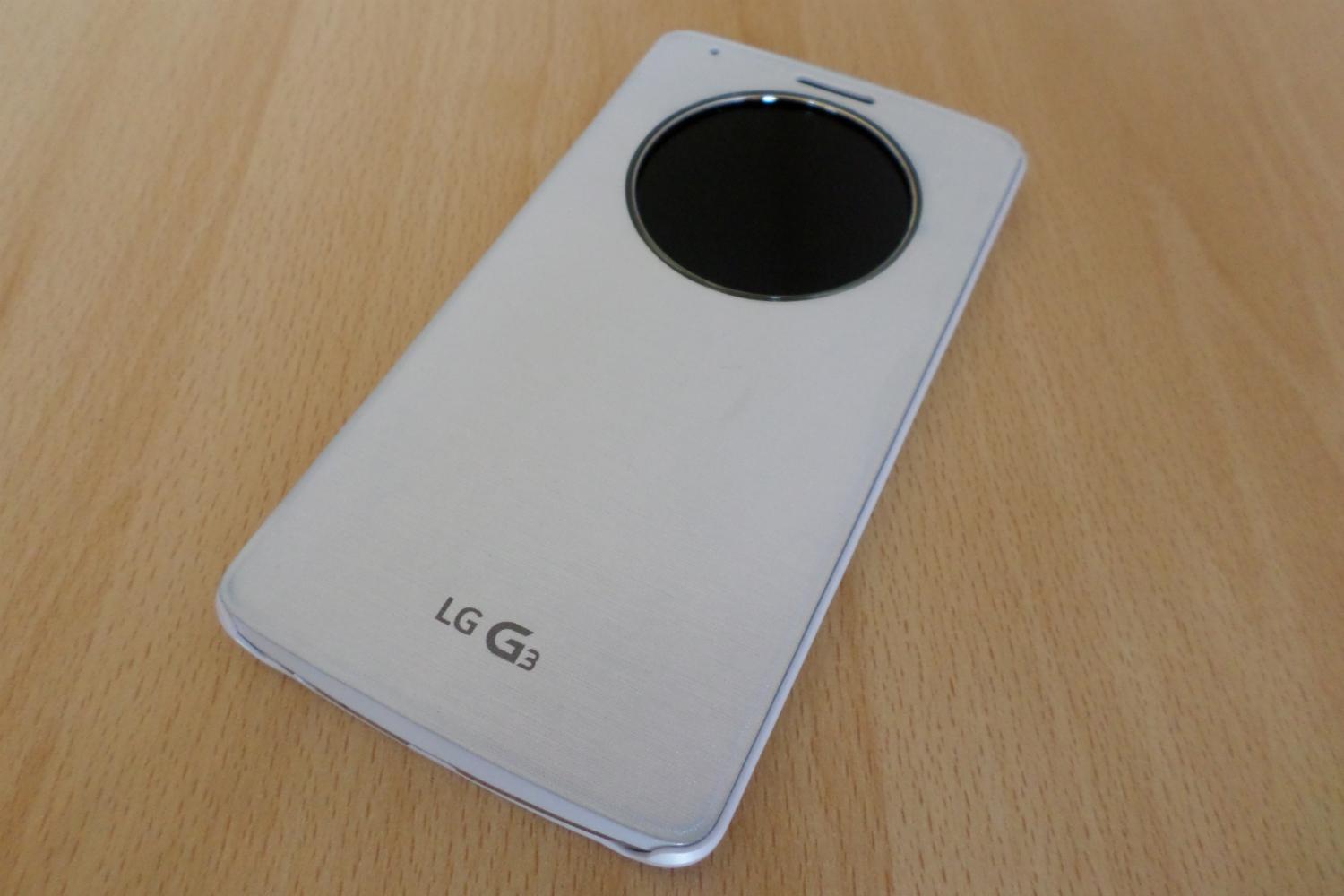
Activating the QuickCircle window is simple: Just double-tap the exposed screen, and a clock face appears. There are several faces from which to choose, but the classic analogue style looks superb, turning the G3 into a super-modern take on the Carriage Clock. From here, a slide reveals a set of icons that are customizable through the G3’s settings menu. You can access LG Health, Settings, Music, Messages and best of all, the camera.
This is the QuickCircle’s standout feature. There’s no need to open the cover, unlock the phone, select the camera app, and then get to take a picture. Instead, you can use the case’s window as a mini viewfinder. A tap of the screen takes a picture, and a swipe to the side lets you view the new image. Holding the phone with the cover open is a little awkward, and it’s sometimes a worry if the cover pops up in front of the lens.
Weirdly, taking photos with the QuickCircle case closed didn’t always work. At least, it looked like it worked, but the pictures never appeared in the gallery. The very idea is not to mess around with the phone, so checking to make sure the picture was saved defeats the purpose.


- 1. LG G3 QuickCircle Settings
- 2. LG G3 QuickCircle Case Clock
- 3. LG G3 QuickCircle Music
Notifications aren’t much better, and they appear as small icons that descend from the top of the window, but never really look like they fit. The Messages option is also stunted, because it only works with LG’s own app, so if you use Hangouts for everything, you’re out of luck. Things could improve in the future, as LG has produced a free software development kit for the QuickCircle case, so we could see apps taking advantage of its abilities in the future. LG has got the ball rolling with the release of a cutesy match-three game called Puppy Pop.
On a more positive note, the case has built-in wireless charging, and we love the glowing light which circles the window when you close the folder cover. The case is also durable. LG sells QuickCircle cases to match the color of your G3, and our white version looks very swish, but it does have a sparkle to it that male users may dislike. You’ll pay $60 for a wireless charging enabled QuickCircle case, or $40 without the feature.
LG Slim Guard Case
LG has also produced a more hard-wearing case for the G3 called the Slim Guard, which comes with a rubber surround and a rear panel. It should absorb more shock damage than the other two, but as you’d expect, it is heavier and a little more bulky. All the ports are still accessible, so it’s not waterproof, and the extra bulk is noticeable on the back, where the once flush fit rear buttons are now slightly recessed.


- 1. LG G3 Slim Guard Case
- 2. LG G3 Slim Guard Case Top
- 3. LG G3 Slim Guard wireless
More positively, the textured case makes the phone easier to grip, and the rubber sides – which are grey in color on our white model – ensure it won’t easily slip through your fingers. Like the QuickCircle case, it comes with wireless charging capabilities built-in. It’s priced around $40 online.
LG Wireless Charging Dock
The QuickCircle case may be the G3’s most unique accessory, but LG has also released a wireless charger that’s designed to work with the phone. At first glance, it looks like a slim, square plastic box, but flip out one side and it becomes a neat desktop stand. It’s very lightweight, and could really do with something to weigh it down in the stand section. The G3 is compatible with the Qi wireless charging standard, so it should work with other charging equipment, plus the LG stand happily charged up our Qi-compliant Nexus 5 too.
Your G3 rests on a custom lip, which cradles the phone very well, and it never feels unstable. Once in place, wireless charging is activated and you get an onscreen status report, showing battery percentage and confirming charging is in progress. It looks great with the QuickCircle case, which shows the batter status through the window, and the glowing notification light too.


- 1. LG G3 Wireless Dock Close Base
- 2. LG G3 Wireless Dock Rear
- 3. LG G3 Wireless Dock Side Base
The wireless part of this wireless charger only refers to not attaching a cable to the phone itself. You still need to plug in the charging station, and for this you need to retain the G3’s standard charger and USB cable. The included cable isn’t very long, and the lightweight stand means the charger skitters around on a smooth surface when it doesn’t have the weight of the phone on it.
Charging times are comparable with the standard charger, maybe just a touch longer, and our model worked perfectly every time. It’ll keep the phone in either portrait or landscape mode, so you can watch video in comfort. It looks good too, with the white finish matching the phone and any official case; but one must still question the whole point. You’re tethered to a socket, just not directly attaching it to the phone, so is it truly wireless? Nit-picking aside, it’s still a cool accessory, plus it’s good to see manufacturers including wireless charging.
LG Mobile USB
The final accessory for the LG G3 is a USB memory stick, with a standard USB connection on one end, and a Micro USB on the other, making it suitable for moving files between your phone and your computer, and vice versa. At first, it’s not very clear how to use it. Plug it in, and the only option that appears is to remove it again. However, dig about in the G3’s apps where you’ll find a File Manager and the option to select external storage. From here, you can transfer content on or off the phone, and although the selection of photos is a bit clunky, it does work well.


- 1. LG G3 Mobile USB Full Size
- 2. LG G3 Mobile USB Micro
- 3. LG G3 Mobile USB
It’s a tiny device, about an inch long and a half-inch wide, so it’s more convenient to carry around than a USB cable, plus you can swap content with friends without the need to mess around with Bluetooth or email. With 16GB of memory, there’s more than enough space to carry movies around too, and media can be played without moving the file to the phone’s memory. A lanyard strap can attach to the case, which will probably be a good idea, because its small size means it could easily get lost. The Mobile USB hasn’t been released yet, and no pricing information is available at the moment.
Verdict
While the Mobile USB and the wireless charger won’t be for everybody, the G3 does benefit from a case. We happily recommend the QuickCircle case, which hasn’t left our G3 since we put it on, and are hopeful of further app releases and updates which enhance its abilities even further.


