
  1. Home
  2. Phones
  3. Computing
  4. Mobile
  5. Legacy Archives

Microsoft’s Surface Pro 3 Pen simplifies the stylus

Add as a preferred source on Google

Check out our full written Micosoft Surface Pro 3 review.

Writing on a glass screen may not be very popular with most current tablets, but Microsoft has designed a beautiful, new stylus for the Surface Pro 3 that aims to make the stylus experience more like simply writing on paper.

Recommended Videos

To that end, Microsoft designed the new Surface Pro 3 Pen with real, ink-based pens in mind. It has the same weight and thickness of a normal ballpoint pen, so that it feels more natural in your hand. Microsoft claims that the pen can detect 256 points of pressure on the Surface’s display. Not only is the pen more comfortable to hold, but it also writes more naturally. 

When you write with most styli, there is a discrepancy between where the point of the pen touches your tablet and where the writing actually appears, known as parallax. Microsoft gave the Surface Pro 3 a super-thin optical stack so the “ink” appears exactly where the pen tip hits the tablet, which is supposed to make writing on the Surface Pro 3 feel more natural and free.
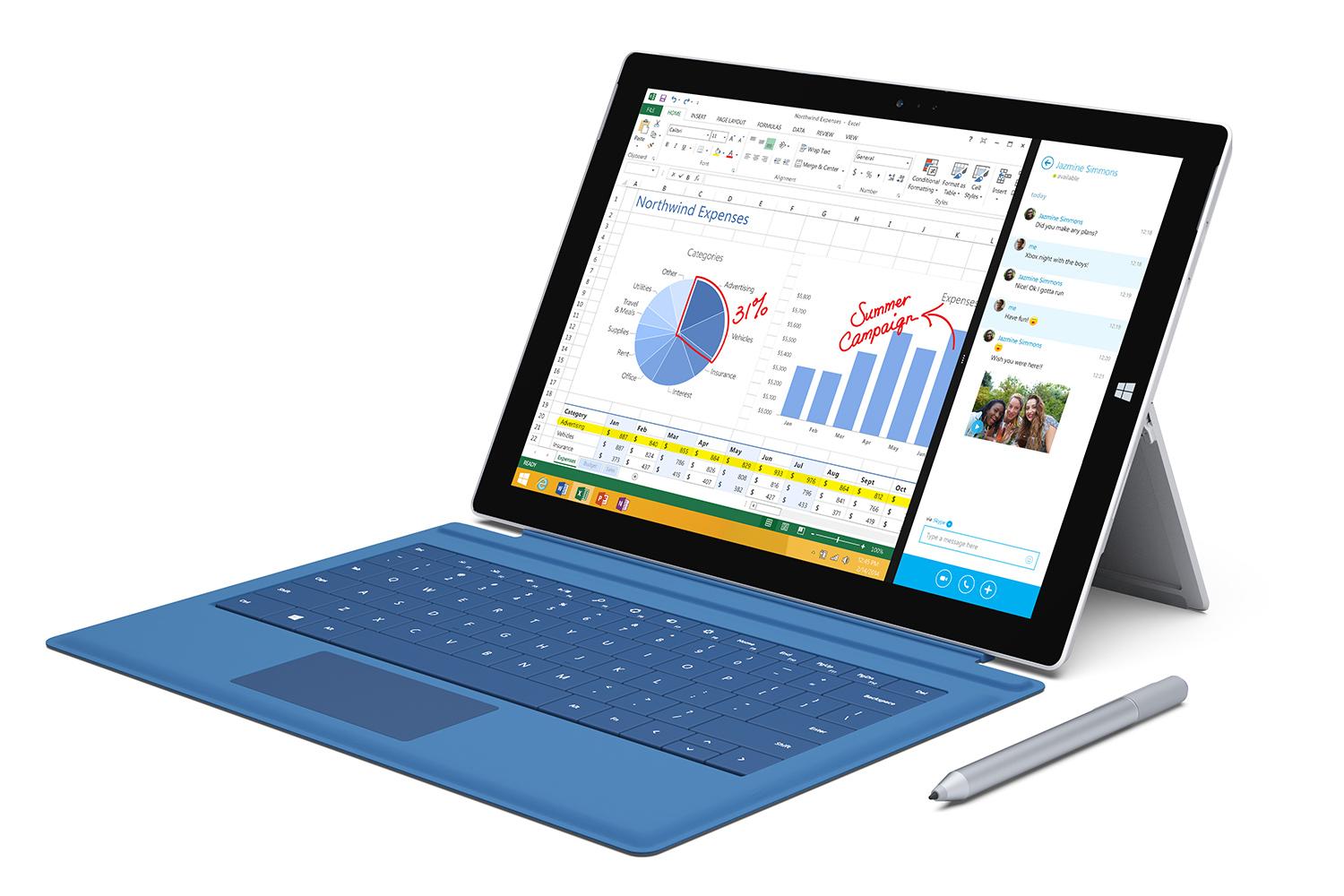
Microsoft Surface Pro 3
Image used with permission by copyright holder

During the event, Microsoft showed off the new stylus using the New York Times crossword puzzle app. Each time you fill in an answer with your natural handwriting, the Surface Pro 3 automatically changes your chicken scratch into easy-to-read text. You can also cross off each clue as soon as you’re done filling in the blanks, just as you would with the actual, paper version of the puzzle. Microsoft also boasted about the pen’s use in drawing, art, and photo-editing apps, such as Photoshop.

Perhaps the most interesting feature of the Surface Pro 3 Pen is its ability to turn your tablet on in the exact moment that you want to write a note. Normally, when you use a real pen and real paper, you just grab the paper, click your pen, and write. Microsoft’s new stylus emulates this idea, in hopes of making it as simple to use as a piece of paper and a pen. To write a note, you simply click the pen and the Surface Pro 3 automatically turns on, for jotting down notes at 3 a.m. or whenever inspiration strikes.

The Surface Pro 3 Pen costs $50, while most high-quality styli cost a bit less. Still, its new capabilities may make it worth the price.

Malarie Gokey
As DT's Mobile Editor, Malarie runs the Mobile and Wearables sections, which cover smartphones, tablets, smartwatches, and…
Camera anxiety is changing how young adults party
A BBC report finds Gen Z clubgoers increasingly on edge about being filmed, with the rise of Meta's smart glasses only adding to the unease.
People pointing cameras at a person in a club

Clubbing used to mean losing yourself on a dance floor without a second thought. Now, according to a BBC report, a growing number of young people say they can't fully relax on a night out because they're constantly scanning the room for cameras.

Smart glasses have made the problem harder to spot

Read more
Vivo X300 FE review: The compact flagship I didn’t expect to like this much
The Vivo X300 FE is the Hawkeye of flagships. It doesn't have superpowers, but somehow gets the job done better than everyone else.
Vivo X300 FE

Why Hawkeye?

Hawkeye was never the strongest Avenger, nor did he have the flashiest suit or superpowers. Yet he consistently proved his worth through precision, reliability, and doing the fundamentals exceptionally well. The Vivo X300 FE follows the same philosophy. It doesn't chase outrageous specifications or marketing gimmicks. Instead, it quietly nails the essentials with a superb display, dependable performance, excellent cameras, and outstanding battery life. It may not grab all the headlines, but when it matters, it's the flagship that gets the job done.

Read more
7 Apple Notes tips to elevate your note-taking experience
A few small tweaks buried in the menus that make Apple Notes feel like a completely different app.
Apple notes on iPhone

Over the years, Apple has turned Apple Notes into one of the best note-taking apps for the iPhone. The problem is that most people use the app just as a place to dump info and do not use it to its full potential. Today, I will share seven of my favorite Apple Notes tips that will elevate your note-taking experience. 

Switch between recently opened notes

Read more