
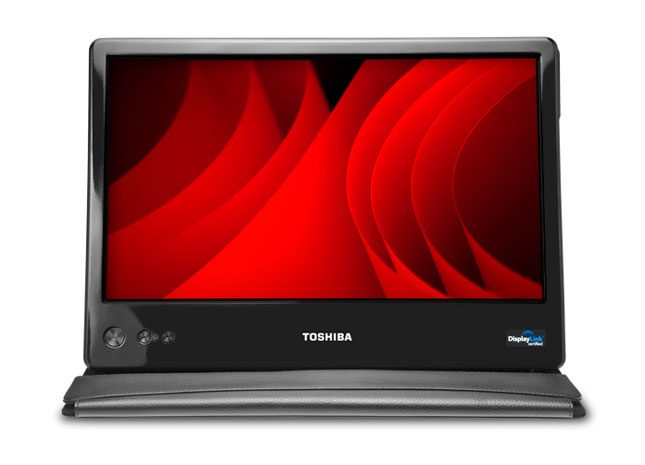
“Toshiba’s travel-friendly 14-inch Mobile LCD display makes a reasonably affordable addition to any business traveler’s repertoire of road gadgets, and effectively turns a midsize notebook into a desktop replacement.”
- Stylish, practical leather folio case
- Thin, lightweight folding design
- Uses USB for signal and power
- Large 14-inch panel
- Weak backlight
- Dismal image quality
- AC adapter sold separately
“Why you can trust Digital Trends – We have a 20-year history of testing, reviewing, and rating products, services and apps to help you make a sound buying decision. Find out more about how we test and score products.“
What do you miss most when away from home? Sleeping in your own bed? The company of friends and loved ones? The reassuring purr of a furry friend? If you answered “a dual-display setup,” you’re both sick and in luck, since Toshiba has recently made the luxury of extra desktop real estate easier than ever to secure with its 14-inch USB Mobile LCD display. Compact enough to fit in a standard laptop bag, the mobile display deploys beside your notebook to bring extra screen space wherever you happen to set up shop.
 Features and specs
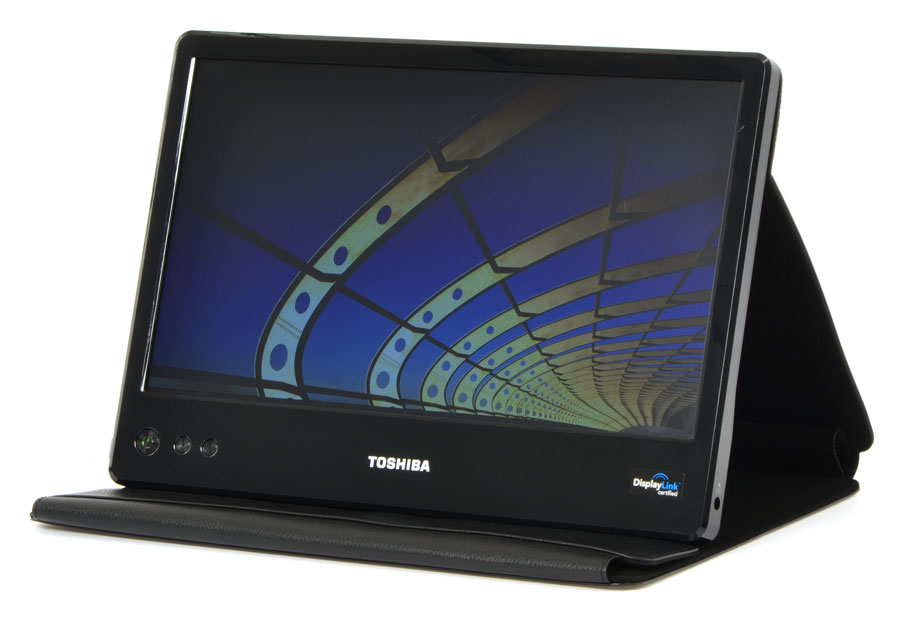
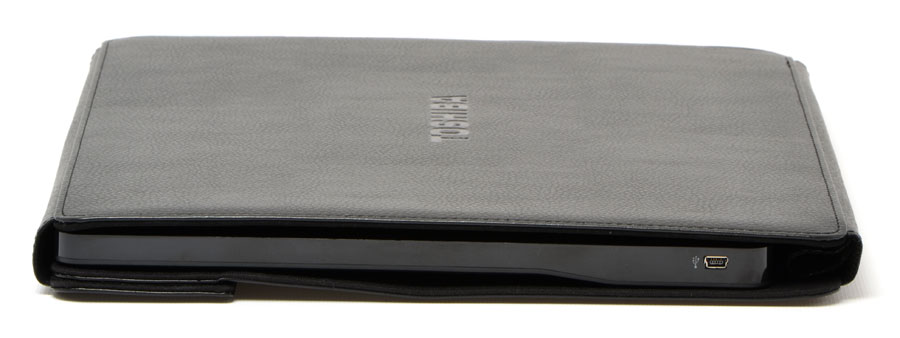
If you have the patience, any LCD monitor can pack down for travelling, but Toshiba has optimized its Mobile LCD with a number of a helpful features that make it a literal snap to set up. First and foremost: The 14-inch screen packs down into a leather folio that looks like it could hold a couple tablets of legal paper. Just yank open a Velcro flap, unfold the display and prop it up like a birthday card. The second biggie: No HDMI cables or power bricks necessary. The Mobile LCD uses a single DisplayLink cable with a miniUSB plug on the display end and two USB plugs for your notebook on the other. Plug them both in and you’ve got another 1366 x 768 pixels sitting next to your coffee mug.
Setup
Before you can fire it up, you’ll need to install DisplayLink drivers that come on an included CD. No dealbreaker, but we have to admit to being spoiled by USB devices that “just work” with Windows 7, and others that come with the requisite drivers ready to load via USB. In the not-too-unlikely event to manage to lose the CD altogether, you’ll need to pull down a 58MB file from Toshiba.
Performance and testing
At only 2.8 pounds and 0.6 inches thick, the Mobile LCD really is quite easy to toss in a bag with a midsize notebook, and the leather folio provides both protection and a quick setup. Anyone can figure out how to set it up the first time around, and the velour interior provides a non-slip base to prop it up at more than one angle. We also appreciate that Toshiba didn’t totally cheap out on stiff pleather — the black leather wrapping up the LCD feels both durable and surprisingly supple.
 The same can’t quite be said for the screen itself, which is… utilitarian to say the most. The specs tell the story: With only 256,000 colors, 220 nits of brightness and a sluggish 16ms response time, this panel is no performer. It only even reaches maximum brightness with a $40 AC adapter accessory, which most travelers will forgo for the sake of price and convenience. At the brightness achievable via USB, whites look like zombie-skin grey, and colors appear heavily muted. The only real plus is a matte anti-glare coating, which effectively cuts down reflections from overhead lamps and sunlight. The viewing angle, too, is reasonably wide — a smart spec for a side monitor not likely to line up perfectly with your field of vision.
We found the screen ample enough for typing (most of this review was written on it) and reading websites, but watching movies on it was less than satisfying, and we wouldn’t trust it for any kind of graphics work. Surprisingly, though, the slow response time never caused abhorrent ghosting in movies or games. The Mobile LCD has a power button and two brightness adjustments, but one would have sufficed for toggling through the two brightness levels — dim and dimmer.
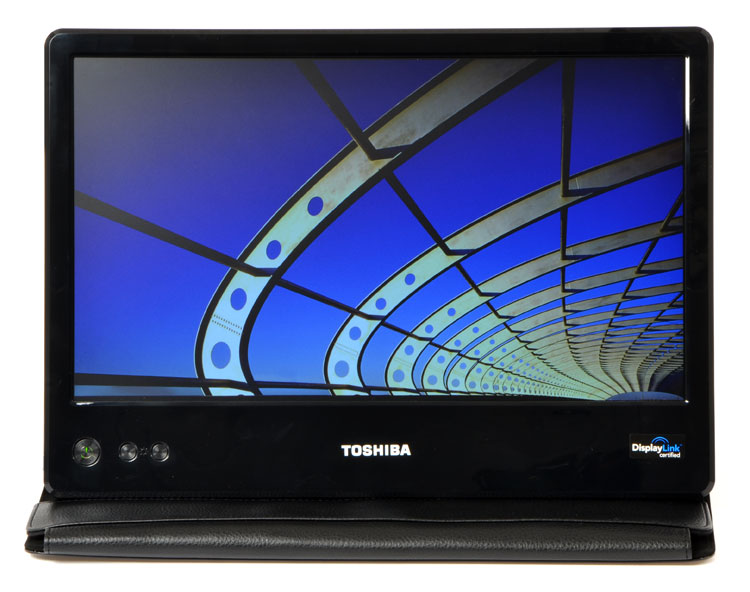 Windows 7 treats the Mobile LCD like any other monitor, meaning you can get it to mirror your desktop or just provide adjacent desktop real estate for dragging windows to. If you’re used to keeping your IM windows, e-mail or just another browser window slid safely off the screen, it feels right at home. Keep in mind, though, that it can be tough to shimmy a mobile LCD square up against a notebook screen — especially due to the lean angle — so spanning anything between the screens is out of the question.
Conclusion
Like an inflatable travel pillow, mini toothbrush or airport coffee, Toshiba’s travel-friendly 14-inch Mobile LCD is nowhere near as good as the real thing… but it hits the spot when you need it. For $200, the display makes a reasonably affordable addition to any business traveler’s repertoire of road gadgets, and effectively turns a midsize notebook into a desktop replacement, in terms of screen size. As long as screen quality doesn’t appear anywhere on your list of priorities, Toshiba’s 14-inch USB Mobile LCD may provide just the bonus pixels you need to get stuff done.
Highs:
- Stylish, practical leather folio case
- Thin, lightweight folding design
- Uses USB for signal and power
- Large 14-inch panel
Lows:
- Weak backlight
- Dismal image quality
- AC adapter sold separately


