One of the biggest complaints about the iPhone X — besides the lack of Touch ID — is its complete lack of a home button. Instead of the standard set of gestures and buttons that have defined the product for years, iPhone users must now relearn how to navigate Apple’s latest headset. Gone are the days of simply swiping up to access the Control Center and down for notifications, but, thankfully, the new gestures aren’t a huge departure from the originals.
Swiping down on the screen of your iPhone X will still bring up notifications, but only if you swipe from the left side of the screen to the right side of the notch in the center. If you swipe from the right side of said notch (where the battery and signal icons are located), you will now bring up the Control Center, which used to be located at the bottom of the screen.
Swiping up from the bottom now brings up the home screen, nixing the need for the traditional home button. Simply swipe up from the small line located on the bottom of your lock screen, or from the very edge of your phone. Easy, right?

While you could swipe up in the same motion and hold your finger in the middle of the screen to access Multitasking, there’s a actually a faster way to do it. To open Multitasking immediately, swipe up from the button of your screen and to the right in one motion.
The latest iteration of iOS 11 also offers Multitasking Gestures, which allow you to quickly access the last app you were using — simply swipe right along the bottom of your screen to do so. If you swipe to the left, you can even bring up the app you used before that.
Many iPhone X users also miss Accessibility mode, a feature seemingly absent on the latest iPhone. In previous iPhone models, lightly tapping twice on the home button allowed you to pull the contents of your screen down, allowing you to access them more easily with one hand. Thankfully, you can still do this! After you’ve ensured Reachability is toggled on — you can do this by going to Settings > Accessibility — swipe down on the very bottom of your screen to trigger the feature.
Gesture controls aren’t the only thing Apple changed with the new iPhone. The physical buttons lining the sides of the iPhone now perform different functions to some extent, because of the missing home button. To turn off your device, hold the Sleep/Wake button and one of the volume buttons (it doesn’t matter which one) until you see a prompt to power down.
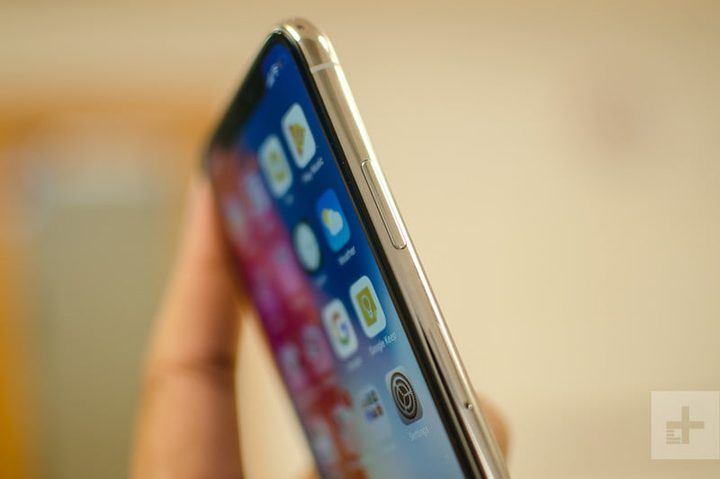
If you hold the Sleep/Wake button for an extended period of time, you’ll activate Siri. If you double tap it, Apple Pay will launch. To take a screenshot, hold the Volume Up and Sleep/Wake button for one second, or until you see a copy of the screenshot appear in the lower-left corner. With all the same features — along with a few new-and-improved ones — just a click or two away, you’re not going to miss the home button on the iPhone X.
David Cogen — a regular contributor here at Digital Trends — runs TheUnlockr, a popular tech blog that focuses on tech news, tips and tricks, and the latest tech. You can also find him on Twitter discussing the latest tech trends.