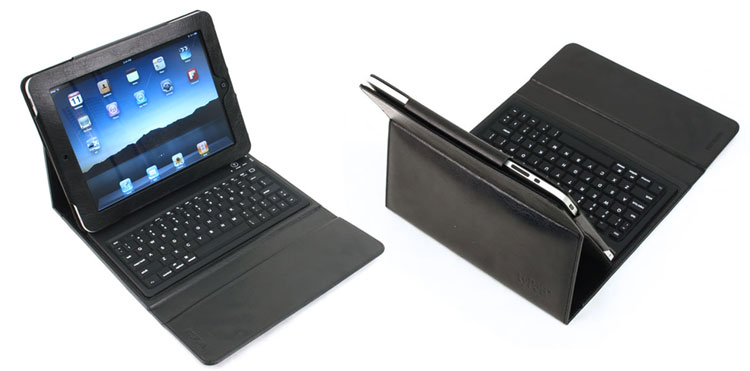
The tyPad turns the world’s best tablet into the world’s worst laptop.
That might be a little bit harsh, but when you’re tapping away on a spongy silicone keyboard with a screen held up by flaps of leather, any man partial to reason starts to wonder why he didn’t just buy a netbook instead.
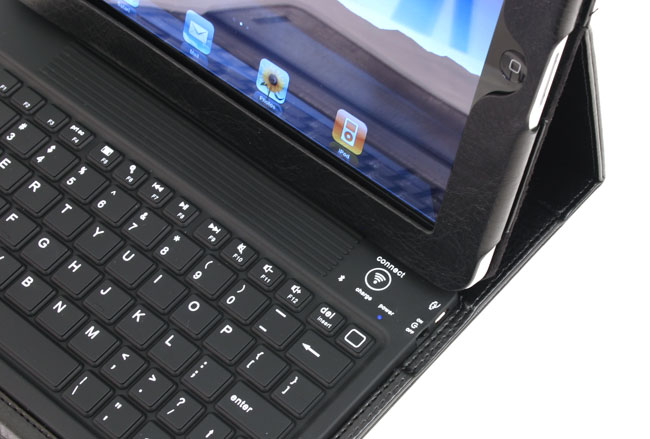 The $129.99 case hides your iPad in a slick leather folio, which folds open to reveal a full QWERTY keyboard you can connect via Bluetooth, circumventing the clumsy on-screen keyboard. Ridges at the top of the keyboard catch an edge of the screen to prop it up and turn your iPad into a sort of makeshift laptop.
Makeshift being the operable word. Like re-gearing a lawnmower to work as a makeshift go-kart, it technically “works,” but you won’t realize what a miserable idea it is until you roll it at 30 miles per hour.
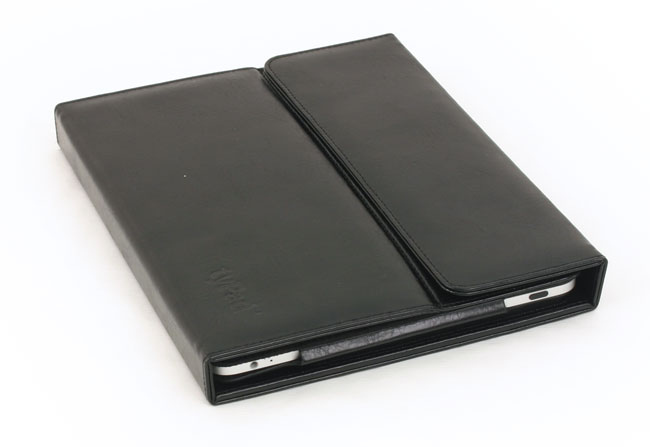
A few examples: The screen only has gravity to hold it into place, so it can’t lean back more than a few degrees. In the lap, it bounces all over the place and threatens to collapse. The all-silicone keyboard has a mushy feel that makes even the dodgiest netbook keys feel like solid gold. On an airplane, where all wireless connections are strictly verboten, you’re flat out of luck on connecting the keyboard via Bluetooth. Fully closed, the case measures about an inch and a quarter thick – as thick or thicker than most netbooks.
 And those are only the complaints we can pin to tyPad. The rest simply stem from slapping a physical keyboard onto a device that was specifically engineered to eliminate a physical keyboard. We had to restrain ourselves from reaching for a trackpad that doesn’t exist – you’re still stuck touching the screen to perform any action that isn’t entering words. The keyboard shortcuts you know and love (Ctrl-T for a new tab) don’t work in any iPad apps, because they weren’t built for keyboards. Simple operations like pressing the down arrow to rifle through Google search suggestions don’t work.
For longwinded writers who insist on using an iPad despite its glaring lack of a decent keyboard, the tyPad does make tapping out essays, articles and just long e-mails a lot more bearable by making “bad” into “better.” For anyone else, a $300 netbook makes a lot more sense than trying to retrofit Apple’s play-happy iPad into a real work machine.