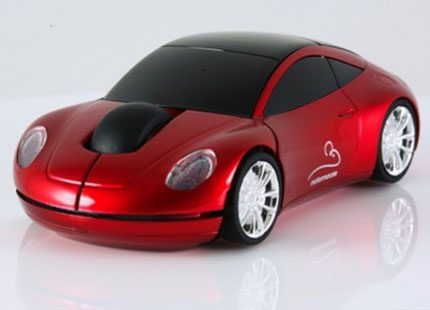
“The Motomouse 2.4G Wireless offers a fun and stylish take on the traditional mouse for people in need of a portable solution.”
- Cool, stand-out style
- Compact design with wireless receiver that fits inside the mouse for travel
- Quick, accurate response and easy-to-used scroll wheel
- Uncomfortable to use for long periods of time
- Price reflects style more than features
“Why you can trust Digital Trends – We have a 20-year history of testing, reviewing, and rating products, services and apps to help you make a sound buying decision. Find out more about how we test and score products.“
Introduction
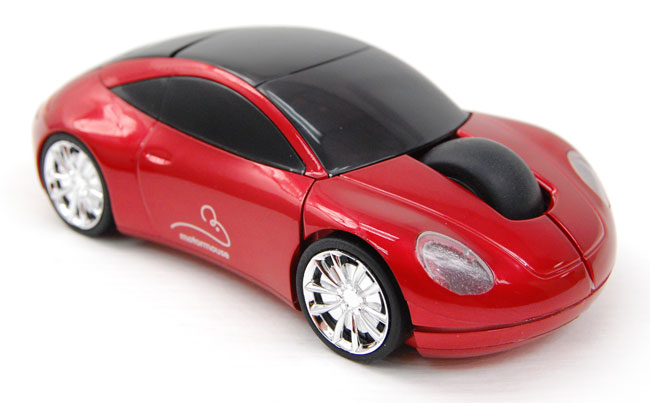
At first glance, the Motormouse wireless mouse that is designed to look like a sports car may seem like little more than a gimmick. And it is, but not a bad one. This mouse isn’t for everyone. It won’t appeal to people that are always on the computer, and it won’t replace your mouse at home, but it does add a bit of fun and style to your computer.
 Features and Design
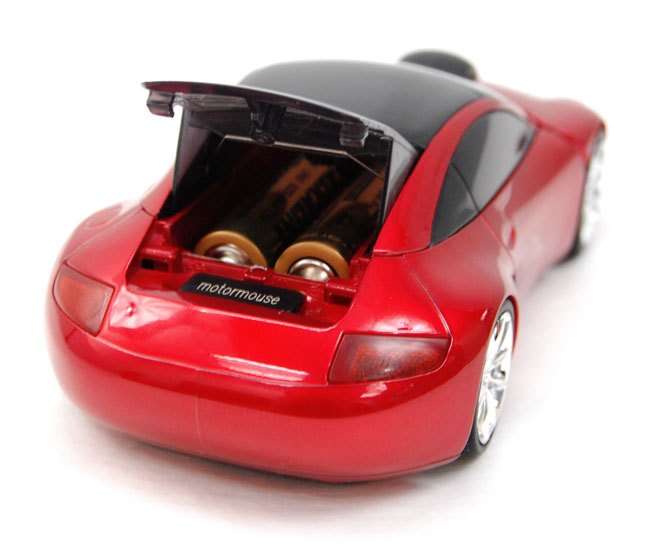
This accessory will live or die based on the style. If you are attracted to the novelty of the race car design, then this mouse should perform well enough to justify your indulgence. It is sleek and attractive; the rear trunk opens to place the batteries, and there is also a spot for the USB wireless receiver to make it easier to travel with. This mouse could be used at home, of course, but it offers more as a laptop mouse for users on the go.
The wireless connection works well, and that may be the best feature of the mouse. The receiver is a 19-mm USB plug that can be stored in the “trunk” of the car, and it should be recognized by most systems immediately. The power-saving feature keeps the mouse powered down until you press the left button to activate it, so it is a good mouse for travelers looking for a portable accessory with a little style
The biggest issue with this mouse is the shape of the car against the palm of your hand. It just doesn’t fit quite right. If you rest your palm on the top, your fingers will stretch off like a tall man in a little bed. After a little bit of use you will find your hand naturally arching with your fingers on the buttons, and your wrist on the table, which will quickly become uncomfortable after any real length of time. It could also be an issue for people worried about carpal tunnel.
If you need a wireless mouse that you might be using for long stretches of time, you can find alternatives that are more comfortable for half the price. If you want to add a little style to your laptop or desktop computer, then this might be the mouse for you.
Performance
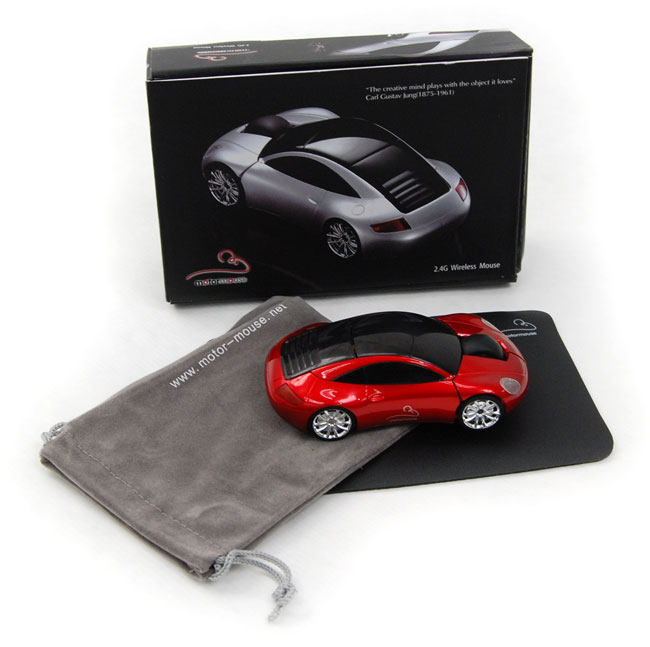
The performance is better than you might expect from a mouse that looks like a sports car. It is quick and responsive, and the scroll wheel is oversized which makes it easy to use. The buttons are stiffer than some might like, but they are responsive and large enough that anyone can use them with ease. The mouse does not move very well over the pad, but that is by design, as the mouse itself does not need much space. All-in-all, it works very well, and the power-save feature makes battery life a minor issue.
Conclusion
This mouse is more geared to mobile use, so the emphasis is on a compact design – which is the biggest flaw of this mouse, but possibly an unavoidable one. The £29.99 price tag (roughly $49.95 USD) is reasonable, but you will be paying more for the design than anything else.
If you are a car buff that absolutely adores all things automotive no matter what, this is the mouse for you. For everyone else, there might be better alternatives. The device itself is functional, and it is not a bad accessory for a laptop on the go, but for a home mouse, or a mouse that you will use consistently, the comfort level is an issue.
Highs:
- Cool, stand-out style
- Compact design with wireless receiver that fits inside the mouse for travel
- Quick, accurate response and easy-to-used scroll wheel
Lows:
- Uncomfortable to use for long periods of time
- Price reflects style more than features