
  1. Home
  2. Computing
  3. Mobile
  4. Legacy Archives

Apple unveils Google Docs-like ‘iWork for iCloud’ for both Macs and PCs

Add as a preferred source on Google
iwork for icloud
Image used with permission by copyright holder
Promotional logo for WWDC 2023.
This story is part of our complete Apple WWDC coverage

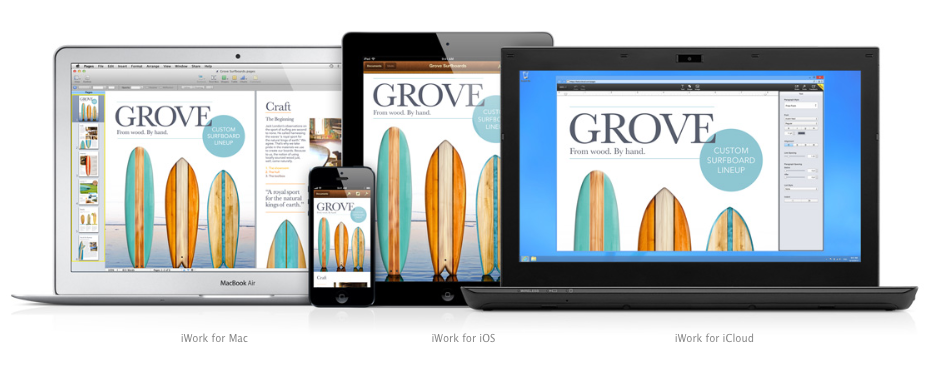
Apple’s Roger Rosner took the stage at this year’s WWDC to introduce the new version of iWork. Available later this year, the brand new iWork for iCloud application will allow you to “create beautiful documents whether you’re on a Mac or a PC.” That’s right, a Mac or a PC! That’s because iWork for iCloud works via your Web browser. It also works on iOS, making it a truly cross-platform app. 

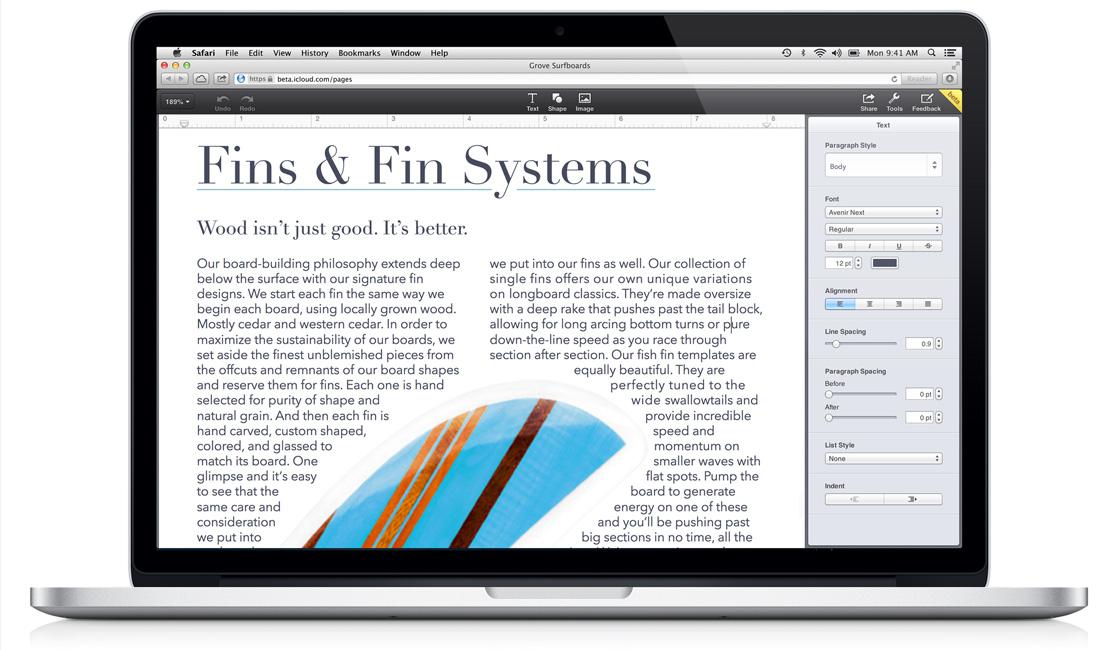
The Numbers, Pages, and Keynote sections are all integrated into iCloud now. In a demo, Rosner opened an already-written document, explaining that “all of this was happening within the Web browser (Safari).” Selecting text and photos gave way to some unique features, which were all present in the sidebar, and implementing images into a document is as easy as dragging the photo from your desktop directly onto the page, where it can then be manipulated and moved around.

Recommended Videos

Pages

Rosner also showed off how easy it is to now edit a Microsoft Word document in Pages. Using the same technique as photos, you will be able to drag the Microsoft document directly onto the Pages window, where it will pop up alongside all of your other documents. Once it’s there, it can be opened and edited, just like any other document.
pages_hero
Image used with permission by copyright holder

Numbers

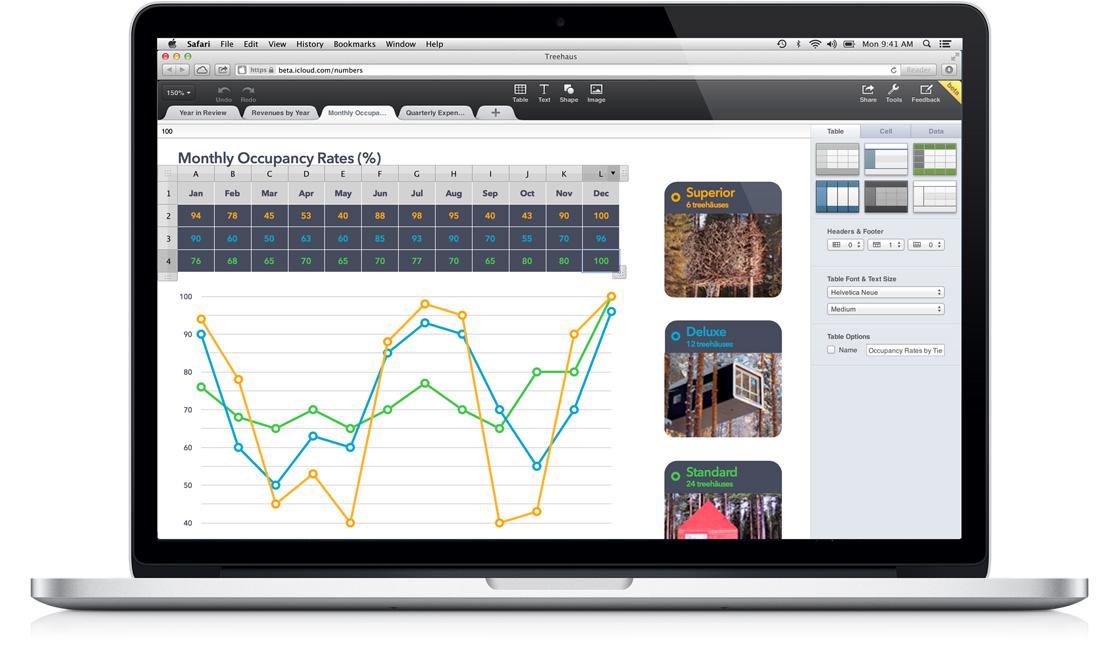
As for Numbers (think Microsoft Excel, if you’re a PC user), Rosner stressed the simplicity of the program as he moved through a stock spreadsheet he had prepared. A nifty help section was showcased too, which pops up in the sidebar whenever you attempt to type a command in a specific field. Rosner wrapped up the Numbers demo by expressing once again that “all of this is being done in a Web browser.”
numbers_hero
Image used with permission by copyright holder

Keynote

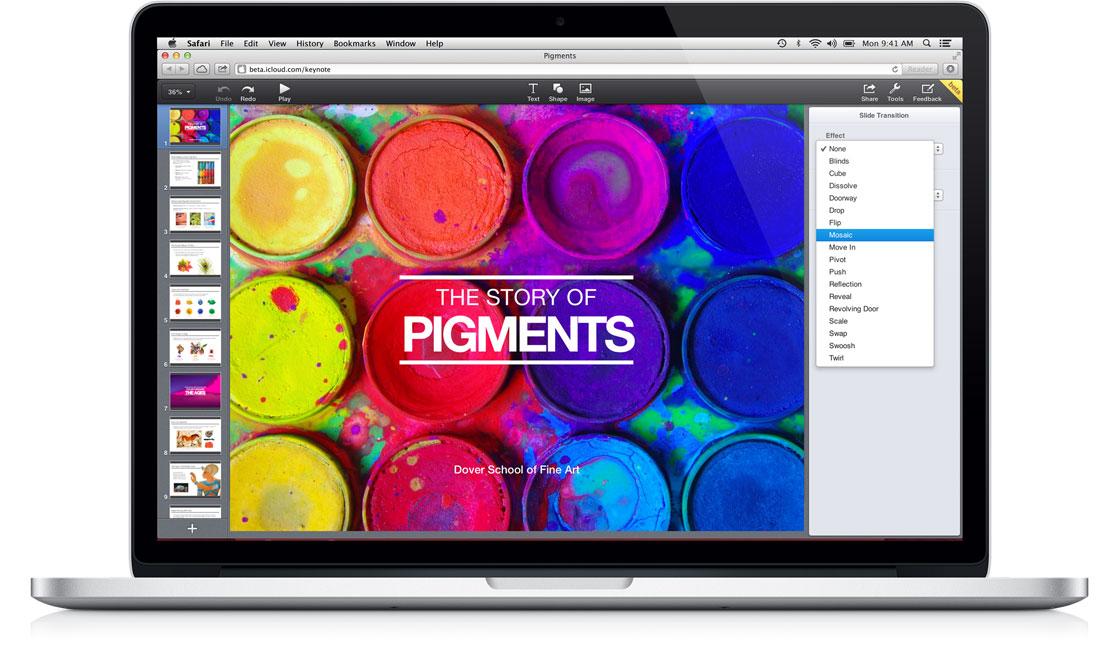
Next up is Keynote (think Microsoft PowerPoint). Keynote, like Pages, accepts photos and other objects simply by dragging them from your desktop. Rosner played around with the controls a bit, showcasing how easy it is to mask and manipulate the image once it’s added into Keynote. He also gave us a glimpse at a unique cube animation that was used to move through the presentation. Rosner finished up his iWork for iCloud preview by showing how simple it is to switch over to Windows 8 and edit the same documents.
keynote_hero
Image used with permission by copyright holder

iWork for iCloud is available in beta today for Developers, and a public beta will be available later this year.

Russ Boswell
Former Digital Trends Contributor
Russ Boswell is an aspiring video game and technology journalist from Colorado. He's been an avid gamer since he was old…
ChatGPT Live could make talking to AI feel straight out of the movies
We might finally get the AI sidekick sci-fi movies promised
Elderly women using ChatGPT live on a smartphone

AI voice assistants have been chasing the sci-fi dream for years, but they still have a hard time holding a conversation with humans. Most voice systems still need clear turns, clean pauses, and a few seconds before they respond. OpenAI is now rolling out GPT-Live, a new voice model for ChatGPT Voice that is designed to make those exchanges feel faster and less scripted.

The main upgrade is what OpenAI calls a full-duplex architecture. In simpler terms, GPT-Live can listen and speak at the same time. It continuously processes what the user is saying while also generating its own response, allowing it to decide when to talk, when to pause, when to keep listening, and when to use a tool.

Read more
A broken Galaxy Fold 5 just became the Pixel desktop future I want Google to steal
A broken Galaxy Fold 5 became a tiny PC because Samsung already built the desktop mode Google keeps treating like a side quest.
Desktop mode within Android 16.

A broken Galaxy Fold 5 should be a sad little monument to modern gadget math. One busted outer display, one repair bill nobody wants to inspect too closely, and suddenly a powerful foldable starts heading toward a drawer. Instead, a Redditor turned one into a glowing acrylic DeX box with spare parts, fans, a USB hub, and the kind of LED lighting that makes every homebrew computer look mildly illegal.

https://www.reddit.com/r/SamsungDex/comments/1upica7/fold_5_dexbox/

Read more
You’ll finally be able to try OpenAI’s GPT-5.6 Sol, Terra, and Luna models this week
The GPT-5.6 family will become publicly available on July 9, ending the restricted preview that lasted nearly two weeks.
OpenAI Sol Terra Luna featured

OpenAI is ready to expand access to its latest GPT-5.6 model family. In a recent post on X, the company confirmed that GPT-5.6 Sol, Terra, and Luna will become publicly available on Thursday, July 9. If you've been itching to try the new models since the limited preview began in late June, you won't have to wait much longer.

Why the rollout took longer than expected

Read more