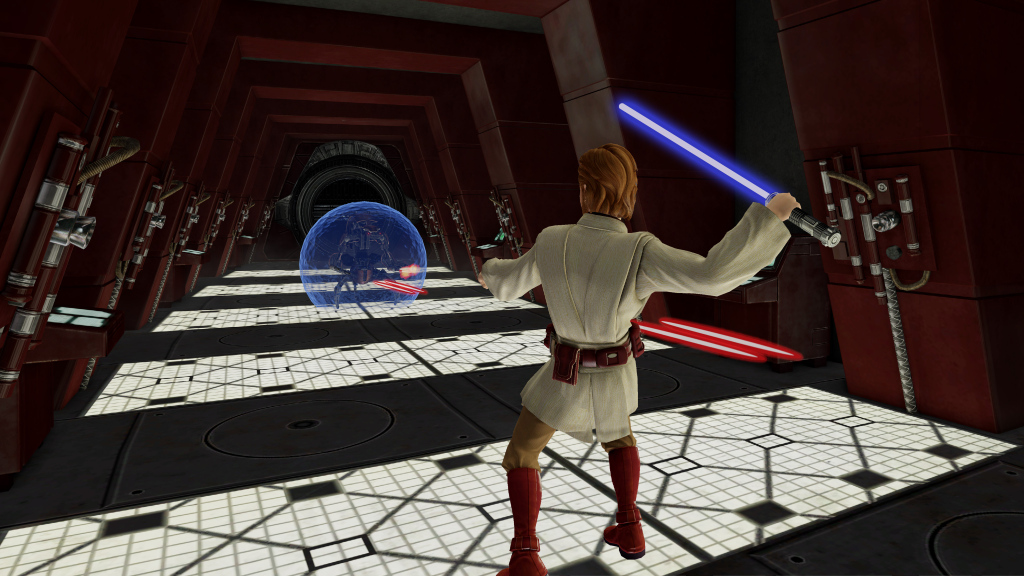
We’re calling this a hands-on, but the defining feature of Kinect Star Wars is that your hands never touch a thing. The game is playable without any controller at all thanks to some creative design work by LucasArts and Microsoft Game Studios. While I was initially quite skeptical how a full 3D action game could be played without any controller, playing has made me more of a believer. Kinect Star Wars has the potential to be the first solid action game without controller-based movement.
The basics
The demo shown at E3 is fairly short and begins with a training session where you learn the basics of being a Jedi.
Force lifting: First, you are taught how to use the Force to lift a small starship. Surprisingly, this isn’t the struggle that Yoda makes it out to be in The Empire Strikes Back. To lift something with the Force, you hold both hands up like you’re casting a spell. After a second, a green halo will surround the object in your line of site. Once it’s under your control, you can move your arms any direction to lift or place it down. Better still, the speed and veracity of your toss is entirely up to you. I found it very satisfying to toss droid troopers into one another and can imagine how much fun it might be to Force control an entire starship and make it crash into another ship.
Force energy blast: Learning how to create an energy beam is also a necessary skill for any Jedi. To do this, you simply hold your left hand up at chest length like that kid from Rookie of the Year. Once a good sized energy ball forms in your hand, a thrust forward will shoot it at your unlucky opponent.
Jumping and dashing: To jump, you put your arms down and…jump; it’s pretty simple, really. To dash forward to reach your next opponent, you put one leg out in front of the other and crouch forward a bit, as if you’re actually about to fly at someone. Both of these moves are fairly straight forward.

Lightsaber combat: Once you’ve learned the basics, its time to get to action. To pull out your lightsaber, you hold your right hand (future versions may enable left-handed Jedi) out at a 30-45 degree angle, fingers straight. This causes your lightsaber to float out of its holster and into your hand. To use it, just start swinging. Enemies cut apart at exactly the angles you swing and lasers can be blocked and deflected back toward opposing droids by swinging your sword quickly when a shot is headed your way.
Using your skills
The campaign mode of the game appears to take place during the clone wars, but the demo we played featured Cloud City. Other videos seemed to weave together old and new trilogy themes as well. The E3 demo is fairly short, but had us facing off against standard droids, roly poly droids with shields, a team of battle droids with weapons that block your lightsaber, and finally a team of Sith lords. There’s a trick to defeating each type of enemy and combat feels fluid enough. A familiar Jedi helps you along as well.
More interesting than combat is the automated cutscenes and movement. Though I was never actually moving my character, I never felt out of control of the situation, which is a strange feeling. You can still pick and choose which enemies you fight and rush forward or back; it’s just that where you’d run around endlessly in the past, Kinect Star Wars instead shows you a cut scene and keeps you moving along. One could probably get away with calling it an on-rails action game, but this description is somewhat limiting, gives players a bit more control than they it

It’s difficult to say how well these controls will hold up in space levels and some other types of gameplay, but our first demonstration of Kinect Star Wars was much more positive than we thought it would be, and that’s exciting. We look forward to checking the full game out as it nears release.


