
 Google has updated the Android version of its Google Drive mobile app, and amongst other changes, it has added a very helpful scanning feature, allowing you to scan documents with the camera on your phone and save them in Drive. If you already have Drive installed on your phone, then make sure it has been updated to see the new feature.
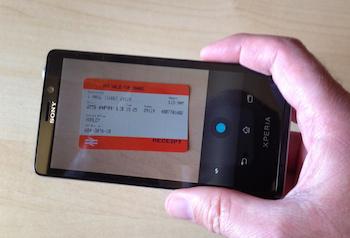
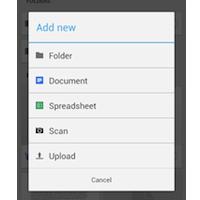 To give it a try, grab yourself a receipt, document or business card, then fire up the app. You may want to make a separate folder if you’re going to go crazy, if not, just tap on the menu button in the top right of the display and select Add New. Here you’ll find Scan, next to a camera-like icon. Tapping this brings up a camera view, ready for you to snap a picture.
It works as you’d expect, but you’ll need to experiment with distance and both landscape and portrait orientation, as results varied considerably. Once the picture has been taken, it’s converted to a PDF file and stored in Drive. Here’s the really clever part, as Drive can make use of its Optical Character Recognition (OCR) feature and search through your newly scanned documents.
 While it’s probably not comprehensive enough to worry some of the dedicated receipt scanning apps, it could prove very handy for people who only occasionally worry about keeping records like this. Sadly, the feature hasn’t been added to the iPhone Drive app yet, and photos there are still uploaded as JPEG files.
In addition to the scan feature, the latest Android app update brings with it a new grid view of your files, the option of downloading files, alterations to the spreadsheet editor, plus a very helpful in-app preview mode for files and pictures. If you don’t have Google Drive installed on your Android phone, you can get it here.



