
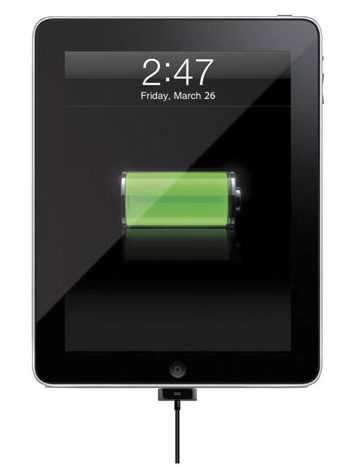
 This past weekend my wife pointed out to me that sometimes when the iPad is sitting in the Apple iPad dock, it says “Not Charging” despite being plugged directly into the wall outlet. My setup at home is the typical USB cable connector plugged into an AC wall outlet on one end, and then the iPad dock on the other. Nothing special here, heck, it wasn’t even plugged into a PC. So I decided to undock the iPad and reconnect it, maybe the connection wasn’t good. Nope, still said not charging. So I tried again and lo and behold, it started charging. What the heck?
I didn’t think much about it, figuring maybe my cable was going bad (if that is even possible) or perhaps it was just a fluke. But when I got into the office today, I started playing around with the new Digital Trends iPad app (currently still in testing) and noticed that the battery on our work iPad was low. So I plugged it into the iPad dock connected to my Apple iMac 27-inch system to charge it and got the same dang message “iPad not charging”. A quick search of the Web turned up a ton of people reporting the same issue. Some people claim that you should make sure not to have any other USB devices plugged into a computer when you’re charging your iPad via USB. Or if you do, make sure you have very few. Others claim that you have to use the USB ports in the rear of the PC, not the front, to take advantage of charging the iPad correctly (apparently USB ports in the front do not get the same amount of power to them as the rear). Others are claiming that the iPad dock is the problem and that if you remove it from the equation and plug the cord directly into the iPad, then it will work correctly.
We decided to do some testing to see if any of these claims are true. Here are the results:
|
Plugged into the wall outlet with iPad dock connected: |
Seven out of 10 tries it worked correctly, three times it said “not charging” |
|
Plugged into wall outlet with cable directly connected to the iPad: |
Worked 18 out of 20 times. (We kept testing until it said “not charging”) |
|
Plugged into iMac with iPad dock: |
With all USB ports full, we got “not charging” nine out of 10 times We had a keyboard, mouse, PC gaming headset and the iPad dock connected Is it drawing too much power? |
|
Plugged into iMac without iPad dock (cable directly connected): |
With all USB ports still full, we got “not charging” nine out of 10 times |
|
Plugged into iMac with iPad dock and gaming headset removed: |
Charged correctly nine out of 10 times |
|
Plugged into front USB ports of Windows test PC: |
Said “not charging” 10 out of 10 times |
Some more digging suggested the iPad has to be plugged into a USB 2.0 port, not a 1.0 in order to charge correctly in theory, but our tests found that using a USB 2.0 port is no guarantee of a successful charge. It has more to do with power available out of the USB port in general. Also keep in mind that you should not plug it into the USB port of your Apple keyboard since it uses USB 1.0. Most Windows-based PCs have USB 2.0 ports in the back and 1.0 in the front. Dell, HP and other manufacturers typically do this to keep costs down.
It says not charging…but it really is
What we found in all of our test is that although the iPad might say “not charging” on the display, in reality, juice is still trickling to it and the iPad is in actuality still charging; albeit at a slower rate. No wonder: The iPad is designed to charge from the 10-watt wall adapter it comes bundled with, but many USB ports supply only 2.5 watts (5 volts at 500ma). As long as you are OK with it taking a while longer to charge (perhaps overnight), then this really isn’t an issue. Otherwise, try removing the dock and plugging the cord into it directly or removing other USB devices from your system so you can charge the iPad.
If you have found out some other things that would solve the iPad’s charging dilemma, please post below.


