1. Home
  2. Photography
  3. Computing
  4. Web
  5. Legacy Archives

Now Google Street View lets you rewind time to the good old days (of 2007)

Add as a preferred source on Google

Ever think about what a particular place might have looked like in the past? Google is bringing that time travel ability to you virtually through Street View in Google Maps. As Google updates Street View images, naturally it replaces the old with the new. However, since Google already has amassed this historical photo data, it’s able to create what it calls a “digital time capsule of the world.” Unfortunately the images only date back to 2007, so don’t expect to see something like the Statue of Liberty being constructed.

“Now with Street View, you can see a landmark’s growth from the ground up, like the Freedom Tower in New York City or the 2014 World Cup Stadium in Fortaleza, Brazil,” Vinay Shet, Google Street View product manager, wrote in the Google Blog. “This new feature can also serve as a digital timeline of recent history, like the reconstruction after the devastating 2011 earthquake and tsunami in Onagawa, Japan. You can even experience different seasons and see what it would be like to cruise Italian roadways in both summer and winter.”

Recommended Videos

To activate this virtual time machine, look for a clock icon in the upper-left-hand corner of a Street View image. When clicked on, you can move a slider through time and view a thumbnail of that location, as seen in the past. Not all map locations will have this feature, and it probably isn’t worthwhile if a particular area hasn’t changed much since 2007, though.

This feature is currently available in the desktop version of Google Maps.

Les Shu
Former Senior Editor, Photography
I am formerly a senior editor at Digital Trends. I bring with me more than a decade of tech and lifestyle journalism…
This new $30 keychain camera is coming for Kodak Charmera with a flip screen for selfies
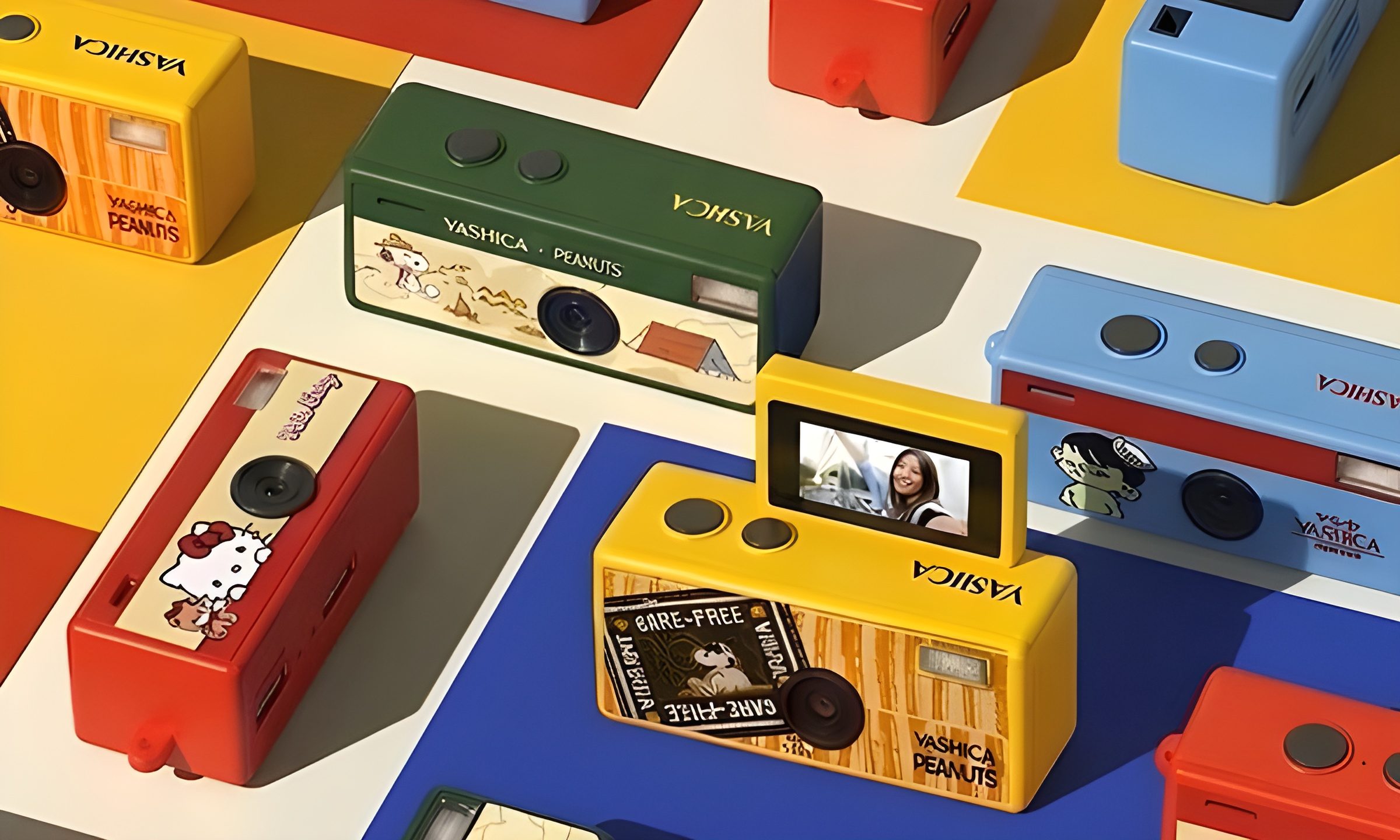
Yashica's new camera makes toy photography more fun
YASHICA Funtastic Keychain Camera in multiple variants

Tiny digital cameras are all the rage, and Yashica is now offering a very cute toy photography experience of its own. The company’s new Funtastic Keychain Camera is exactly what the name suggests, a miniature digital camera small enough to clip onto your keys, bag, or lanyard. The popular Kodak Charmera is the obvious comparison, which brings a tiny blind-box keychain camera that became a viral collectible.

Now, Yashica's version lands in the same novelty-camera lane, but adds one very useful trick, which is a 180-degree flip screen.

Read more
Google releases big v4.0 update for its popular Snapseed editing app on Android
Electronics, Phone, Mobile Phone

After years of sitting on its hands, Google appears to have remembered it owns one of the best photo editing apps on mobile. Snapseed 4.0 is now rolling out to Android, bringing the platform up to speed after a stretch of iOS exclusivity that left Android users watching from the sidelines.

The story starts last June, when Google quietly broke Snapseed out of its long dormancy with a significant 3.0 update for iPhone. It was a surprise move that suggested the company was serious about the app again. Google then confirmed at the start of this year that Android wouldn't be left behind for long, and true to that word, the Play Store listing has now been updated to reflect version 4.0 — skipping straight past 3.0 for Android users and landing both platforms on the same version simultaneously.

Read more
Google Photos gets new editing tools that are all about subtle touch-ups
Google Photos just made your camera roll feel like it came with a makeup artist included, and the results are refreshingly understated.
Google Photos Touch Up feature in action.

Whether it is dark circles from a late night of work, a blemish that showed up uninvited, or something similar that could use additional brightness, Google Photos now has you covered.

Google has officially rolled out a new Touch Up suite inside its Photos app editor, integrating face retouching tools directly into the app for the first time. Previously, such adjustments were only available inside Google’s Camera app at the time of capture. 

Read more