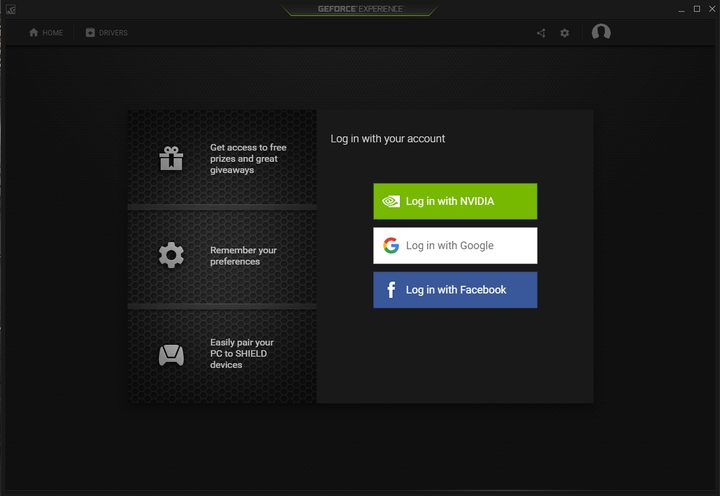
Last week while Sony and Apple flooded the news channels with their flaming-hot device reveals, Nvidia quietly unleashed a new version of its desktop gaming client, GeForce Experience 3.0. The platform was completely overhauled, redesigned from the bottom up to better streamline its main features. However, the updated software also comes with a surprising requirement: a mandatory registration with Nvidia, Google, or Facebook.
Overall, GeForce Experience 3.0 appears to focus on simplicity, providing a toolbar that includes a “Home” button for the default window when the program launches, and a “Drivers” button to grab the latest GeForce Game Ready Driver. This toolbar also shoves a “Share” button, a “Settings” button, and a “Profile” button over to the right of the client, the latter of which contains a drop-down menu for accessing the user’s account and an option to log out.
First, the main “Home” screen lists all the installed games that can be optimized by GeForce Experience. Upon installation, the platform automatically optimizes these titles, and users can see what was changed by moving the cursor over the game’s box art and clicking on the “Details” button underneath the “Play” button. The resulting page provides a “Revert” button to return the installed game back to its original configuration, and a “Wrench” button for manually setting the game’s settings.
Second, the Drivers page provides a “Download” button along with related news from Nivida, such as the availability of the company’s new GTX 10-Series graphics chips in laptops, and the Gears of War 4K gameplay video. The good news here is that Nvidia customers are not required to use the new GeForce Experience client to download new drivers, and instead can head to Nvidia’s website to grab the latest release.
As for the sharing aspect, this includes Instant Replay, Record, and Broadcast capabilities. Users can also access screenshots and video they captured with the software, set the microphone, set the connected camera, and adjust various settings for keyboard shortcuts, overlays, privacy control, recordings, broadcasting, and connecting to various media services like Twitch and YouTube.
However, for some reason, Nvidia decided to put all Shield settings within the software’s general settings page. Here users can see a listing of the desktop’s hardware specs, an option for enabling or disabling sharing, account details, a button for rescanning the desktop or laptop for supported games, and more. The Shield section allows users to add nonsupported PC games, and remove all connected Shield-based devices associated with the user’s account.
According to Nvidia, this new version of GeForce Experience is three times faster and consumes 50 percent less memory than the previous version, making it a must-install for those who use this platform. This new version can also record gameplay at 60 frames per second up to a 4K resolution, and is even capable of streaming to Twitch and YouTube at 1080p, 60 frames per second. Nvidia wants users to login with an account so their settings are stored in the cloud, and to participate in giveaways ranging from graphics cards to game codes.
“Featuring a top-to-bottom redesign, improved features, giveaways of beta keys, game keys and hardware, embedded articles and guides, and much more, the new GeForce Experience optimizes, enhances, and enriches your experiences,” the company said.
GeForce Experience 3.0 can be downloaded now by heading here. Right now, Nvidia is handing out MSI VR-ready notebooks and HTC Vive headsets to random 3.0 users, so get cracking on installing this latest client!