1. Home
  2. Photography
  3. Computing
  4. News

Adobe InDesign gets a modern makeover, while Illustrator now has a crop tool

Add as a preferred source on Google

InDesign is getting a new look. In Adobe’s latest update to InDesign CC, the desktop publishing software gets a redesigned interface with a modern look. Adobe also updated Illustrator CC today, April 6, adding the much-requested crop tool.

Despite InDesign’s new look, current users familiar with the existing controls will be happy to see the control scheme hasn’t been vastly rearranged. The change was inspired by the design on touch devices, Adobe says.

Recommended Videos

At the top menu, the text field options are slightly different, designed to stand out with more contrast. Buttons, like the Publish Online option, now have rounded corners. In the toolbox, the selection, text, pen, and eyedropper icons also see a slight redesign.

Adobe
Adobe

The redesigned interface also now comes with four color themes, including dark, medium-dark, medium-light, and light for customizing the way that new interface looks. Adobe says the interface enhancements make it easier to jump between tools, and also eliminate a few distractions.

Getting that project off the ground is also a bit simpler — the redesigned new document panel offers easy access to recently used templates as well as saved templates and access to Adobe Stock templates right from the start.

Illustrator also sees a new version today with the addition of the crop tool. Previously, designers had to use the mask tools or open the file in Photoshop to crop off part of the artwork. The new feature now finds a home in the top toolbar next to the mask tool.

Adobe
Adobe

Besides being simpler than moving over to Photoshop for a crop, the ability to crop and scale images within Illustrator enhances the software’s performance by making those files smaller and easier to handle, Adobe says. The update comes as Illustrator celebrates its 30th birthday this year, with the service now being used for around 180 million graphics projects every month.

Both updates are available to Adobe Creative Cloud subscribers beginning today.

Hillary K. Grigonis
Hillary never planned on becoming a photographer—and then she was handed a camera at her first writing job and she's been…
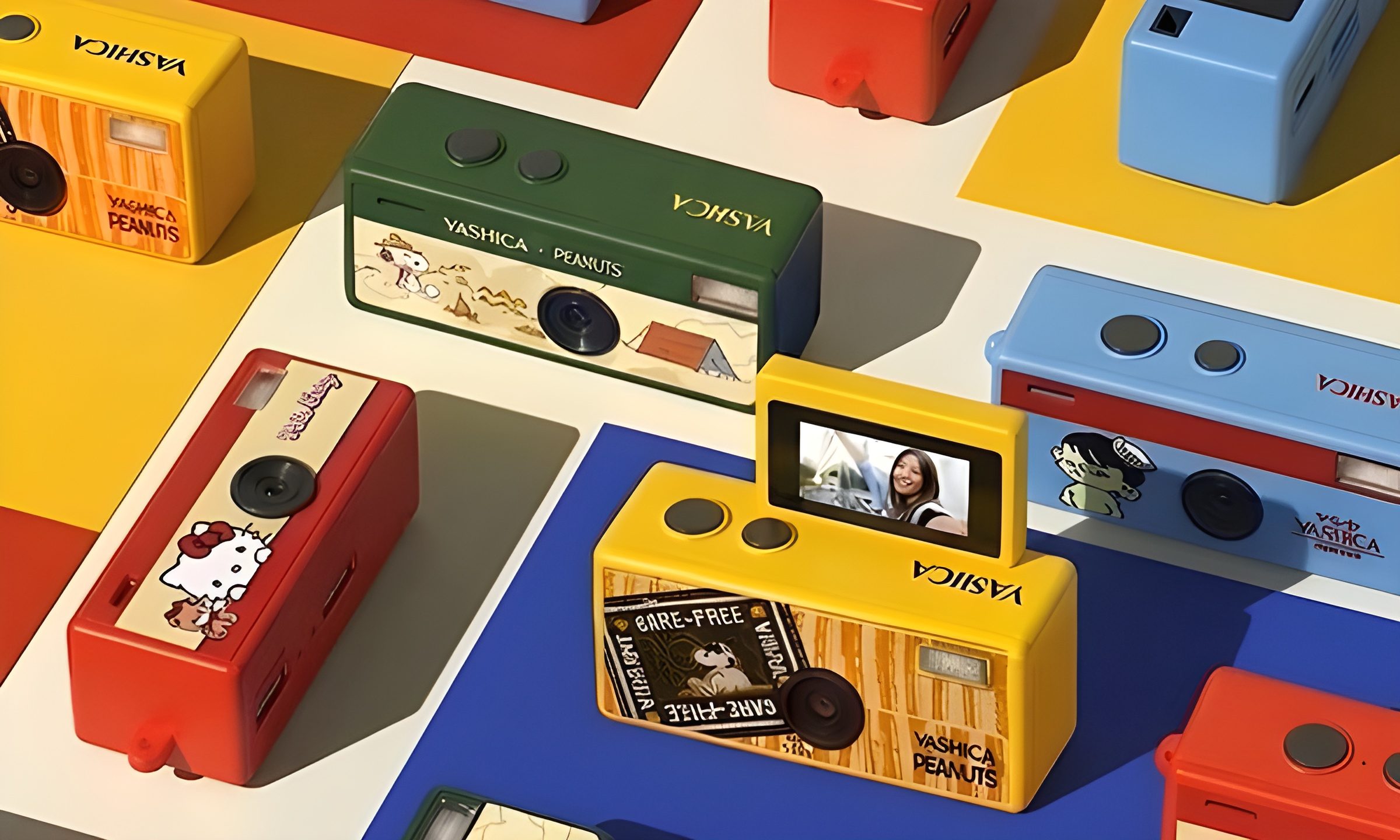
This new $30 keychain camera is coming for Kodak Charmera with a flip screen for selfies
Yashica's new camera makes toy photography more fun
YASHICA Funtastic Keychain Camera in multiple variants

Tiny digital cameras are all the rage, and Yashica is now offering a very cute toy photography experience of its own. The company’s new Funtastic Keychain Camera is exactly what the name suggests, a miniature digital camera small enough to clip onto your keys, bag, or lanyard. The popular Kodak Charmera is the obvious comparison, which brings a tiny blind-box keychain camera that became a viral collectible.

Now, Yashica's version lands in the same novelty-camera lane, but adds one very useful trick, which is a 180-degree flip screen.

Read more
Google releases big v4.0 update for its popular Snapseed editing app on Android
Electronics, Phone, Mobile Phone

After years of sitting on its hands, Google appears to have remembered it owns one of the best photo editing apps on mobile. Snapseed 4.0 is now rolling out to Android, bringing the platform up to speed after a stretch of iOS exclusivity that left Android users watching from the sidelines.

The story starts last June, when Google quietly broke Snapseed out of its long dormancy with a significant 3.0 update for iPhone. It was a surprise move that suggested the company was serious about the app again. Google then confirmed at the start of this year that Android wouldn't be left behind for long, and true to that word, the Play Store listing has now been updated to reflect version 4.0 — skipping straight past 3.0 for Android users and landing both platforms on the same version simultaneously.

Read more
Google Photos gets new editing tools that are all about subtle touch-ups
Google Photos just made your camera roll feel like it came with a makeup artist included, and the results are refreshingly understated.
Google Photos Touch Up feature in action.

Whether it is dark circles from a late night of work, a blemish that showed up uninvited, or something similar that could use additional brightness, Google Photos now has you covered.

Google has officially rolled out a new Touch Up suite inside its Photos app editor, integrating face retouching tools directly into the app for the first time. Previously, such adjustments were only available inside Google’s Camera app at the time of capture. 

Read more