1. Home
  2. Computing
  3. News

Microsoft’s authenticator app is now all you need to log in with your smartphone

Add as a preferred source on Google

Microsoft has made it possible to use only your smartphone to log in to your Microsoft account, ditching the need for what is traditionally the first line of defense against unwanted account access: the humble password. Although less secure than complete two-factor authentication, Microsoft contends that this is still more secure than just using a password and much less cumbersome for the user.

One of the oldest and still hardest-to-solve questions within any technology space is how do you digitally prove someone is who they say they are? Passwords are one of the most common practices, but as has been shown time and again, they rarely offer much of a hurdle for nefarious actors. Two-factor authentication with a smartphone is becoming more common, but Microsoft has decided that it’s better just by itself.

Recommended Videos

The problem with a password, Microsoft claims in its explanatory blog post (via Ars), is that passwords can be easily phished, stolen, or forgotten. Consider too that most people already have a pin code or similar security on their phone and the firm believes smartphone logins are secure enough while feeling “natural and familiar.”

While Microsoft’s login system does let you use the authenticator app to double down on security for a number of sites and services, the Microsoft account can be logged into with smartphone authentication only. It is also limited to iOS and Android platforms for now, despite the app being compatible with Windows phones. It may add support for that much smaller user group in the future, we’re told, but only if this feature sees some success.

To be one of the first to trial this smartphone-only authentication system, download or open up the app on your handset, select the drop-down button on your account and choose “Enable phone sign-in.” That’s it.

There will be options for password usage if your phone isn’t with you, which could open up a vector for more traditional hacking. However, these sorts of security features have the potential to benefit the least secure out there, so removing a potential password reuse login system for those users could lead to improved overall digital security for some.

Microsoft is looking for feedback on its new system, so if you have something to say about it, don’t be afraid to let the company know.

Jon Martindale
Jon Martindale covers how to guides, best-of lists, and explainers to help everyone understand the hottest new hardware and…
What happens when AI detectors fail? Researchers say we must be trained to spot fake AI faces
Researchers say spotting AI faces may soon depend more on people than software
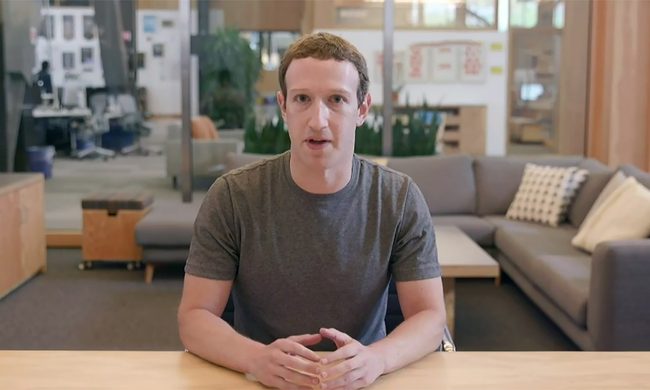
Zuckerberg Deepfake

Artificial intelligence has become remarkably good at creating fake human faces. So good, in fact, that the old tricks people relied on - counting fingers, spotting warped earrings, or looking for distorted backgrounds - are quickly becoming obsolete. According to a new study highlighted by the BBC, the next line of defence may not be a better AI detector at all. It might simply be a better-trained human.

Researchers from the University of Aberdeen, working alongside Australia's National University, found that people can dramatically improve their ability to distinguish AI-generated faces from real ones after a relatively short period of structured training. Instead of hunting for obvious visual glitches, participants were taught to recognise subtle patterns that modern image generators still struggle to replicate consistently.

Read more
Google’s new Magic Pointer Play Store listing reveals a Gemini shortcut built for Googlebooks
The unannounced app turns the cursor into a contextual AI tool for search, image creation, and shopping
Plant, Text, Business Card

Google has quietly published a new Play Store listing for Magic Pointer, an unannounced app built for Googlebooks. Updated on July 10, the app turns the cursor into a Gemini shortcut that can act on whatever a user selects on screen.

Magic Pointer can send an image to Lens, generate a related image, or surface a shopping action without forcing users to open a separate chatbot. Regular Android devices currently show as incompatible, so the listing offers an early preview rather than a broad release.

Read more
You can stop using AI, but this new report says you probably can’t escape it
A UK survey found that most people feel AI exposure is unavoidable, raising harder questions about consent, privacy, and whether opting out is still realistic
AI Chatbots

More people are trying to use less AI, but avoiding it altogether may already be impossible.

A survey of 2,055 UK adults found that 42% deliberately limit how much AI they use. Another 70% said avoiding AI exposure would be difficult or impossible, even when they actively wanted less of it.

Read more