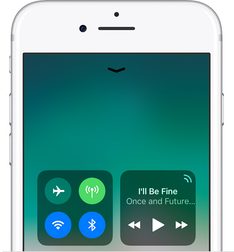
Wi-Fi and Bluetooth settings have a little problem in iOS 11: You can’t use the Control Center to turn them off anymore. You can try, but when you pull up that shortcut menu and tap on the Wi-Fi/Bluetooth icon, it will no longer shut those features off. Instead it will only disconnect from any current devices or networks. Wi-Fi and Bluetooth signals will remain active, even when Control Center says they are turned off, and less obvious wireless transfers can still occur.
 Apple’s goal appears to be service-motivated. If Wi-Fi and Bluetooth connections always stay on, they can still automatically connect to Apple services like AirDrop, AirPlay, Apple Watches, and so on. That gives Apple easier ways to collect more information on product use/location, and it also keeps up background processes or connections that you may not have noticed, so nothing important (syncing, backups, etc.) is disrupted.
However, the deal isn’t so great for users. The always-on connectivity takes up a bit more battery life, especially if you are near other Apple devices; it allows for constant tracking when people may prefer privacy, and leaves the iOS more open to hacking via Bluetooth. If this is too much for you, you can scale back iOS 11 to a previous iteration. But if you want to keep the update, there are still a few ways you can fully turn off Bluetooth and Wi-Fi in iOS 11. Let’s walk through them.
Option 1: Use Airplane Mode
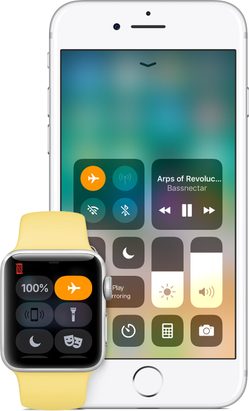
Bring up the Control Center, and you will notice that one of the icons beside the Bluetooth and Wi-Fi buttons is an airplane: That’s the popular Airplane Mode, known to most of us as an effective way to shut down all connections to save battery life when boarding flights or traveling out of service areas. It’s designed to be a handy shortcut, and it still works.
To test this option, swipe up on the screen to bring up the Control Center and tap the Airplane Mode icon. It should turn red, and your other connection icons should turn off. When Airplane Mode is activated, these connections really are off, and will not connect even for background Apple services. When you turn Airplane Mode off again, your Wi-Fi and Bluetooth connections will still remain off. You can activate them again by tapping on the icons.
Since Airplane Mode is right there on your Control Center, this is a very easy alternative for turning off both Bluetooth and Wi-Fi at off, especially since you don’t need to leave Airplane Mode on for this to work. However, since it’s a device-wide shutdown of all connections, it may not work well for more delicate control, especially if you depend on a data connection to get things done.
Option 2: Go into Settings and turn them off manually
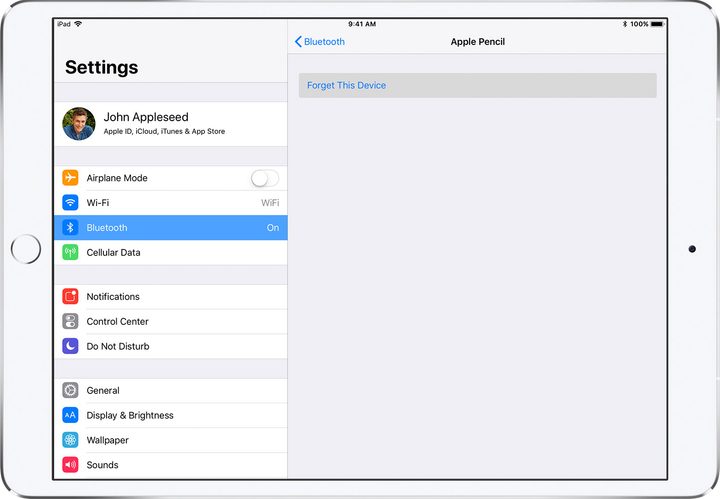
The new iOS 11 limitation appears to only affect the Control Center. Head over to iOS settings and take a look at the top three options: Airplane Mode, Wi-Fi, and Bluetooth. Select any of these, and you will see a small toggle to turn them on or off immediately.
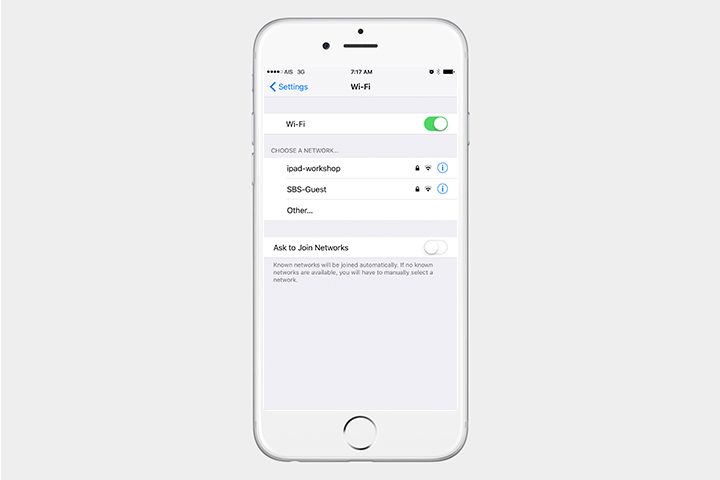
If you were already using Settings to turn off your Wi-Fi or Bluetooth, congratulations! You don’t have to change anything. If not, consider this a way to have more choices now that Control Center isn’t as reliable. There will probably be times where you want to disconnect from Bluetooth devices around you (such as Bluetooth speakers when you are privately trying to listen to music), but you will want your Wi-Fi connection active. Airplane mode won’t help you here, but going into Settings will allow you to turn only one off. Likewise, you may sometimes want to shut down Wi-Fi for security purposes while maintaining a Bluetooth connection to your Apple Watch or other devices.