What is SATA? In short, it’s how almost everything storage-related connects to your motherboard. If you build your own PCs or owned a desktop or laptop in the past decade and a half, you can be confident it was a Serial ATA (SATA) compatible piece of hardware. Whether it was a hard drive (HDD), a solid-state drive (SSD), or an optical drive, almost all of them used SATA until recently.
That’s not always the case, as there are some newer standards available for high-speed drives. But alongside PCIe and NVMe, SATA is still a significant player, especially when it comes to larger-sized HDDs and SSDs.
Data and power
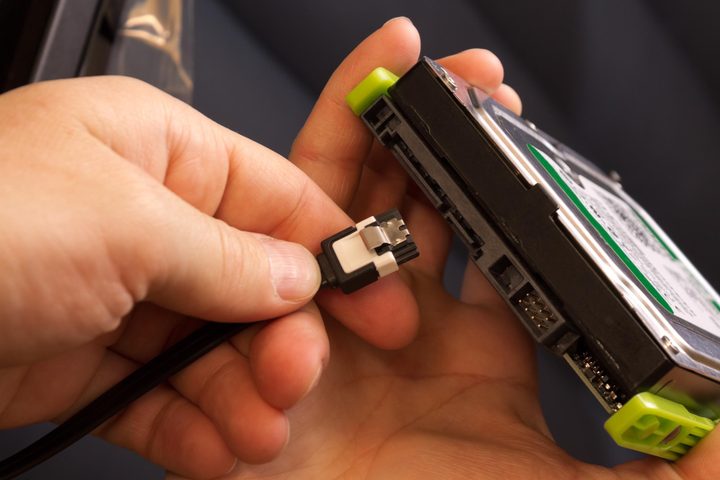
Although there are a myriad of computer products designated as SATA devices, the reason they are called that is that they use the SATA interface. In other words, your PC connects through two SATA ports, one on the drive (typically a solid-state drive) and another on the motherboard.
Although SATA connectors are described as a single port or connector, SATA encompasses two ports: The data connector and the power connector. The former is the short, L-shaped, seven-pin connector, while the latter is the more extended 15-pin connector — the taller “L” of the two.
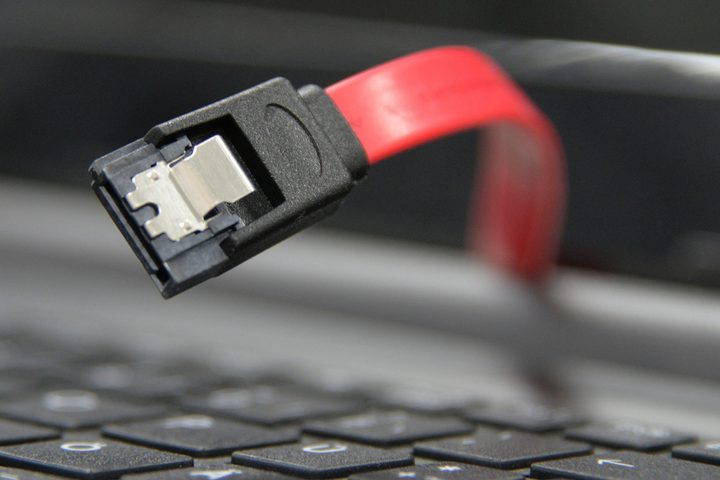
Both connectors are typically reversed on the drives they allow connections for, with the bases of their respective “L” shapes facing one another. Beyond length, they can be differentiated by the cables that connect to them. Where the SATA data cable is usually made up of solid plastic, which extends into a flat, single-band cable, the SATA power connector will continue from its head to multiple, thin, rounded wires of different colors.
Both cables are required for SATA devices to work, and both do different jobs. The data cable provides the high-speed connection to the rest of the computer, transferring information back and forth as requested, while the power cable is what gives the drive the electricity to run in the first place.
SATA generations
Although most PCs in recent years have used SATA devices, there are a few different types that are worth noting. SATA was first introduced in 2000, replacing the aged PATA (Parallel ATA) ribbon cables. It was revised in 2003 and again in 2004 and 2008, bringing SATA to version three, commonly referred to as SATA III or 3.0. These standards increased speed and added additional features to allow for faster and more reliable storage drives, but didn’t change the physical look of the SATA connector itself. SATA III is the most common SATA interface used today, though there have been five revisions since its introduction, namely 3.1 through 3.5.
In Revision 3.1, SATA focused on improving the performance of SSDs, allowing host PCs to identify the capacity of their hardware devices and the port that made USBs possible, the Universal Storage Module (USM). Improvements for Revision 3.2 included slimming down the USM, incorporating micro SSD to shrink the size of storage components, adding USB 3.0 ports, and reducing power requirements for devices in constant operation. Revision 3.3 offered users greater choice and flexibility, with staggered startup options and an activity indicator, as well as improved data center maintenance and hard drive disc space.
SATA, mSATA, and M.2
SATA’s 2018 update, Revision 3.4, added improvements like SATA device temperature monitoring, writing critical cache data, and enhanced compatibility with manufacturers, all while minimizing the impact on how your PC operates. The 2020 update to revision 3.5 gives the host device better control of the order in which commands are processed and reduces latency to boost performance. All of the best SSDs currently available use this or the interim revision, 3.5a, from 2021.
There have been a few alternative SATA interfaces over the years, like mSATA for laptop drives, which debuted in 2011. The latest generation of that technology was the M.2 standard. Currently, the fastest drives have moved beyond the mSATA interface and now take advantage of PCI Express ports for higher performance.
First introduced with SATA 3.2 in 2013, SATA Express allowed for cross-compatibility with SATA III and PCI Express drives. Still, it wasn’t a popular choice while eSATA offered SATA-like speeds for external drives. Today, most high-speed external drives use USB 3.0 connections, commonly with the Type-C standard of the connector.
How vital is SATA today?

In 2008 SATA was the standard for PC and laptop hard drives and SSDs however we are now moving beyond SATA. Of particular interest are M.2 drives that support the latest NVMe protocol. These SSDS offer the maximum level of performance and hence they appeal to enthusiasts who value performance above everything else.
M.2 and NVMe drives are not restricted by those skinny SATA data cables and as a result, they are able to deliver better performance. Add in the benefits of a PCI Express 4.0 interface and you find the current crop of SSDs, such as the Samsung 990 Pro, have a data transfer speed of 7GBps. That is equivalent to more than 50Gbps which outperforms the hard SATA III limit of 6Gbps by a huge margin.
Buying SATA cables

When you buy a new motherboard, you can be confident it will be supplied with a handful of SATA cables that will ensure the fastest SATA III connection. However, if you find you are connecting a SATA drive to an exisiting PC you might end up using a PCIe to SATA adapter cable of one sort or another, which can be a decent approach. On the other hand, if you use a SATA adapter that connects to USB you may well find your connection speed is restricted, so we strongly recommend you use a native SATA III cable whenever possible.
Frequently Asked Questions
What is SATA on a computer?
SATA stands for Serial Advanced Technology Attachment and it’s how almost everything storage-related connects to the motherboard in your computer. SATA is the class of hardware the serves this function.
What is the SATA port used for?
The SATA port is used for connecting storage components (SSDs, etc.) to your computer’s motherboard. SATA uses two ports: The data connector and the power connector.
Which is better, SATA or SSD?
Currently, the fastest drives have moved beyond the mSATA interface and now take advantage of PCI Express ports for higher performance. While PCIe SSD drives may transfer data faster, their battery life is inferior to SATA SSDs.
Now you know what storage you need for your PC, take a look at our SSD buying guide to help you choose the right device.