Personal data is collected through so many services and applications, it’s overwhelming to keep track of it all. It’s even more unsettling, though, when it happens without our knowledge or consent.
According to a report by CNBC, Google has been tracking its account users’ purchase history via their Gmail accounts. The tracking goes beyond just online purchases you might have made via one of its own sites, like Google Play. If you have a Gmail account and you’ve used your Gmail account to receive receipts or other payment confirmation emails from other vendors, Google has aggregated all of that information for you in a Google Account web page no one knew existed called Purchases.
Google insists that the data collected in this manner isn’t being sold or being used to deliver ads to its users, yet other questionable aspects of the Purchases have us scratching our heads.
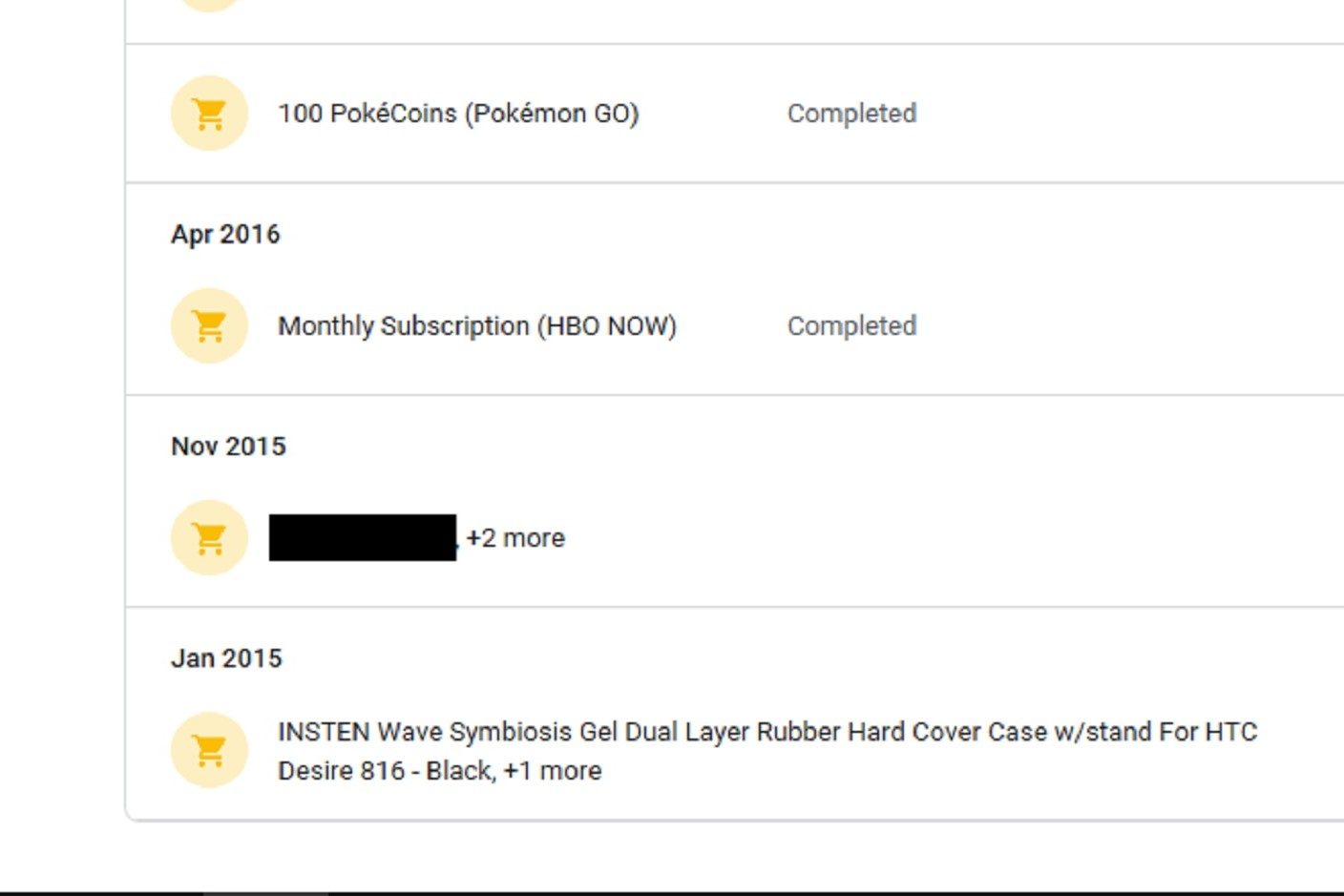
As CNBC reports, Google says the feature was intended to be a helpful tool that lets people “easily view and keep track of your purchases, bookings and subscriptions in one place.” However, the Purchases page is not at all easy to find for those who might use it. Accessing the Purchases page takes quite a few clicks to get there as you have to navigate through about four pages of security settings before you reach a page that lists the Purchases page under a tiny section called My Orders.
Opting out of the system is even more complicated. Google says you can delete this information and turn off the tracking function, but it doesn’t make either of these tasks easy to do. When you finally reach the Purchases page, there’s really only one way to delete your past purchases: Navigate back to the original email that generated the data in the first place, so that you can manually delete it. For a feature that was supposed to make things easier for its users, Google sure makes it difficult to manage.
Contrary to what Google says, there doesn’t actually seem to be a way to to turn off the tracking either. The Activity Controls page in doesn’t provide a direct way to adjust Google’s tracking of your purchasing history. You can tell Google to “pause” collecting your data as it relates to your Web and App Activity, but Google is rather vague on what kind of data collection is actually being put on pause. It never explicitly say that it will stop collecting your purchase history data.
The most worrying thing about the Purchases page is how it was discovered. Rather than be announced, such as with Gmail’s recently released email scheduling feature, it had to be stumbled upon by a reporter. That’s not exactly how we want privacy issues being brought forth, especially in a setting as personal as your email inbox. Who knows what other data Google aggregates about our inboxes and web history without our knowledge?
In the end, we still don’t have a satisfactory explanation for why this Purchases page exists. For all we know, it could be a leftover feature that Google forgot about. However, with the company’s numerous privacy concerns in the past, we don’t feel inspired to give Google the benefit of the doubt.