
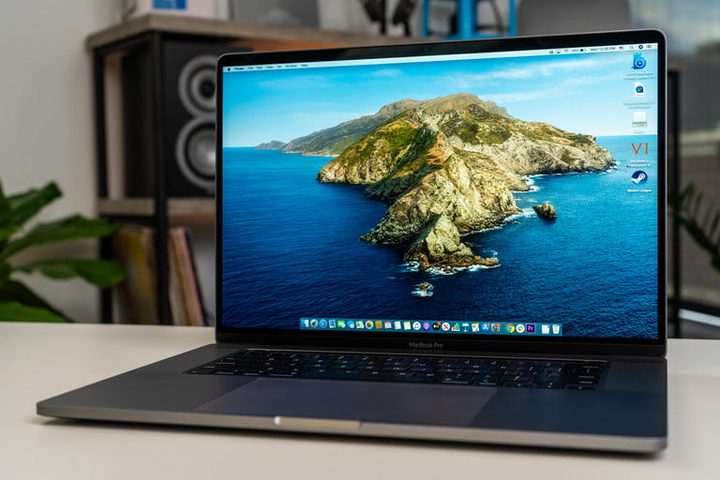
For Apple laptops, the 16-inch MacBook Pro is its Cadillac, the big gun, the main course — it is the biggest, baddest, most powerful MacBook the company makes, and it’s currently available for its lowest price ever. Amazon is selling the 16-inch MacBook Pro for $2,000, with an added $100 discount after checkout, that’s $400 off its regular price of $2,400. Whether you’re a designer or editor whose work depends on an efficient machine, or a regular user who wants to make the best looking work presentations and have uninterrupted, beautiful gameplay, or calls, the MacBook Pro could be perfect. But you’ll have to act fast.
The 16-inch MacBook Pro looks fantastic. Of course, it has Apple’s legendary crisp, clean design, but what you’ll see on the screen is also just magic. The 16-inch screen with 16:10 aspect ratio set the standard for the industry, and can’t be beaten. Whether your job depends on crafting the most precise imagery on Photoshop, or you just want the best picture money can buy, the 16-inch Retina display is the largest Retina display Apple has ever made, with 500 nits of brightness. Add to this the P3 wide color gamut and we’re looking at the most precise, gorgeous images and video that can be delivered on a laptop. If you are a creative professional, there could be no better place to spend your money.
Under the hood, there’s an Intel Core i9 processor, the most efficient processor MacBook offers, reinforced by 2,666MHz DDR4 memory. It allows you to simultaneously work on projects in huge programs like, Photoshop, InDesign, or Final Cut Pro, while browsing many tabs — glitch-free. A new cooling system doubles down on this peace of mind. Add to this the AMD Radeon Pro 500M series graphics card and you’ve got a superhighway to beautiful video and imagery, and of course, the capacity to manipulate that imagery at the highest level. Again, if you’re a creative professional, this is bliss, especially when you take in the Touch Bar and the new and improved Magic Keyboard, which is super responsive and brings back the salad keyboard days of pre-2016 MacBooks.
Related
The finishing touch — it measures 0.64 by 14.09 by 9.68 inches and weighs 4.3 pounds. That’s not tiny, but it’s very respectable for a laptop that has this kind of power and capacity. With a battery life up to 11 hours, it’s hard to find a more efficient machine.
We think the 16-inch MacBook Pro is one of Apple’s best machines. It’s powerful, with some of the most impressive visual capacity on the market and yet compact and looks amazing. If you’re a creative, or just want the very best experience Apple MacBook can offer, even for your casual computing needs, the 16-inch MacBook Pro can be the ultimate laptop. Especially at this price, with $400 after an additional discount at checkout, bringing the total cost to $2,000 — the lowest price we’ve ever seen!


