It’s time to get back to school. Whether you’re in high school, college, or grade school, the end of the summer signifies a resumption of hitting the books. Along with shopping for materials in physical bookstores, you have one of the most powerful study tools in your pocket right now — your smartphone.
In the App Store or Play Store are multiple apps that you’ll be able to use to handle such tasks as timetabling, to-do lists, and note-taking. We’ve picked five of the best apps that you simply must have installed on your phone to make your study time easier.
Google Calendar
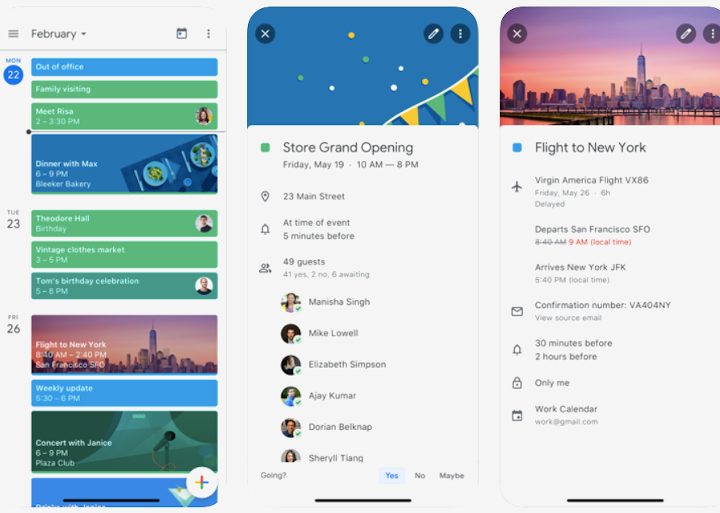
As a student, your life is often dictated by the calendar. A good calendar app is necessary to help you focus and structure your class timetable, your personal study timetable, and your social calendar into one streamlined experience.
Google Calendar is one of the best calendar apps for balancing simplicity, accessibility, and functionality. Unlike Apple’s Calendar, it is available on both Android and iOS. Unlike Microsoft’s Outlook app, it’s a stand-alone experience. You can simply use it without needing an extended email calendar.
Google also does a good job with input, allowing you to enter your next study session or exam using natural language. Not that you’ll need to do that much. Depending on your school’s system, you’ll be able to integrate your class timetables right into the Google Calendar app by importing them, with updates appearing automatically on all your devices.
Office Lens
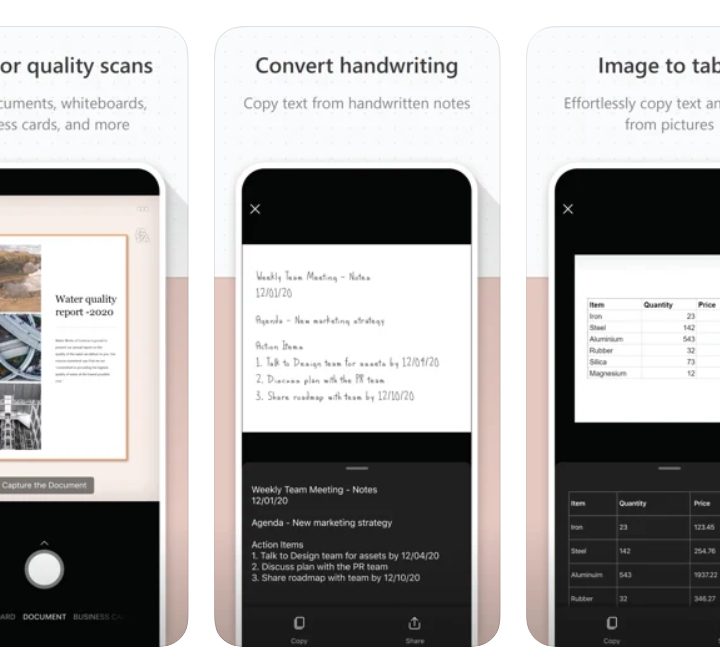
While most of the work done in current times is digital, sometimes there’s a need for paper as well. Whether it’s taking interesting notes someone’s scribbled on a library book, annotations made on a physical whiteboard, or just capturing your own handwritten notes for better organization, the simple act of capturing an image and saving it to your notes app can’t be underestimated for a student.
Microsoft’s Lens is a pretty good example of an app you can use for this purpose. It’s a powerful one that integrates into the company’s OneDrive service or your device’s local storage. There’s support for scanning so that documents you capture are uploaded as if they were natively digital, and you can even export the text from images of handwritten notes with its Optical Character Recognition (OCR) support.
Google Drive
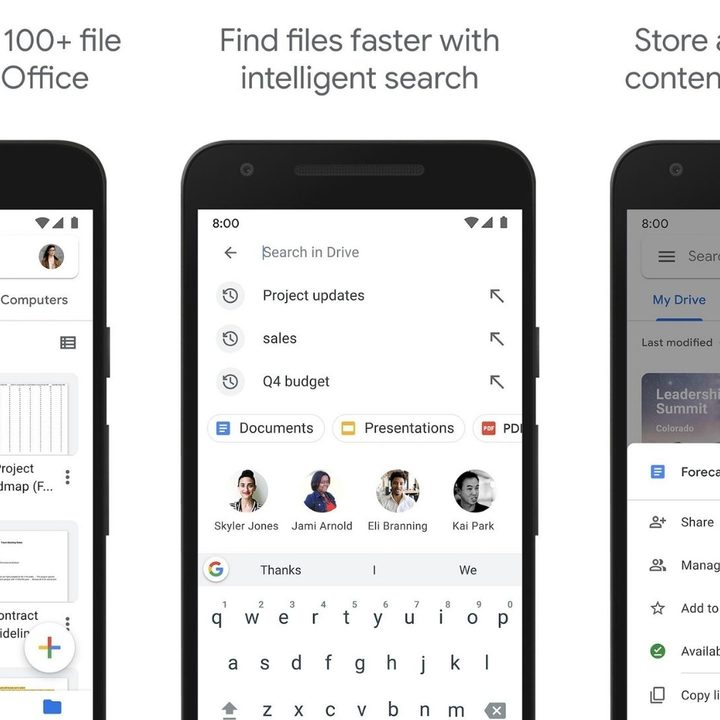
The worst thing that can happen to any student is writing up a 10,000-word dissertation and then losing it due to a power glitch. A cloud storage app is a necessity for this reason. While iCloud and OneDrive may work just as well, they have limitations. While iCloud is pretty good if you’re into Apple products, it’s not great if you have an Android phone, Chromebook, or a Windows laptop. Google Drive is simply more user-friendly than Microsoft OneDrive.
With Google Drive, storage and accessing all your documents from your phone or laptop work better. Whether these are photos, PDFs, or digital textbooks. Google also has excellent apps for editing your documents via the Google Docs suite — even if you prefer Word documents over Google Doc files.
Forest


Focusing when writing that essay or reading that book is especially hard with so much digital distraction around. If you’re using your phone, it’s even worse, with notifications and pings galore. Fortunately, there are apps designed to keep your hands away from your phone.
Forest is one of the best ones. It allows you to set a timer so you can “plant a tree” and let it grow. If you leave the app at any point, the tree dies, and you have to restart. Focus and do your work or let that tree die — the choice is up to you. You do get one do-over, but after that, your tree will die if you exit the app. When the timer has run its course, your tree will have grown, and your work will hopefully be done.
Notion


Notion is a note-taking top that’s a lot more complex than regular ones. It allows you to essentially create anything from a complex sprawling single document to a Wiki detailing everything you know about a topic of your choice. It’s available for Android, iOS, Windows, macOS, and the web.
While apps like Evernote, OneNote, and Google Keep also exist as note-taking apps of varying complexity, what sets Notion apart from them is its flexibility. It can be incredibly simple, or it can be fantastically complex as your needs evolve.
While its customizability and endless features might seem overwhelming for casual users, these options work a lot better for students with varying needs.