  1. Home
  2. Phones
  3. Mobile
  4. News

Digital Trends may earn a commission when you buy through links on our site. Why trust us?

Android 12 Beta 5 showcases new features ahead of final release

Add as a preferred source on Google

Google has released the final Android 12 beta for Pixel phones before the official version rolls out. There’s still time to enroll in beta testing and see the new features for yourself if you’re impatient for the OS launch. Here are a few things to look for:
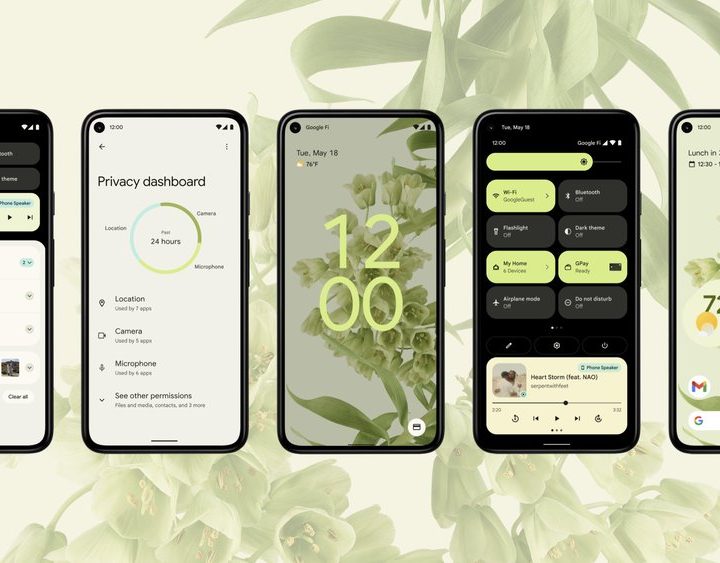
Image used with permission by copyright holder

Google Clock redesign

The Material You redesign has been brought to the calculator and Google Clock. The new design features large bubbles and cards with high-contrast text. Numbers are easier to see at a glance in the timer, stopwatch, and clocks. And 9to5 Google found that closing the app causes it to neatly fold into the widget.

Recommended Videos

Widgets take advantage of the new design as well, with a color theme that matches your wallpaper. The digital clocks are in bubbles, while the analog clock has a cute scalloped edge that indicates time without cluttering the widget with numbers.

New lock screen shortcuts

The Android 12 Beta 5 update makes Device Controls even easier to access. Device Controls and the Quick Access Wallet are still accessible from the Quick Settings tiles, but the new design includes a shortcut right on the lock screen. Lockdown mode has also been added to the lock screen, according to 9to5 Google, so users can secure their device in seconds.

Android 12 Universal Search Demo

Pixel Launcher search bar

The Pixel Launcher universal search bar had to be manually enabled in Beta 4, but it’s a default feature in Android 12 Beta 5, according to Android Police. The universal search bar can quickly locate contacts, settings, shortcuts, and more.

Priority conversations

While testing Android 12 Beta 5, the @googlepixels Telegram group discovered that marking a conversation as “priority” prompts the Pixel Launcher to ask if you want to add a conversation widget to the home screen.

Paint Chips widget

Google’s Easter egg for the Android 12 release is a clock that bursts into bubbles when you spin the hands to 12 — but that’s not all. This Easter egg comes with a bonus widget called Paint Chips, which generates a palette of colors based on your wallpaper. As XDA points out, this widget is especially useful for app and game developers preparing for the Material You theming system.
android 12 timeline
Android Developers Blog

What else do we know?

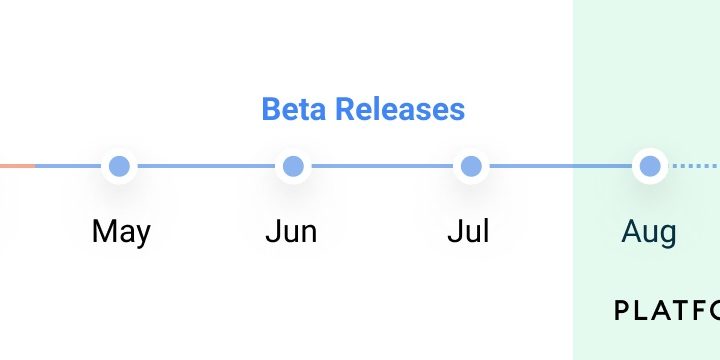
That’s the last of the big updates we’ll see before the new operating system goes live on Pixel devices around late September. Previous beta testing featured Digital Car Key, more privacy options, and many more changes you can read about in our overview. We’ll also be doing a full review of Android 12 once the final release rolls out.

Sandra Stafford
Sandra Stafford is a Mobile team writer. She has three years of experience writing about consumer technology. She writes…
Apple’s latest Sports app update is a win for soccer fans everywhere
From the Swiss Super League to starting lineups, here's everything new in Apple Sports' latest update built entirely around soccer fans.
Apple Sports latest App Store update

The World Cup trophy's already been handed out, but Apple isn't done pleasing soccer fans just yet. Apple Sports got updated to version 4.2 today, and the whole update is built around one sport (via 9to5Mac).

Since its debut, Apple Sports has steadily picked up features like live play-by-play and standings, along with deeper match insights. On the other hand, the company’s broader sports push has expanded through MLS Season Pass and exclusive content on Apple TV.

Read more
Samsung’s secret AI chip could finally cool down Exynos phones
Samsung's GAIA AI chip is landing in laptops first, but its shared DNA with Exynos hints at a real fix for phones down the line.
Samsung Exynos chip illustration.

If you've ever owned an Exynos-powered Galaxy phone, you already know the drill: heavy tasks like capturing back-to-back pictures or photos for a while, heavy gaming, or rendering videos turn your device into a hand warmer. 

In such a situation, the battery bar drops faster than usual as well. Turns out, Samsung might be working on the fix, and it's coming in a way nobody expected.

Read more
Adobe’s Project Indigo camera app can now edit and critique your photos with AI
The new AI Playground feature helps you remove distractions, restyle shots, and offers photo critiques, but Adobe is only letting a small group of users try it for now.
Adobe Project Indigo AI Playground featured

Adobe's Project Indigo has spent the past year building a reputation as one of the more serious camera apps on iPhone, offering full manual controls and a natural, SLR-style look instead of the overprocessed images most phone camera apps produce by default. Now Adobe is testing a new set of features called AI Playground that push the app well beyond photography.

New editing tools and a critic

Read more
