  1. Home
  2. Computing
  3. News

Digital Trends may earn a commission when you buy through links on our site. Why trust us?

LG’s new ultrawide monitor offers HDR10 support for $520

Add as a preferred source on Google

Sometimes, you don’t need any fancy bells and whistles to be a great gaming monitor. LG’s newest ultrawide gaming monitor excels at the basics, with a decent price to boot.

The LG 34BP65C is a 34-inch curved ultrawide monitor sporting a 1440p resolution, 160Hz refresh rate, and 5ms response time. Gamers will be happy to know that the 34BP65C supports AMD FreeSync Premium to prevent screen tearing, motion blur reduction, and a Low Blue Light mode to reduce eye strain. There’s also Dynamic Action Sync (DAS) to reduce input lag for games that require split-second reactions.

The new LG 34BP65C Ultrawide monitor.
Image used with permission by copyright holder

Brightness tops out at 300 nits and the panel itself covers 99% of the sRGB color gamut, which is useful for photo and video editing, as well as consuming content. The monitor isn’t officially certified by HDR, but LG still claims it supports HDR10. Port selection includes a single DisplayPort 1.4, two HDMI 2.0 ports, and a 3.5mm headphone jack.

Recommended Videos

Finally, the monitor includes two 7 watts speakers and a stand that allows for tilt and height adjustment. You can also use a VESA mount if you prefer a cleaner setup.

The spec rundown isn’t fancy, but it covers the basics for what most gamers would want out of a gaming monitor. Most importantly, it does it for around $520. In our current landscape, where Apple releases expensive monitors with subpar features, it’s nice to see a simple, yet effective monitor aimed at most people.
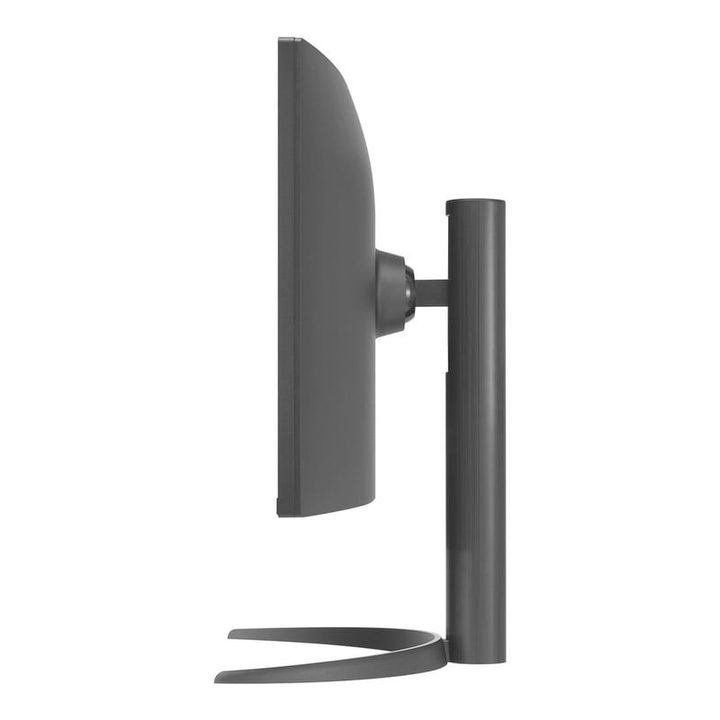
A side view of the LG 34BP65C ultrawide monitor and stand.
Image used with permission by copyright holder

This is also important because high refresh rate, 1440p resolution monitors are the next step up when it comes to esports titles. According to Nvidia, “1440p 27-inch displays can improve aiming by up to 3 percent over traditional 1080 24-inch displays when aiming at small targets.” Nvidia partnered with several monitor manufacturers earlier this year to announce a number of monitor models that meet that goal.

This newest monitor from LG doesn’t quite hit the 360Hz refresh rate, but then again only high-end graphics cards like the RTX 3080 and 3090 are pushing above 300 frames per second anyway. Gamers with less powerful graphics cards can still benefit from the 160Hz panel and 5ms response time. The refresh rate also makes regular productivity tasks a little smoother.

The LG 34BP65C is available now in the United States through LG’s website or third-party stores like B&H.

David Matthews
David is a freelance journalist based just outside of Washington D.C. specializing in consumer technology and gaming. He has…
This website is a goldmine if you love Mac menu bar apps
Discover hundreds of menu bar apps, from tiny utilities to powerful productivity tools, all in one place.
MacMenuBar website open on Mac

The menu bar is the most underrated part of macOS. It sits quietly at the top of your screen, and most people never do anything with it other than checking the time and battery percentage. But if you find the right apps, that thin strip becomes the fastest way to get things done on your Mac.

The problem is finding those apps. The Mac App Store is not great at surfacing them, and hunting through random blog lists is a chore. And while I have shared my favorite Mac utilities that include menu bar apps like Supercharge and CleanShot X, there’s an even better place to find the best apps for your Mac’s menu bar.

Read more
How to install macOS 27 Golden Gate public beta on your Mac?
From a smarter Siri to a more reliable Spotlight, here's your full walkthrough for installing macOS 27 Golden Gate's public beta today.
macOS 27 Golden Gate

Along with iOS 27’s public beta, Apple has also released macOS 27 Golden Gate’s public beta build, so that early adopters can get their hands on the new features, including Siri AI, and provide timely feedback to help ensure a stable iOS launch in September. 

If you’re sold on all the new features but don’t want to put your faithful MacBook through developer beta duty, a public beta offers a much more refined experience. To install macOS 27’s public beta, follow the steps given below. 

Read more
Microsoft is finally fixing the worst thing about Windows Search, but you can’t try it just yet
Windows Insiders in the Experimental channel are getting a Search experience that finally feels less of a billboard and more of what users actually need.
Page, Text, Person

Windows Search has been a mess for years, and I do not use that word lightly. Open it to find a file, and you get trending Bing topics, Microsoft Store promotions, and an AI tools tile that just opens a browser. 

That is changing, but not immediately for all users. Microsoft is rolling out a batch of Windows Search improvements to Insiders in the Experimental channel, and for once, this isn't just a fresh coat of paint.

Read more
