  1. Home
  2. Mobile
  3. Photography
  4. Legacy Archives

Introducing Air Clicker: Forget the camera, take pictures with your hand

Add as a preferred source on Google

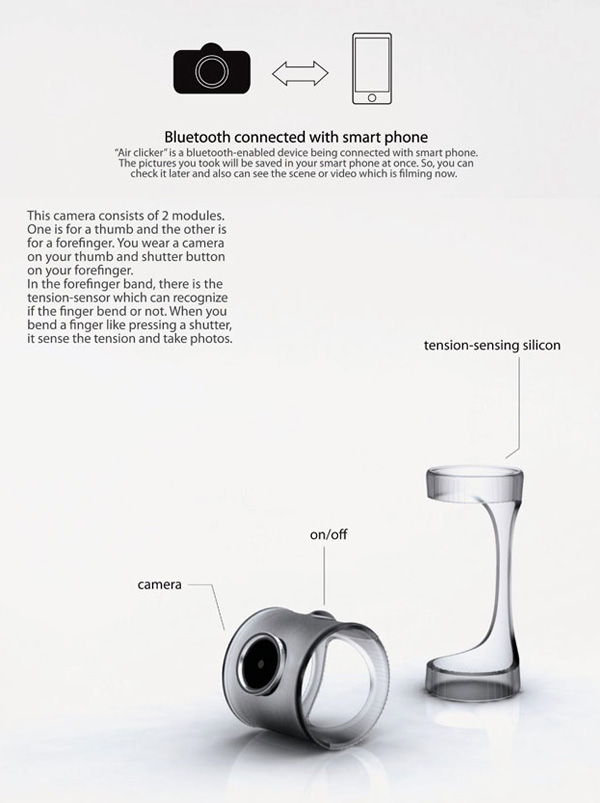
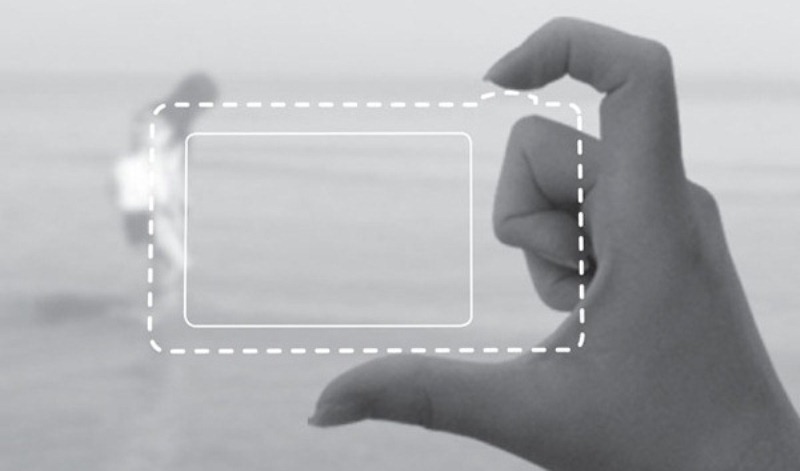
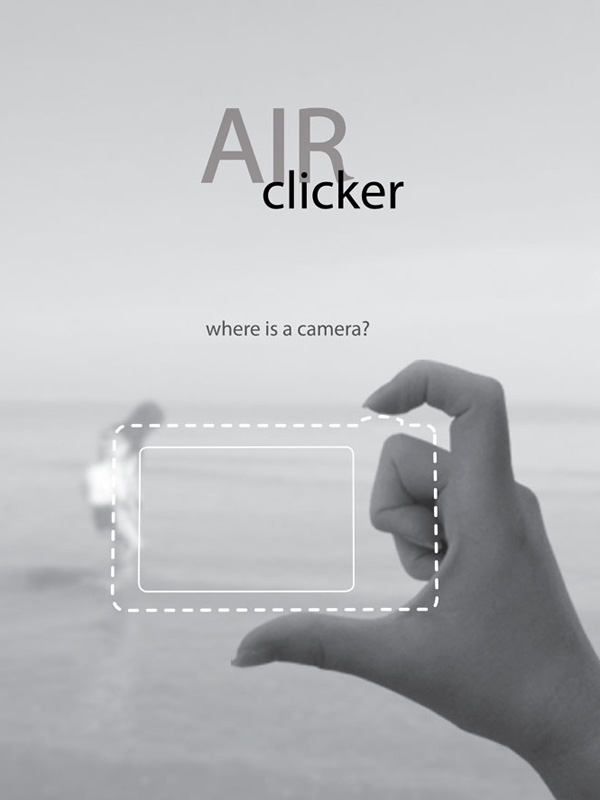
air clickerCameras are getting smaller and smaller, but the most pocket-friendly point-and-shoot can’t compete with a new concept from Yeon Su Kim. The designer has created a mechanism appropriately called the Air Clicker for using nothing more than your hands to capture images.

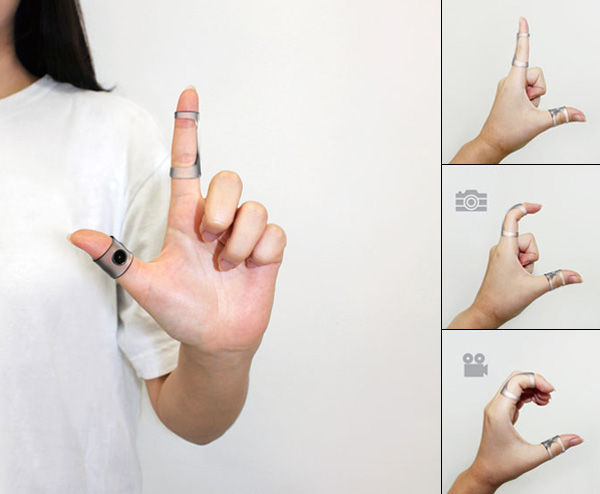
Two small ring-like devices wrap about a user’s pointer finger and thumb. Then making certain hand gestures and connecting to your smartphone via Bluetooth, you send photos to your handset. The thumb ring has a power button and a camera lens to take the picture while the other piece holds tension-sensing silicon so it can read the positioning of your finger. Bending your forefinger will take a photo while cupping your hand captures video.

Recommended Videos

Obviously the concept of megapixels doesn’t really apply to the Air Clicker—the quality of the photos isn’t really what’s up for discussion here (and such specs are unavailable). But with the proliferation and domination of smartphone cameras, it only stands to reason that consumers will appreciate the added convenience.

The innovation behind this concept is pretty mind-blowing, but its practicality is what could make it a reality. More and more people own smartphones, meaning more and more people are becoming casual (extremely casual) photographers, and for this demographic ease of use is the obvious motivation. And it doesn’t get much easier than moving your hands. However, we’re assuming the Air Clicker doesn’t have an outstanding sensor, nor does it come equipped with a flash, so in most cases it would take worse photos than your phone on its own.

Now pack this idea with some high-quality image capture technology and you’d have photographers of all skill levels trying to get their hands (fingers?) on it. 
air clicker
Image used with permission by copyright holder
air clicker
Image used with permission by copyright holder
air clicker
Image used with permission by copyright holder
Molly McHugh
Former Social Media/Web Editor
Before coming to Digital Trends, Molly worked as a freelance writer, occasional photographer, and general technical lackey…
The best note-taking apps for iOS and Android
I tested these apps for months so your notes never have to switch homes again.
iPhone showing note-taking apps

Choosing a note-taking app is not easy. What note-taking app you choose depends on your needs, the platform you use, and of course, the cost. The process becomes even more complicated as it seems that there’s a new shiny app released every other week. 

That’s why I always suggest choosing a note-taking app that has all the features you need and can last you for a long time. Also, don’t chase new apps. The real power of a note-taking app comes when all your notes live in one place, making it easy to spot connections between them.

Read more
The best phones in 2026: our 14 favorite smartphones right now
We tested phones across all price brackets so that you can make the best pick based on your needs and budget.
Google Pixel 10 Pro Fold vs Galaxy Z Fold 7 cameras

Choosing the right smartphone in 2026 is no easy task. Apple and Android manufacturers now have strong options at almost every price, while better cameras, longer battery life, improved software support, new AI features, and more refined foldable designs have made the market more competitive than ever. But picking one is not easy, especially if your budget is tight, or you are just legitimately concerned about getting the best value for your money and need a reliable daily driver for long-term usage.

We have tested and compared the leading smartphones available today, looking beyond the spec sheet to see how they actually perform in daily use. Camera quality, battery life, performance, display quality, software, design, and long-term value all play a part in our recommendations. Whether you are looking for a powerful flagship, a dependable budget phone, a compact device, or a foldable, this guide should help narrow down your choices.

Read more
Snapchat Planets Meaning: Order, Rankings, and How Friend Solar System Works
Snapchat Planets turns your best friends list into a solar system, and yes, your orbit says a lot
Snapchat Planets being shown on the Snapchat app on iPhone.

Snapchat+ includes several exclusive features, but few have generated as much curiosity as Snapchat Planets. Part of the app's Friend Solar System, it transforms your Best Friends list into a planetary ranking, assigning each of your top eight friends a planet based on how often you interact.

From Mercury, which represents your closest friend, to Neptune, which represents your eighth closest, the system offers a quick visual snapshot of your interactions. But what do the different planets actually mean, and how does Snapchat decide who gets which one?

Read more