  1. Home
  2. Audio / Video
  3. Features

Digital Trends may earn a commission when you buy through links on our site. Why trust us?

The new HomePod is still too expensive, which is exactly how Apple wants it

Add as a preferred source on Google

Apple just announced its second-generation HomePod. And it did so without too much fanfare, via press release and just a day after it unveiled new M2 processors inside new a MacBook Pro and Mac mini. And while there maybe wasn’t much fanfare, there was plenty of flourish — also in typical Apple fashion — without divulging all that many details about what’s new.
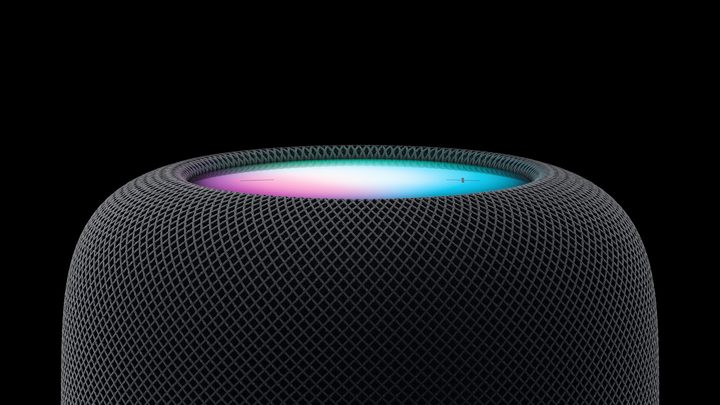
Apple HomePod 2023 model.
Image used with permission by copyright holder

There’s the lower price, of course, with $50 shaved off the first-gen HomePod price. The internals have been reworked some, though whether that’s to lower the overall cost, or just to make things better, remains to be seen. But It’s got a new S7 processor instead of the older (and less purpose-driven) A8. It’s got support for the Matter smart home standard and can listen for things like carbon monoxide alarms. And it’ll still play music and do other smart home stuff.

Recommended Videos

It’s also too expensive for most folks at $300. The catch is that the price probably doesn’t matter if you’re the sort who will be purchasing a new HomePod.

The new HomePod is a little less expensive, but still a smart speaker for the upper crust.

Consider, for a minute, the biggest competitors to the HomePod which, to be clear, is a premium smart speaker. This isn’t some $50 throwaway music maker. Amazon’s Echo Studio costs $200. A Sonos One is $219. Google’s awkwardly named Nest Audio isn’t quite in the same ballpark, but it’s $100, just for comparison’s sake. Or you could get Roku’s wireless speakers and wireless subwoofer for less than a single HomePod — and still have enough left over for lunch.

Does the new (or old, for that matter) HomePod do that much more than any one of those speakers? They all connect to the internet and do internet things, from music to smart home. (OK, Roku is really about home theater and not smart so much smart home.) They can all be paired with other speakers for whole-home audio, or (for Amazon and Sonos, anyway) paired with your television for audio.
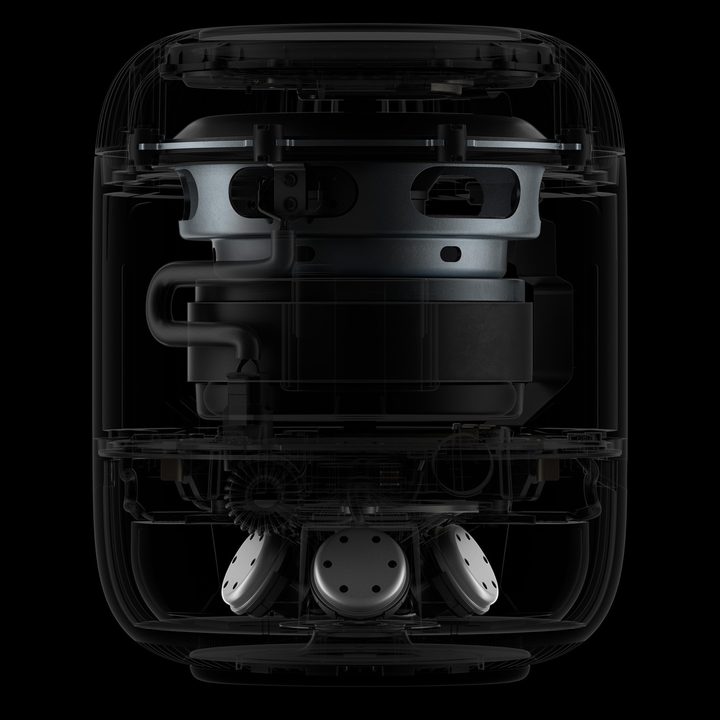
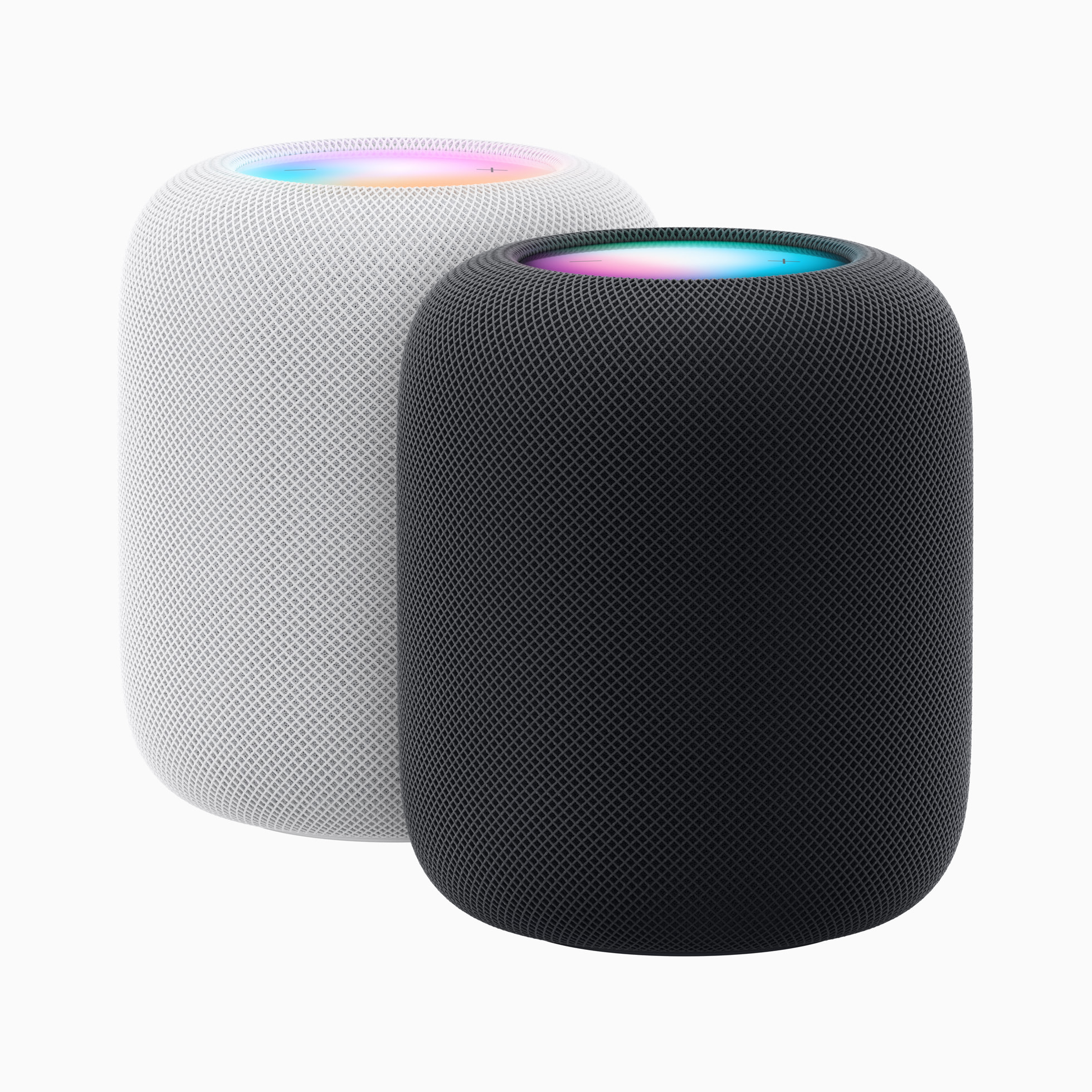
Apple HomePod 2023 internals.
Meet the new HomePod — slightly less expensive, but still priced at a premium. Image used with permission by copyright holder
No, as is the case with Apple’s other products, you’re not just paying $300 for a smart speaker. You’re paying $300 for an Apple smart speaker. One (and again, just a single, standalone speaker) that ties into the larger Apple ecosystem in ways no competing speaker can do, from setup to everyday use. Put your iPhone next to the new HomePod and it’ll suggest things you can play. You can use the Find My feature on the speaker to find missing devices around your home. (Hopefully not too often.)

Give HomePod the benefit of the doubt and presume that it’ll have superior audio. But is it $100 better? For a single speaker? Maybe it is. Maybe your standards of what’s “better” just aren’t worth that much more money. Maybe you care less about Apple’s privacy and environmental lines and just want something that works well enough, if not as close to perfect as can be.

It’s the totality of the product that lets Apple charge that much more than its competitors. Also just the company’s sheer size — it can afford to sell fewer of these things, though even that doesn’t make it immune from being deemed less than a success, as was the case with the original HomePod.

Will this new model suffer the same fate? Good — great, even — though at a price that simply was too high for the market to bear?

We’ll start to see after February 3, when the second-generation HomePod is released.

Phil Nickinson
Former Section Editor, Audio/Video
Phil spent the 2000s making newspapers with the Pensacola (Fla.) News Journal, the 2010s with Android Central and then the…
Proton reveals how smart TVs track you and the escape situation is pretty grim 
Modern smart TVs fingerprint your screen content at the chipset level.
Google TV applications on the Sony A95K TV.

Your smart TV may know far more about your viewing habits than you realize, even if you rarely use its smart features. In a new privacy explainer, Proton warns that many modern TVs quietly collect data about everything displayed on the screen and share it with manufacturers, advertisers, and analytics companies.

The worrying part is that escaping this tracking is becoming increasingly difficult because many privacy controls are buried deep in settings or enabled by default. Proton argues that buying a smart TV today often means accepting a level of surveillance that most people never knowingly signed up for.

Read more
LG is cracking down on smart TV apps that quietly turn your TV into a secret proxy
LG OLED Settings

If you own an LG smart TV, there's a chance one of your harmless-looking apps has been moonlighting as an internet relay for someone else's traffic. According to a report from KrebsOnSecurity, LG says it's finally stepping in to stop this menace. This week, the company confirmed it plans to suspend any webOS app that turns a TV into what's called a residential proxy node.

The move follows a report from security firm Spur, which found that more than 42 percent of apps on LG's webOS store include SDKs that quietly reroute internet traffic through your TV, indefinitely. Samsung isn't spared either, with over a quarter of Tizen apps carrying similar code.

Read more
The LG C6 OLED is great out of the box. These settings make it even better.
From Filmmaker Mode to shadow detail and AI Sound Pro, these are the settings that made the biggest difference after a month of testing the LG C6 OLED.
LG OLED Settings

The LG C6 OLED is one of the best mid-range OLED TVs you can buy right now. After spending the past month testing and using it every day, one thing became clear: straight out of the box, you're leaving picture quality on the table.

The good news is that getting more out of the TV doesn't require professional calibration or hours spent digging through menus. A handful of small adjustments can make movies look more cinematic, improve shadow detail, smooth out motion and even make the built-in speakers sound noticeably better. Here are the exact settings I've been using after living with the LG C6.

Read more

