Every so often, Apple will come out and tell people how deeply committed it is to the world of Mac gaming. And just as regularly, many of us Mac gamers roll our eyes. It’s not that I don’t trust Apple or don’t think the company is trying. It’s just that I’ve heard it all so many times before, yet macOS still lags far behind Windows gaming. Why would this time be any different?
Well, if a new TechCrunch interview with a couple of Apple execs is to be believed, the company is actually putting measures in place to convince developers to bring their games to the Mac instead of letting the platform languish in loneliness. That’s important because the dearth of quality Mac games is a massive and ongoing frustration.

To be clear, I’m not saying all Mac games are bad, or that those developers who have gone to the considerable effort of porting their games to Apple’s computers are not noteworthy. No, the problem is that while there are plenty of great Mac games, there are far fewer compared to our friends over on Windows. And if you love gaming, the Mac simply isn’t the place to go, no matter what Apple says.
It doesn’t have to be this way — after all, modern Macs have great hardware. Apple silicon chips are some of the fastest processors in the business. The displays built into Apple’s laptops are unrivaled in their quality. And the audio output from even the cheapest Apple MacBook blows anything from rival PC laptops out of the water. In other words, Apple’s Macs should be fantastic little gaming machines.
Destination Mac
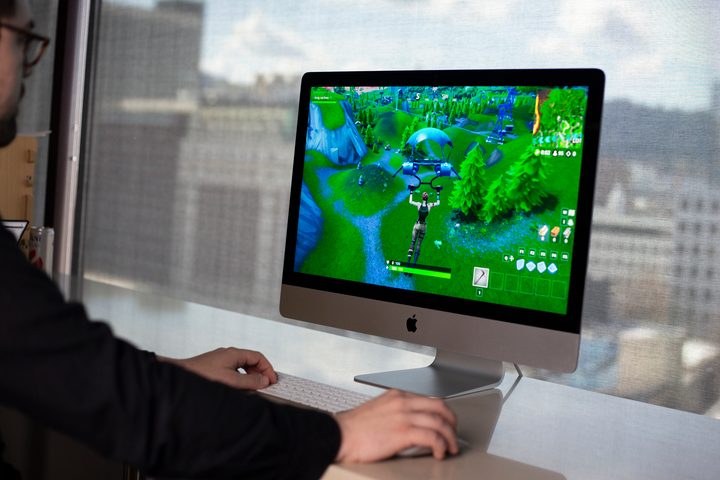
So why aren’t big-name developers flocking to the Mac? Unfortunately, they suffer from a negatively spiraling gameplay loop, if you will. Developers look at the number of Mac gamers compared to PC gamers and decide the former is too small to justify the cost and effort of porting their games. Gamers look at the paltry number of AAA games on the Mac and decide to stick to Windows. Each factor helps to reinforce the other.
There are also technical hurdles to overcome. Macs rely on Metal, Apple’s own graphics API, instead of DirectX, which the vast majority of PC games run on. This means developers have to tweak their games specifically to work with Metal if they want to bring their games to the Mac. And if Apple doesn’t provide the right support, that can be an unnecessarily complex process.

Fortunately, it seems like Apple is trying to make working with Metal as painless as it can be. In the TechCrunch interview, Tim Millet, Apple’s vice president of Platform Architecture and Hardware Technologies, said that his team was working closely with the company’s Metal engineers to ensure their APIs are as up to speed as possible for developers.
“My team spends a lot of time thinking about how to make sure that we’re staying on that API curve to make sure that we’re giving Metal what it needs to be a modern gaming API,” Millet said. “We know this will take some time. But we’re not at all confused about the opportunity; we see it. And we’re going to make sure we show up.”
That’s reassuring to hear, but without top-tier games on the Mac, it’s not going to convince gamers to switch away from Windows or developers to port their games across. It sounds like Apple is at least trying, but there are no points for effort here. We need to see results if the fortunes of Mac gaming are to change.
Disappointing past efforts

To be sure, there have been past efforts to increase the number of games on the Mac, most prominently in the form of Apple Arcade. Games on Apple Arcade work on Macs, iPhones, iPads and Apple TVs, letting you play ad-free and carry your save progress onto any of those devices. It’s a pretty attractive proposition.
At least, that’s how it looks on paper. In reality, though, the Mac loses out. Because developers have to ensure their games work well on the most powerful Mac Pro and the tiniest iPhone, they inevitably have to cater to the lowest common denominator. That means on the Mac, you get blurry textures and gigantic menus designed for touch input. It gives the impression that the Mac is an afterthought when it comes to Apple Arcade.
No, if Apple is going to prove it actually cares about Mac gamers, we don’t need any more hyped-up event presentations or Apple Arcade disappointments. We need high-end franchises choosing to launch their games on the Mac. We need action, not more talk.
If this latest interview is anything to go by, Apple seems to be trying, and I’m inclined to believe Millet when he says his team is going to “show up.” Let’s just hope we see the fruits of that labor sooner rather than later.