

Lenovo already showed off its Lenovo ThinkPad X1 Hybrid last week, but tonight at CES Unveiled, we had a chance to check out the new dual-OS laptop in person. While we did bump into a few unexpected quirks of balancing two operating systems and processors in one machine, the concept does show promise for users hell bent on wringing every minute of battery life possible from their notebooks.
As the hybrid name implies, the new X1 runs both Windows 7 using a conventional Intel Core i-series processor, and a “customized version of Linux” on a Qualcomm 8060 ARM CPU – basically the same type of chip found in phones like the Samsung Galaxy S II. It’s essentially a Frankenstein laptop with the beating heart of a smartphone beating beside a stronger Intel ticker. When users switch over to the less powerful chip in “Instant Media Mode” (IMM), they’re constrained to just a handful of applications: a Web browser, e-mail client, movie player, audio player, photo viewer, and a few more, but with upside of doubling battery life, according to Lenovo. (Officially figures claim it should be able to achieve up to 10 hours in this mode, but that’s with an optional slice battery that adds significant bulk and weight).
 The good news: The switch is about as seamless as you can imagine, considering you’re literally jolting one set of guts alive while shutting down another. The X1 hybrid launches Instant Media Mode only one or two seconds after clicking on it within Windows. You can go directly to a simple home screen that lays your settings out for you, or head right to the app (ex. video player) you want. While the cursor felt somewhat laggy in IMM, the Qualcomm chip had no problem playing demo videos at full screen, and if Wi-Fi had been available we’re confident browsing would be no issue. Lenovo insists on referring to the OS as a “customized version of Linux,” but opening the settings panel confirmed that it’s obviously built on top of Android, an observation Lenovo reps would only acknowledge by conceding “there are some open-source components.”
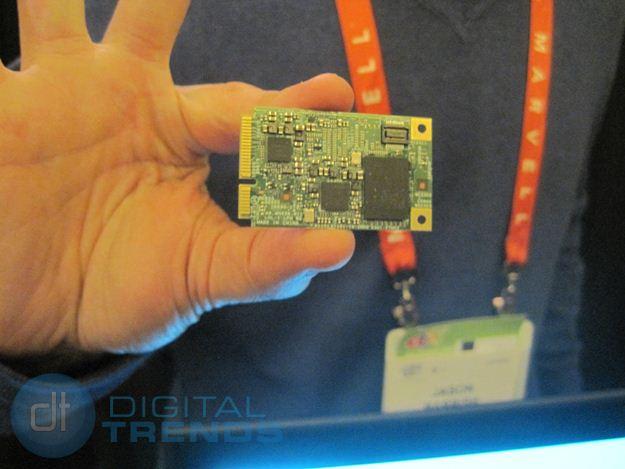
Since IMM saves battery life by completely putting the main board to sleep, it basically acts like a smartphone that shares the same display, inputs, battery and some other bits, like a headphone jack. One interesting consequence of this: You can’t actually access the contents of your hard drive. The Qualcomm chip has its own 16GB flash storage module, which you can add files to from Windows, but it’s all you have access to once you flip the switch.
Even with all the chatter about Windows 8’s ability to run on an ARM CPU, Lenovo said the X1 Hybrid may or may not run it – the Qualcomm 8060 CPU inside hasn’t been optimized for Windows 8, so there’s no guarantee. Likewise, despite its Android lineage, there’s no plan to add additional apps for access in Instant Media Mode, so don’t count on using your 10 hours of extended battery life to play Angry Birds on the way to Tokyo.
Considering it will sell for $1,600 when it launches in the second quarter, the X1 Hybrid makes for one spendy experiment in cross-breeding. Still, for serious frequent fliers who log entire days without the chance to power up, it might be just the fix.


