
Lenovo has a few classes of ThinkPad laptops, each aimed at different types of people. The X1 Carbon is an example of a ThinkPad aimed at jet-setters who appreciate thin and light laptops, while the T490 is for those who see ThinkPads as solid, trustworthy, and — let’s face it — slightly more pedestrian laptops.
We pitted the ThinkPad X1 Carbon Gen 9 against the ThinkPad T490 to see whether the higher price of the former is justified over the solid reliability of the latter.
Design

The ThinkPad X1 Carbon Gen 9 looks and feels very similar to the slim Gen 7 model, maintaining its mix of magnesium alloy and carbon fiber making up the chassis. If you buy the version with the 4K display, then you’ll love the woven carbon fiber pattern adorning the lid. Besides the thinner design, the X1 Carbon looks a lot like the T490, both of which highlight the usual iconic black chassis with red accents as adorns the majority of ThinkPads. Both also enjoy the soft-touch feel that makes carrying and using the typical ThinkPad so comfortable. The T490, however, is constructed of plastic with glass fiber backing.
In terms of their keyboards, you might imagine both laptops to enjoy identical ThinkPad quality. That’s not the case, though, as the X1 Carbon Gen 9 has a slightly shallower keyboard thanks to its thinner chassis. It still feels great, but if you want the traditional ThinkPad keyboard, then the T490 is the better choice. Both offer backlit and non-backlit versions.
Both laptops sport the typical red TrackPoint nubbin in the middle of the display with an extra set of buttons above the touchpad. Both touchpads support Microsoft’s Precision touchpad drivers for excellent Windows multitouch gesture support, but the X1 Carbon Gen 9 does have a wider pad with more room for your fingers. Both laptops also support Windows Hello password-less login via fast and accurate fingerprint scanners, with a ThinkShutter privacy panel that slides over the webcam for some extra privacy.
Display options are where the two laptops seriously diverge. The X1 Carbon offers a host of display options, from full HD (1920 x 1080) panels with low-power or anti-glare touch support, up to a 4K (3840 x 2160) display with 500 nits of brightness, and Dolby Vision high-dynamic range (HDR) support.
We can attest to how excellent the latter display is, with great colors, brightness, and some of the best Netflix HDR support you’ll find on a laptop. The T490 is more limited, with HD or full HD displays but few other options and no UHD model — it’s not the most important consideration for a 14-inch screen where the extra pixels won’t be missed as much, but it’s noteworthy for those who want full 4K.
Finally, the ThinkPad X1 Carbon has better connectivity, with two USB-C ports with Thunderbolt 4 support, an Ethernet/docking station connector (that unfortunately requires an optional adapter), two USB-A 3.2 ports, and HDMI 2.0. The T490 only has two USB 3.1 ports, a USB-C 3.1 Gen 1 port, and a USB-C 3.1 Gen 2 port with Thunderbolt 3, plus an HDMI 1.4 port.
Both laptops can be upgraded to Intel’s Wi-Fi 6 card with Bluetooth 5.0, at least on those versions with Intel’s 10th-generation CPUs (more on this below). You can also configure optional WWAN SIM slots.
Performance

The X1 Carbon Gen 9 line has only 11th-gen Intel Comet Lake processors, ranging from the four-core i7-1135G7 to the four-core i7-1185G7. These 11th-gen processors are some of the fastest around, according to our tests, and an excellent choice for a performance upgrade if you haven’t bought a new laptop in a few years (there’s also a model with built-in Linux compatibility if you prefer that operating system).
The T490, on the other hand, offers primarily 8th-gen Intel processors, starting with the four-core i7-8665U. The most advanced T490 version does come with a 10th-gen i7-10510U chip, but it’s currently out of stock, and that requires the maximum upgrade for the T490. This is a compromise that the T490 makes to remain the more affordable laptop, but it is a notable decrease in power.
On the GPU front, the T490 offers integrated Intel UHD graphics, while the X1 Carbon Gen 9 uses the more advanced Intel Iris Xe graphics for an improved experience.
Both models also offer options for up to 1TB PCIe solid-state drive storage. But when it comes to RAM, the T490 is limited to 16GBs, while the X1 Carbon Gen 9 has options up to 32GB of RAM.
Portability
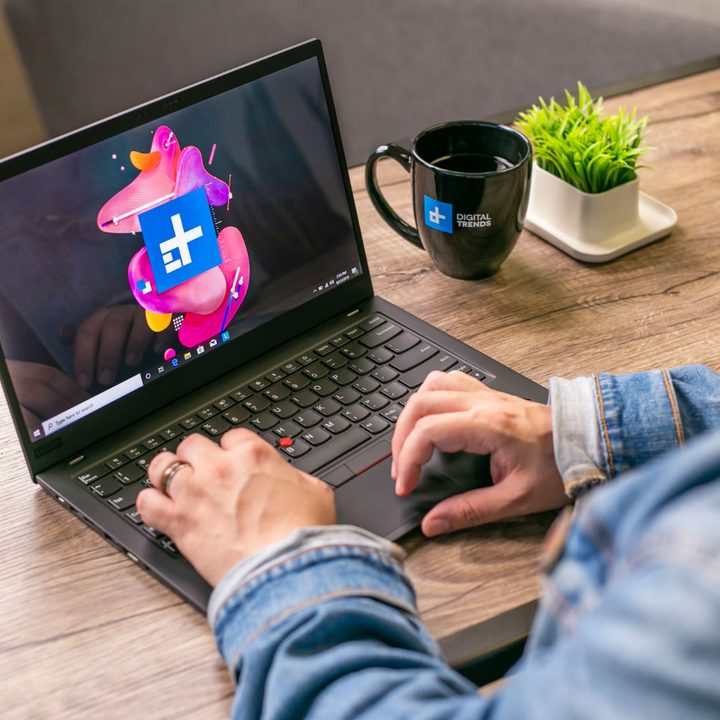
The X1 Carbon is a much lighter, smaller, and thinner laptop than the T490. It’s easier to toss into a backpack and carry around. The X1 Carbon is significantly smaller than the T490 despite both laptops using 14-inch displays.
The T490 is wider (12.95 inches versus 12.71 inches) and deeper (8.94 inches versus 8.54 inches) than the X1 Carbon, thanks mainly to thicker display bezels, and it’s thicker at 0.70 inches versus 0.58 inches. Finally, the X1 Carbon weighs 2.49 pounds, almost a full pound lighter than the T490 that comes in at a starting weight of 3.23 pounds (up to 3.56 pounds with the PrivacyGuard display). That makes the X1 Carbon a more modern and attractive design.
The T490 comes with a 50Whr battery rated up to 16.11 hours, while the X1 Carbon comes with a 57Wh battery rated up to 16.7 hours. However, the processor and displays decisions you make will also have a big impact on battery life, so take these specs into account alongside other decisions.
The ThinkPad X1 Carbon is the more modern ThinkPad iteration

The ThinkPad X1 Carbon Gen 9 is no doubt the more costly laptop. The base model starts at $2,321 (down to $1,392.60 with Lenovo’s automatic coupon), and depending on what upgrades you want, that price can climb as high as $3,889 (down to $2,333.40 with the coupon). If you can find these kinds of deals, then you really have no excuse not to take the plunge and buy the new ThinkPad X1.
The ThinkPad T490’s current pricing puts it within a very similar price range despite the slower performance. The base model starts at $2,409 ($799.99 with deals) and can reach up to $2,859. You can find different features and upgrades to this model, such as the 10th-gen CPU, but you will need to research what the price will be for that.
There’s no denying that the Lenovo ThinkPad X1 Carbon Gen 9 is the superior product due to an upgraded processor and 4K offerings. That said, if you’re on a tight budget, then the T490 offers decent specs at an affordable price. If your budget allows some wiggle room for upgrades, then the X1 Carbon is what we recommend. Overall, it is a superior machine, and current deals mean that there is only a slight price difference between the two options, and with that in mind, we highly recommend the Gen 9 Carbon model.



