1. Home
  2. Computing
  3. News

PowerPoint will use ChatGPT to create entire slideshows for you

Add as a preferred source on Google

Microsoft has revealed its thoughts on how artificial intelligence (AI) could shape how we work in the years to come — and how it plans to help guide those changes. The announcement was made by Microsoft’s Satya Nadella and Jared Spataro at a company event titled The Future of Work with AI.

As the name suggests, the show was focused on how artificial intelligence (AI) could affect how we work, both now and in the future. More specifically, the tech giant discussed how it will add AI smarts into its suite of Office apps.
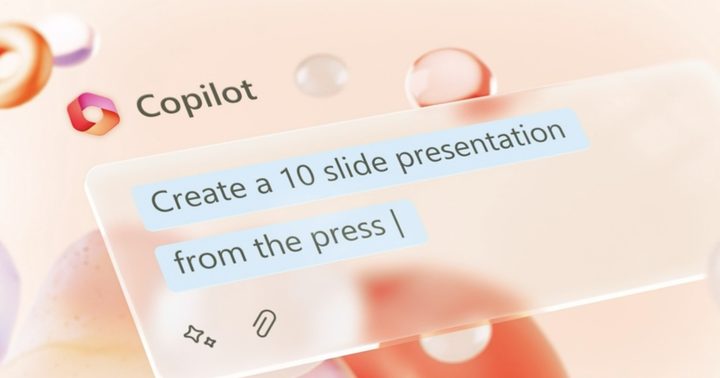
Microsoft Copilot creating a PowerPoint presentation for a user.
Microsoft

In PowerPoint, for example, you will be able to use an AI-powered Copilot that can create entire presentations for you with just a few text prompts. You will be able to tell it to make a presentation based on one of your existing documents, and it will understand prompts telling it to add animations or style each slide individually.

Recommended Videos

Microsoft will also be bringing Copilot to its other Office apps. You can use it to help you write a speech in Word, put together a to-do list in OneNote, or draft a group email in Outlook. Everything will be editable, either by directly changing text and images yourself or by asking Copilot to do it for you.
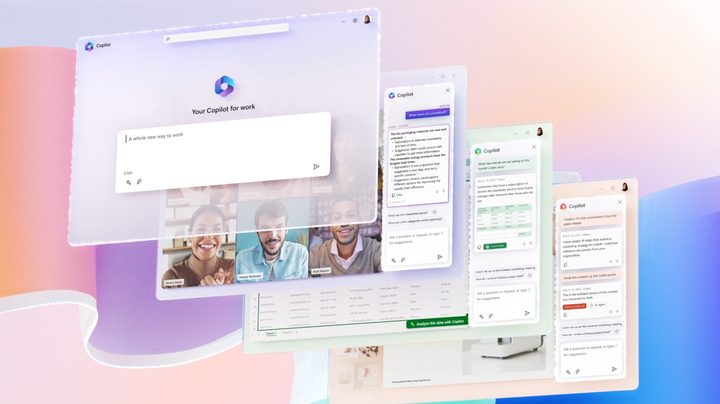
Microsoft's AI Copilot being used in various Microsoft Office apps.
Microsoft

Copilot does all this by combining Microsoft 365 apps, a large language model, and Microsoft Graph, which together analyze your files and data to learn how to help you best. As Microsoft explained, it’s not just ChatGPT connected to Office, but a lot more than that.

Microsoft’s AI efforts have come under intense scrutiny in recent weeks. After the company bought OpenAI, it worked to integrate the ChatGPT chatbot into its products. The result was Bing Chat, but it has been plagued by reports of erratic behavior and unsettling messages since it launched.

Earlier this week, OpenAI unveiled GPT-4, the latest edition of the large language model powering ChatGPT. It was also revealed that Bing Chat is powered by GPT-4 and has been for some time now.


Alex Blake
Alex Blake has been working with Digital Trends since 2019, where he spends most of his time writing about Mac computers…
This cross-device clipboard app solves the copy-paste problem I keep running into on my Mac
ClipboardAI keeps a searchable history of everything you copy
Text, Electronics, Mobile Phone

I have lost count of how many times I have copied something important, copied another thing before pasting it, and then realized the first item was gone. It is a small frustration, but it happens often enough to become annoying. I recently came across ClipboardAI, which caught my attention because it goes beyond Apple’s built-in clipboard by saving copied items into a searchable history.

Instead of replacing the last thing you copied every time, ClipboardAI keeps a searchable record of copied text, links, codes, email addresses, phone numbers, addresses, and images across iPhone, iPad, and Mac. That means an older clip does not disappear just because you copied something new.

Read more
If you miss the feel of paper in the digital age, this app gives your Mac’s screen a textured look
A paper-like screen overlay could make long work sessions feel less harsh.
Advertisement, Poster, Electronics

Most screen-comfort tools work by changing color temperature. Apple’s Night Shift makes the screen warmer, often giving everything an orange tint. Paperman is an interesting alternative because it adds a subtle paper-like texture over the display instead.

The app is available for Mac and Windows, and it is designed to make a screen look closer to paper, matte glass, or an e-ink display. It softens the harsh contrast and reduces the glossy look of modern screens during long reading or writing sessions.

Read more
I dug these last-hour Prime Day smart home, laptop, and accessory deals that are irresistible
Deals up to 60% off, a few hours left, and no reason to wait any longer.
Electronics, Phone, Speaker

Amazon's Prime Day 2026 sale is in its final hours, giving you your last chance to get your hands on the best smart home, security, tablet, laptop, and accessory deals. I've pulled together the picks that are still live, still deeply discounted, and still worth buying before the sale ends tonight or until the stock lasts.

Best Amazon Prime Day deals on smart home devices

Read more